Create a hotel website: top tools, costs & tips (2026)

As seen in:



Top 3 website tools for hotels
-
Visit site
Test score
8.3
2026
Excellent
-
Visit site
Test score
8.2
2026
Excellent
-
Visit site
Test score
7.2
2026
Very good
You can create your own hotel website in two main ways — by building it yourself using a website builder or WordPress, or by having it created professionally.
This guide covers both options and includes tool recommendations suitable for hotels, guesthouses, inns and holiday resorts.
You’ll learn what costs to expect, what matters when it comes to planning, design and booking systems — and which legal and data protection aspects you should keep in mind. You’ll also find examples for inspiration and clear tips on how to structure your website content.
How to create a hotel website:
- Introduction: what makes a successful hotel website
- Built it yourself: the best website builders and CMS tools for hotels
- Web designer: where to get a hotel website built professionally
- Costs: how much a website for your hotel costs
- Planning: how to plan the content for your hotel website
- Legal basics: what to consider for legal notice and data protection
- Final checks: what to review before going live
At a glance
- Methods: You can either create your hotel website yourself or have it designed by professionals. Tools like website builders or WordPress are also suitable for beginners.
- Especially important: Make sure your property and services are presented clearly and attractively, use authentic photos, offer clear contact options and, if relevant, information for job applicants — and don’t overlook legal requirements.
- Costs: Do-it-yourself website builders start at around £5 per month. A custom-made website from a professional typically starts at about £2,000.
Your website is more than a digital noticeboard — it’s your reception desk online. It gives guests an authentic first impression of your place even before they arrive. Compared with booking platforms, your own site gives you full control over content, design and how you communicate.
Typical goals:
- Present your hotel in a stylish, individual way
- Enable direct bookings and reduce commission costs
- Promote events, your restaurant or spa services
- Publish news or job openings
- Create a direct line to guests
A dedicated website helps you reach exactly the kind of guests who fit your hotel — without relying on large booking platforms.
“Texts, images and features shouldn’t just look professional — above all, they should feel authentic and match your property.”
Dirk Metzmacher
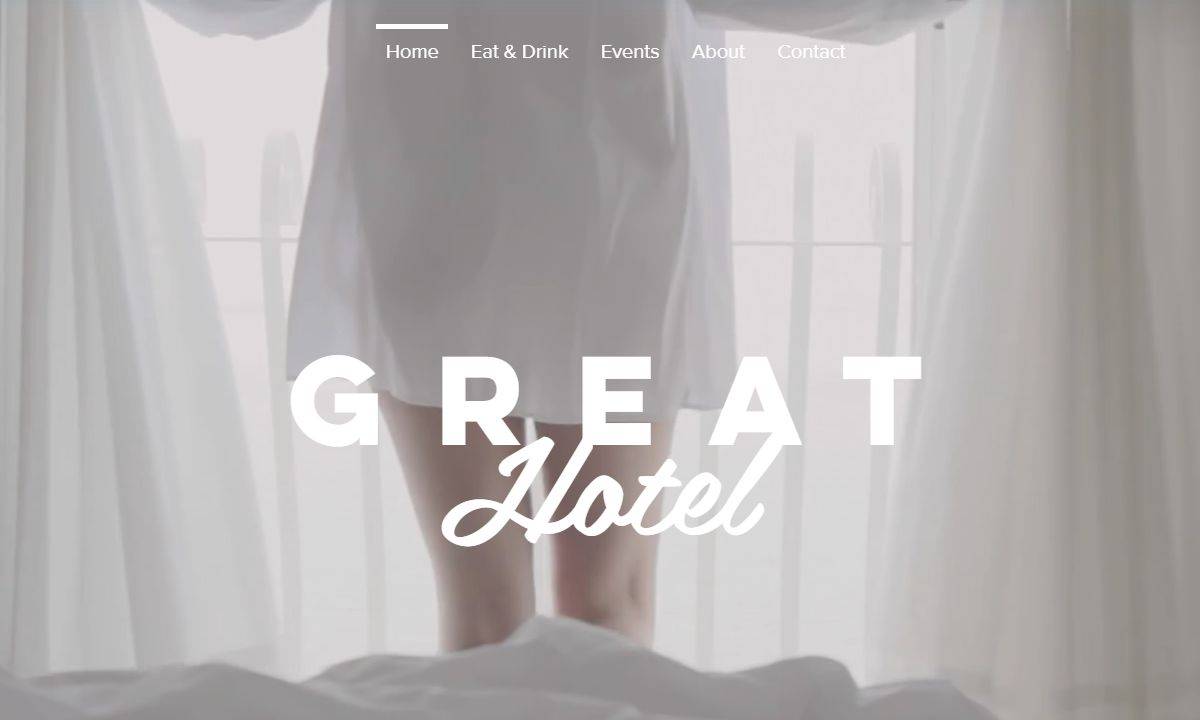
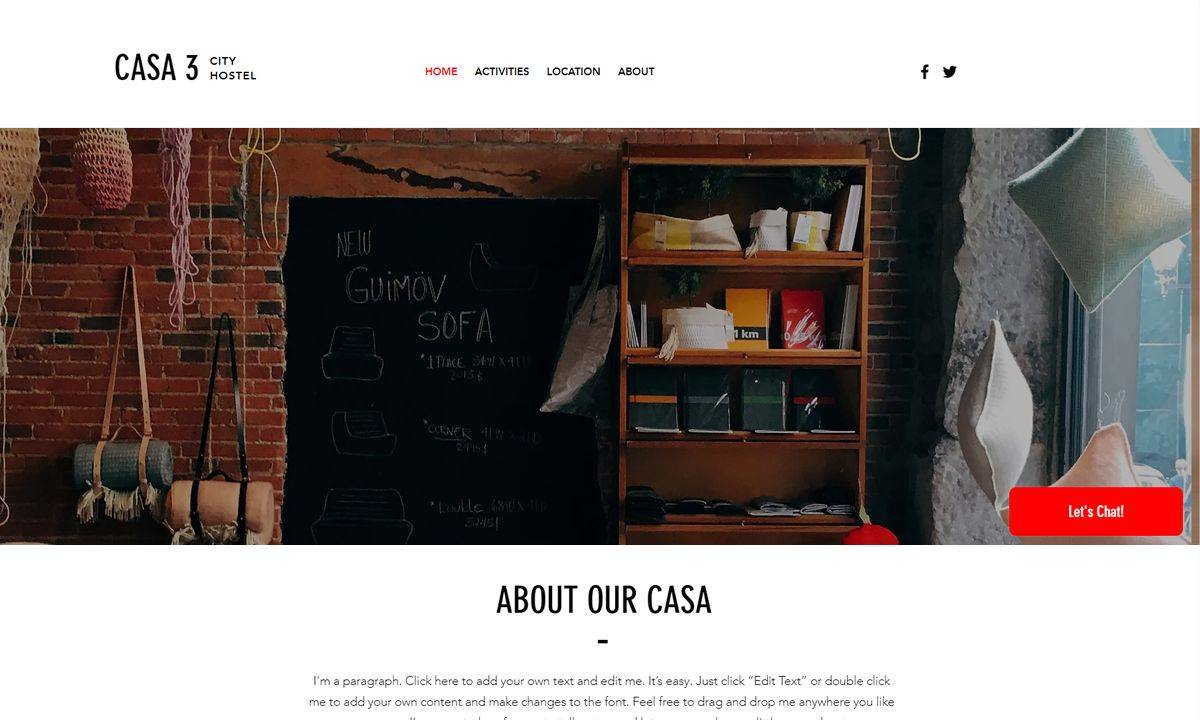
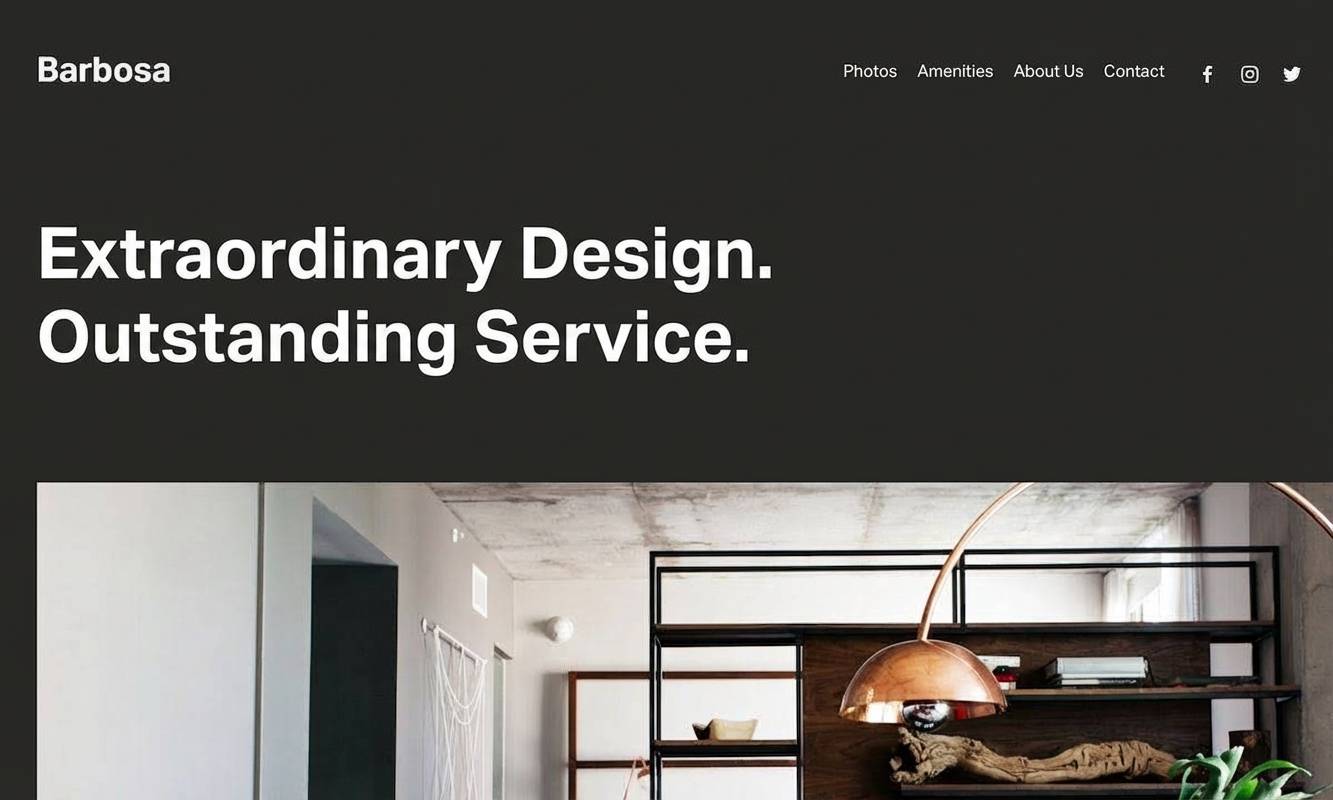
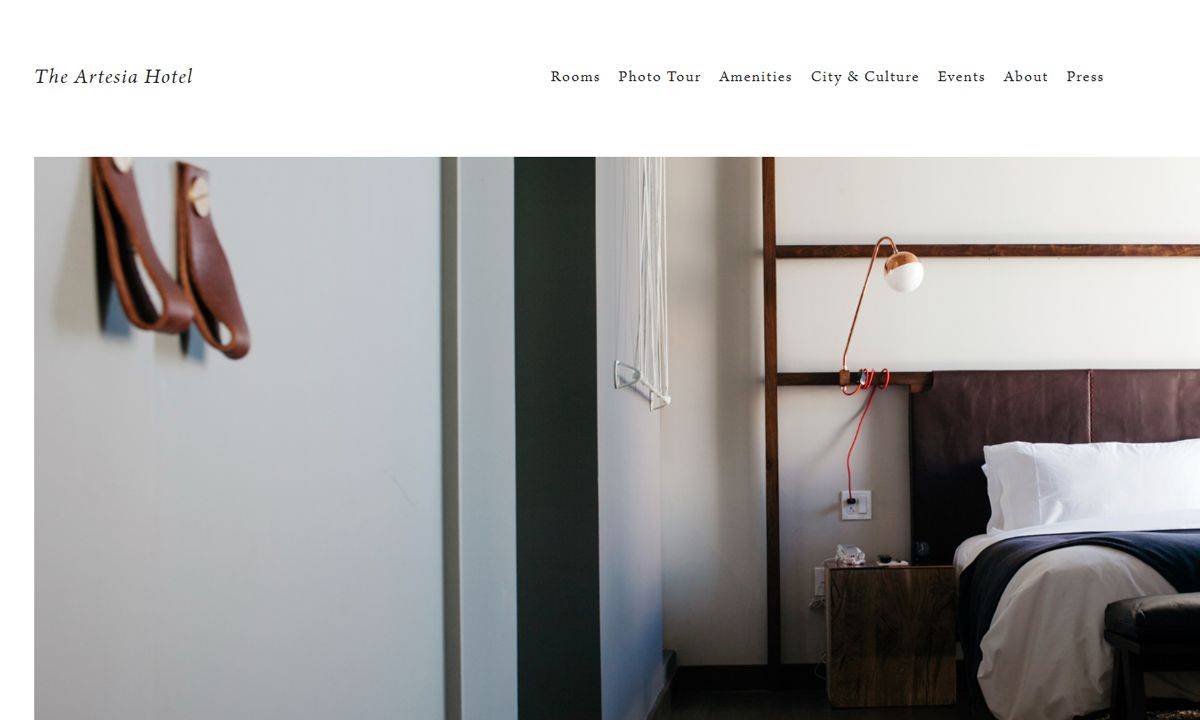
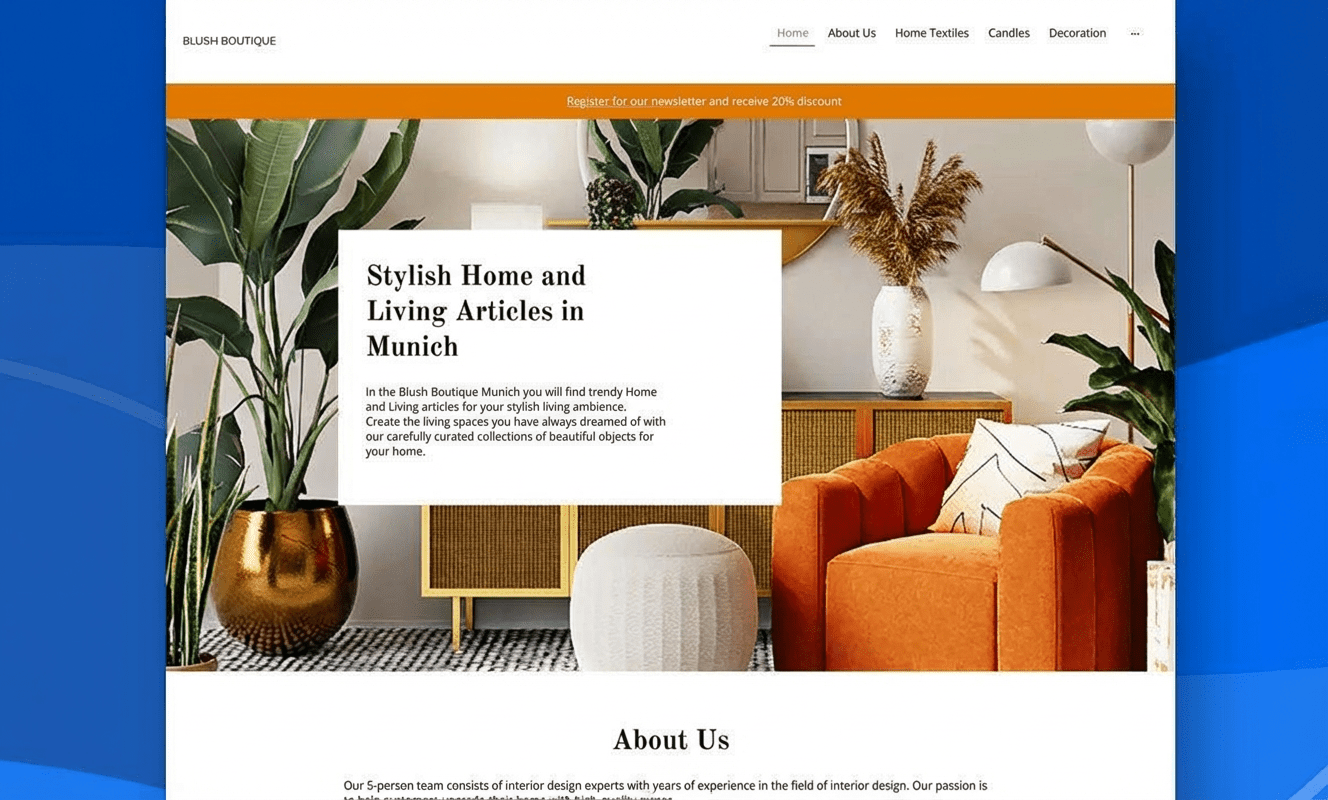
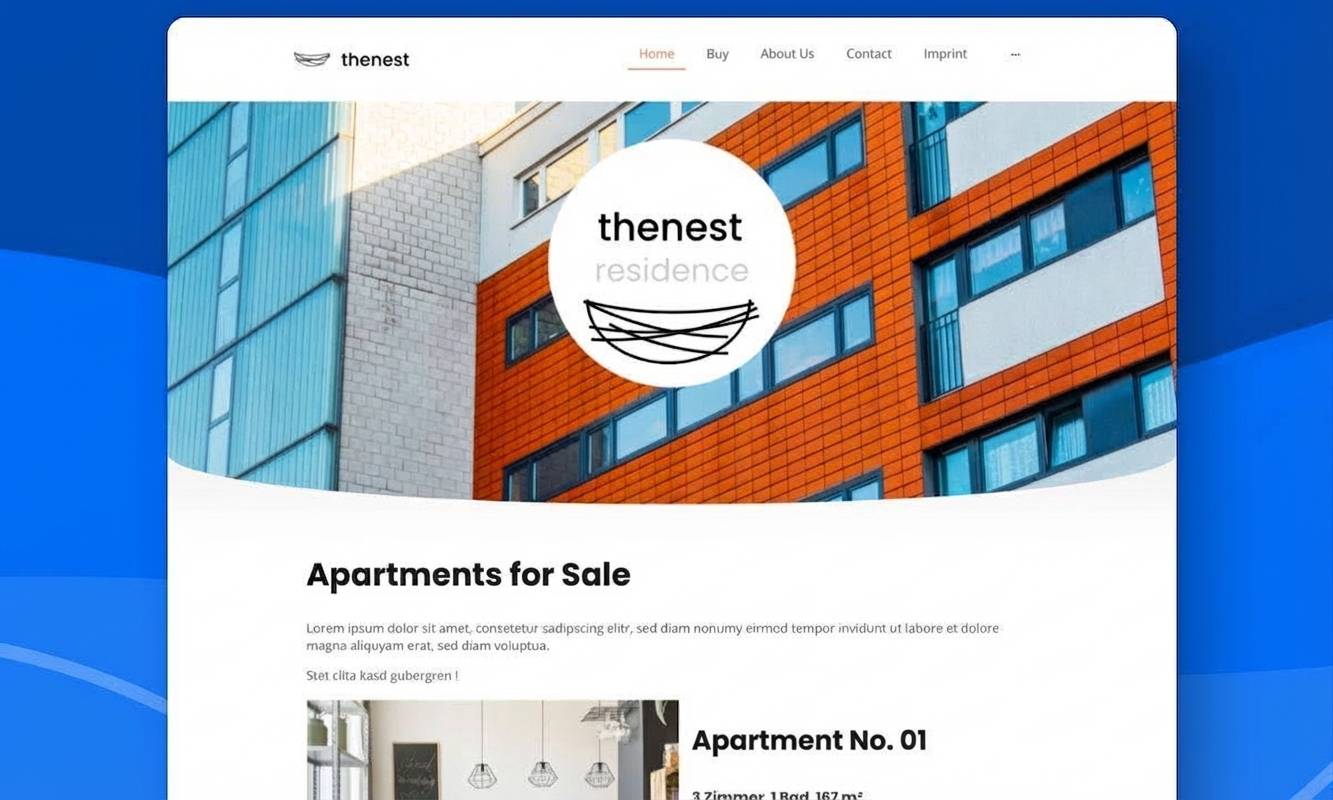
Well-designed hotel websites
You can use the following hotel websites as inspiration for your own homepage. I’ve included both successful do-it-yourself examples and professionally designed sites.
Take your time to see which content and features matter most to you — and which design style fits your hotel best.
Hotel website must-haves
Alongside an attractive design, the right functions matter most. Your site should be informative, intuitive and welcoming — and meet guests where they are: looking for information, offers or their next booking.
Key features:
- Booking system: With calendar and payment options
- Photo galleries: For rooms, surroundings and extras
- Multiple languages: If you welcome international guests
- Directions: With Google Maps
- Reviews or storytelling: A way to show reviews or share your own stories
Ways to build a restaurant website
Creating a hotel website yourself isn’t rocket science these days — especially with website builders or WordPress. It’s cost-effective and flexible. Working with professionals, on the other hand, gives you the benefit of a tailored design and solid technical setup.
In this guide, I’ll walk you through both approaches — with practical recommendations, tested tools, realistic costs and my best tips from experience.
| Method | Description | Costs |
|---|---|---|
| 1. Build it yourself with a website builder or WordPress | For beginners and simple projects Modern website builders and content management systems let even beginners create a high-quality website directly in the browser. | From around £5 per month |
| 2. Have it built by a web designer or agency | Convenient and professional, but more expensive Tools and service providers vary widely when it comes to support and pricing. A basic website built by a professional typically starts at around £2,000, with no real upper limit. | From around £2,000 |
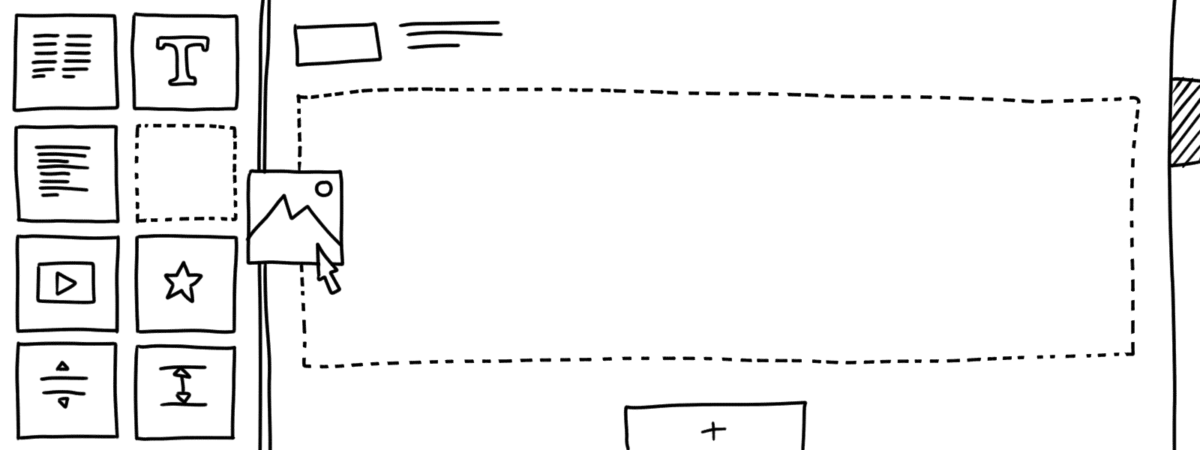
Creating a hotel website yourself is easier than many people expect — and usually much more affordable than hiring an agency. Modern website builders and WordPress, in particular, offer plenty of creative freedom, even if you have no coding skills.
Important: You should feel comfortable using a computer, have a bit of patience, and be willing to learn how the chosen system works. If that’s the case, there’s nothing standing in the way of your own hotel website.
Best website builders for hotels:
Here you’ll find all the tools I’ve tested in detail in my comprehensive website builder comparison.
Would you rather have your site created by a professional service provider? Then take a look at my comparison of the best web design agencies for hotels.
-
1 Winner 2026

Test score
9.4
2026
Outstanding
Pros and Cons
- WordPress securely installed with 1 click
- Control over functions and data
- Huge range of extensions and designs
- Automatic updates and backups
- Using WordPress is more complicated than a website builder
Visit sitePricing
- IONOS WordPress
- Fast server hardware
- Incl. domain & email addresses
- From £1 / month
- 30 days money back
-
2 Ideal for beginners

Test score
8.5
2026
Excellent
Pros and Cons
- Very easy to set up
- Best results for simple websites
- AI assistant facilitates creation
- Image database with 17,000 photos
- Email inbox included in the tariff
- Rather not ideal for more complex websites
- Other providers offer more choice in design templates
Visit sitePricing
- IONOS MyWebsite Now
- Free from advertisements
- With your own domain & email
- from 1£ / month
-
3 Best value for money

Test score
7.9
2026
Very good
Pros and Cons
- Very simple and beginner-friendly creation
- Designs optimised for mobile devices
- Free support
- Attractive Pro tariffs
- Selection of design templates is limited
- Functionality not as extensive in comparison (no app store)
Visit sitePricing
- Webador Free
- Permanently free of charge
- No own domain
- Webador banner on the page
- Webador Pro
- Incl. domain and email inbox
- Incl. online shop
- from £8.50 / month
- Test 3 months free of charge
-
4 Very easy to set up

Test score
7.3
2026
Very good
Pros and Cons
- Website wizard that gets your page up and running in just a few minutes
- Attractive & mobile-optimised designs
- Functions rather limited to basics
- Few possibilities for extension
Visit sitePricing
- JIMDO Free
- Permanently free of charge
- Jimdo branding
- No own domain
- JIMDO Premium
- Advertising free
- With your own domain
- from 9,00£ / month
-
5 Most flexible solution

Test score
7
2026
Very good
Pros and Cons
- Website builder with the greatest design freedom
- 800+ high-quality designs, 300+ app extensions
- AI assistant for website and content
- Several image databases integrated
- Range of functions can be overwhelming at first
- Email addresses only via Google Workspace (costs extra)
Visit sitePricing
- WIX Free
- Permanently free of charge
- Wix.com branding
- No own domain
- WIX Premium
- Advertising free
- With your own domain
- from £7.50 / month
- Test 14 days free of charge
-
6 Great design templates

Test score
6.8
2026
Good
Pros and Cons
- Particularly stylish & mobile-optimised design templates
- Templates for every industry
- Integrated marketing and analysis tools
- Access to over 40 million images
- Comparatively few add-ons (or cost extra)
- Email inbox costs extra (via Google Workspace)
Visit sitePricing
- Squarespace Personal
- With your own domain
- from 11,00£ / month
- Test 14 days free of charge
How to build a hotel website with a website builder
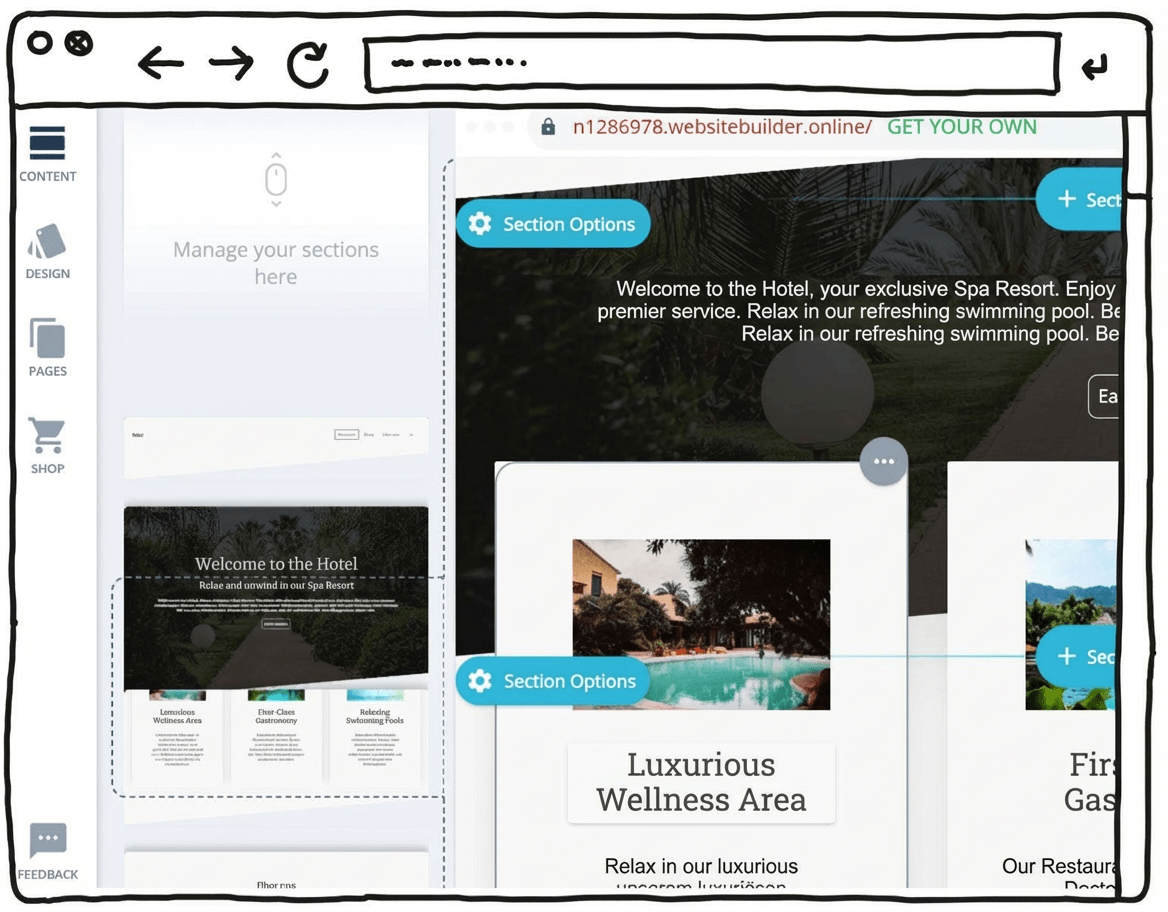
You can think of a website builder as a Lego set made up of different blocks.
You start by choosing a base — often called a template or theme — and then add whatever you need in the hotel website builder. This mainly means extra features you switch on as add-ons and that are useful for a hotel website. That may sound a bit technical, but with modern website builders it’s usually straightforward.
And the best part: you typically pay per month not much more than the cost of a breakfast buffet.
In practice, only a few steps are needed to build a hotel homepage in a modular way. First, you choose a design foundation that fits your hotel. Second, you add extra functions for your hotel website, such as a guestbook or a booking system. Finally — and this is the part that tends to take more time — you gather your texts and photos and add them to the site.
Guide:
- Choose a website builder tool from the overview further down
- Pick a suitable design template/theme for your hotel website
- Customise the site to match your preferences
- Add images and written content
- Publish your website
Pros and cons of a website builder
- Easy to get started — no coding skills required
- Professionally designed templates can deliver polished results
- No large upfront investment, with affordable monthly plans
- Free plans or trial versions to test things out
- Can be expanded with add-ons such as an online shop or blog
- A support team can help if you run into problems
- Can reach its limits with more complex websites
- Basic plans often come with a limited set of features
- You’re tied to one tool
For hotels, a website builder is often a practical first choice. These systems are beginner-friendly and can be used flexibly.
Suitable templates and the most important standard functions are available from all the tools presented here.
Top pick (9.4 of 10): WordPress
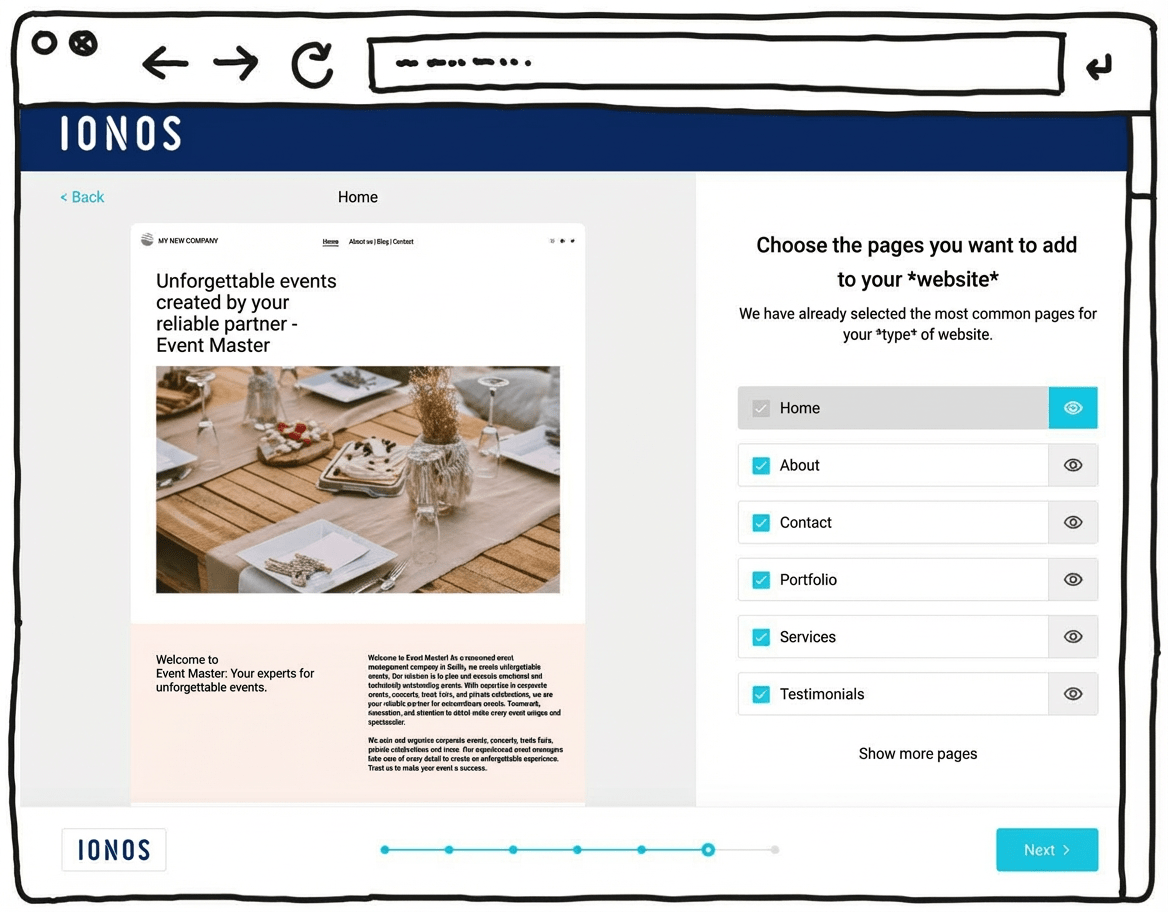
IONOS’s newer WordPress hosting aims to combine the simplicity of a website builder with the advantages of WordPress, the world’s most widely used website system. With its built-in AI setup, it can feel almost as easy as a website builder.
That can make it suitable for beginners who don’t have much experience building websites. The setup assistant guides you step by step through installing WordPress and suggests a practical selection of themes and plugins.
One key difference here is the built-in AI assistant, which can generate an initial WordPress website for you. It helps you take care of the most important settings quickly and find a suitable template. Automatic updates and daily backups can also provide extra peace of mind.
Another plus is customer support, available 24/7, including phone support rather than relying only on chat or email.
Pricing for IONOS WordPress hosting starts at around £1 per month for the first six months, then around £5 per month afterwards. A domain and an email mailbox are included in this price.
Pros of IONOS WordPress hosting
- WordPress installed securely in one click
- AI assistant for building your website
- A professional-looking design within minutes
- Designs well optimised for mobile phones
- All the benefits of WordPress as the world’s most widely used website CMS
- Flexible to extend with plugins
- Blogs or online shops possible
- Switching hosting provider later is possible
Cons of IONOS WordPress hosting
- Less design freedom than drag-and-drop website builders
- The wide range of features can still feel overwhelming for beginners, despite the guided setup
Pricing
- “Start” plan: from £3/month for the first 6 months, then £5/month
- “Grow” plan: from £1/month for the first 6 months, then £10/month
- All plans include your own domain and an email address
Here you can find our detailed IONOS WordPress hosting review.
Whether it’s a tech-savvy friend, a freelancer you find online or a specialised agency — there are many ways to have a professional hotel website built. But how do you tell who will actually do a good job? And what will it cost in the end?
I tested different tools and web design services — from affordable builder-based services with support through to full-service agencies. My focus was on design quality, technical implementation and good value for money.
You’ll find all results and recommendations in this guide — specifically for hotels, guesthouses and hosts.
Best web designers for hotels:
You can also find all the tools I tested in my detailed web design agencies comparison:
-
1 Winner 2026

Test score
9.1
2026
Outstanding
Pros and Cons
- Custom premium design
- Very good and transparent value for money
- Numerous positive references
- Built with WordPress
- Privacy-compliant implementation
- On-page optimization for Google
- Suitable for complex requirements
- Additional costs may apply for services such as logo design or professional photography.
Get a quotePricing
-
Package pricing
- Landing page (1 page): from 2,990
- Mini (5 pages): from 3,990
- Basic (10 pages): from 4,990
- Premium (15 pages): from 5,990
- VIP (25 pages): from 7,990
- Included services
- Content writing and up to 10 stock photos
- Blog functionality included from the “Mini” package onwards
- Get a 300£ discount
- Mention the discount code “WEBSITEADVISOR300” when making your inquiry.
-
2 Best value for money

Test result
8.5
2026
Excellent
Pros and Cons
- Strong expertise in branding and web design
- Individual consulting and hands-on support
- Very good value for money
- Established provider with more than 300 clients
- A solid selection of well-executed reference projects
- Extensive experience in SEO and Google optimization
- Implementation of online marketing measures such as Google Ads
- Privacy-compliant development
- Additional costs may apply for services related to online marketing.
Get a quotePricing
- Package pricing
- Landing page (1 page): from 1,590
- Mini (5 pages): from 2,990
- Basic (10 pages): from 3,990
- Prices may vary depending on scope and requirements.
- Get a 300£ discount
- Mention the discount code “WEBSITEADVISOR300” when making your inquiry.
-
3 Best subscription model
Test score
8.2
2026
Excellent
Pros and Cons
- Subscription model: no high one-time costs
- Transparent monthly pricing
- Monthly updates included
- Web hosting, domain, and an email inbox included
- Built on WordPress
- May be more expensive in the long term than a one-time build
- Complex requirements are not included
Get a quotePricing
- Service package S
- 3 pages, 1 change per quarter
- £45 per month
- £199 setup fee
- Service package M
- 5 pages, 1 change per month
- £45 per month
- Service package L
- 7 pages, unlimited changes
- £85 per month
- No setup fee
-
4 Top freelancer platform

Test score
7.6
2026
Very good
Pros and Cons
- Best platform for finding freelancers
- International and local freelancers
- Especially cost-effective implementation possible
- Transparent fixed prices
- Security through references, client reviews, and a satisfaction guarantee (for Pro users)
- The large number of freelancers can make selection more difficult.
- Price and quality levels may vary.
Get a quotePricing
- A simple website can be created for just a few hundred Pound.
Before you hire someone, think about this
If you hand your hotel website over to professionals, good preparation pays off. The clearer you communicate your goals and preferences, the smoother the collaboration will be — and the more convincing the result.
What to consider:
- Purpose: What should the website achieve (e.g. bookings, brand image, information)?
- Target groups: Who do you want to reach (leisure guests, business travellers, groups)?
- Key content: What needs to be included (rooms, prices, restaurant, area, events)?
- Existing materials: Do you already have texts, photos or a logo?
- Required functions: What do you need (booking tool, languages, newsletter)?
- Look and feel: How should the site come across visually (modern, rustic, minimalist)?
- Budget: How much can you spend?
- Go-live date: Is there a specific date the site needs to be online?
Practical tips:
- Create a brief: Put your requirements in writing — from design style to functions such as a booking tool or photo gallery.
- Plan regular check-ins: Ask to see progress along the way and give feedback early.
- Prepare materials: Organise texts, photos, logos and any design guidelines in good time.
- Plan deadlines realistically: Build in a buffer — hotels often have unexpected issues to deal with.
- Discuss the budget openly: Clear agreements on costs and payment terms help avoid unpleasant surprises.
- Get the offer in writing: A detailed written quote protects both sides from misunderstandings.
Top pick (9.1 of 10): Netfame
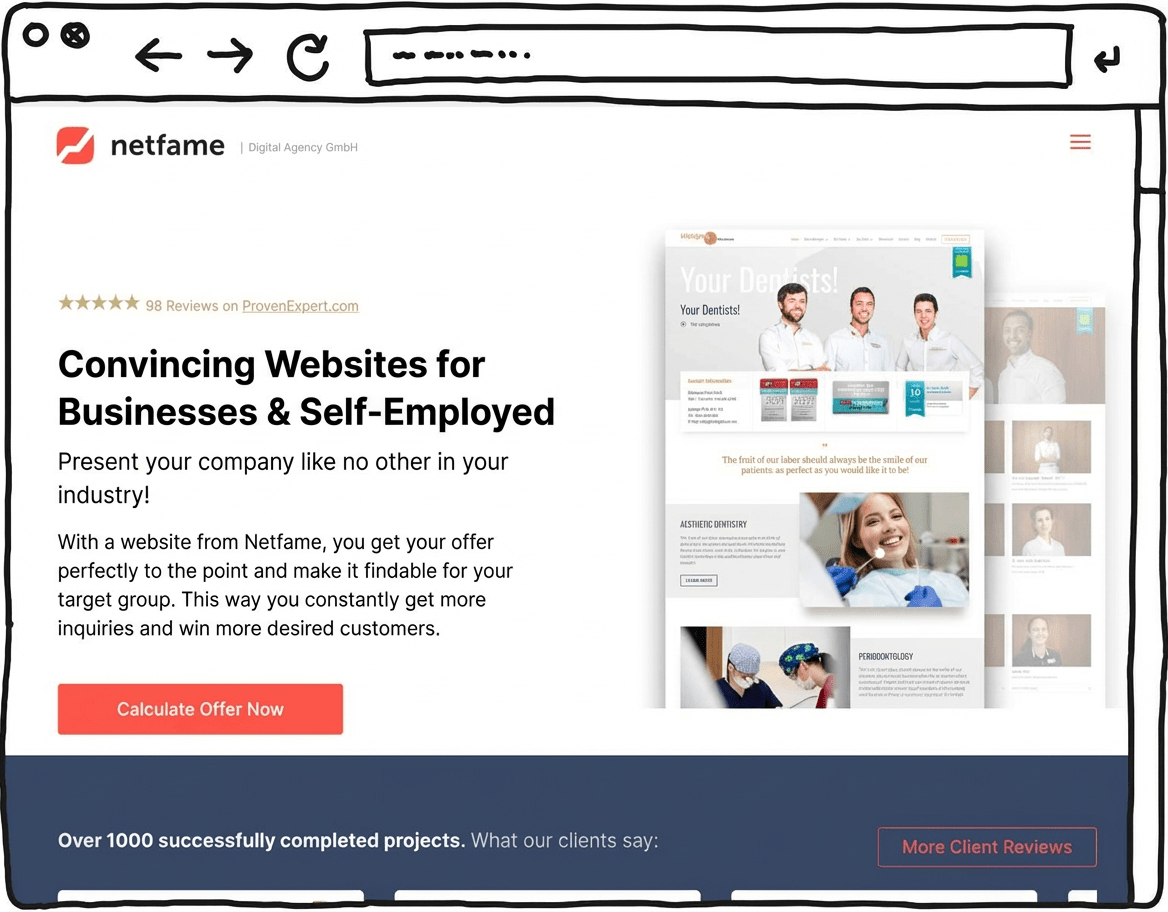
In our comparison, Netfame stood out as a particularly capable option, combining bespoke premium design and WordPress expertise. The agency says it has delivered more than 1,000 websites across a wide range of industries. Transparent pricing was a key factor in its top position.
Many of its projects are showcased in Netfame’s portfolio and come across as modern and cleanly built. Each client receives a bespoke website design.
Another important point is its focus on WordPress as the technical foundation. Using the world’s most widely used website CMS helps keep your website easy to extend over time, and it usually means you can make content changes yourself without much trouble.
Netfame also states that its work meets GDPR / UK GDPR requirements, helping to reduce legal risk for a business website.
On-page SEO optimisation is included in the base package to support search visibility on Google.
Optional add-ons such as logo and brand design, copywriting and professional photography round out the package. Overall, Netfame combines design, build and advice in a full-service WordPress setup.
Strengths of Netfame
- Bespoke premium design
- Many positive references and completed projects
- Transparent pricing
- Professional WordPress implementation
- GDPR / UK GDPR-aligned setup
- On-page optimisation for Google
Weaknesses of Netfame
- Additional costs for services such as logo design or professional photography
Pricing
- Landing page (1 landing page + legal pages and contact) — £2,990
- Mini website (5 pages) — £3,990
- Basic website (10 pages) — £4,990
- Premium website (15 pages) — £5,990
- VIP website (25 pages) — £7,990
Save £300 with Netfame
Mention the discount code “WEBSITEADVISOR300” in your project enquiry and receive a £300 credit.
The cost of your hotel website depends largely on its scope and your expectations. As a general rule, the simpler the setup, the lower the price.
For many hotels, a classic website with a homepage, room overview, image gallery, contact options and possibly a small booking tool is perfectly sufficient. You can often create this type of site yourself using a website builder for just a few pounds per month.
Costs increase if you need features such as an integrated booking system with online payments, multiple languages, automated room management or a dedicated blog for news and events. Custom design work or professional search engine optimisation (SEO) will also raise the price.
Can I build it for free?
Yes, there are tools that allow you to build a website for free. However, be aware that these solutions often come with clear limitations — such as advertising banners, an awkward subdomain (for example, my-hotel.toolname123.co.uk) and missing features like a dedicated email inbox.
For a professional appearance, it’s usually worth choosing a paid plan — monthly costs remain manageable.
In the overview below, you can see which costs are realistic — depending on whether you build the site yourself or hire professionals.
Website costs at a glance
Overview: This table gives you a first idea of the minimum costs you’re likely to face:
| Simple website | Medium website | Complex website | Blog | Online shop | |
|---|---|---|---|---|---|
| Suitable for | basic information that doesn’t change often | more extensive or multilingual information | large site with many interactive features | regularly updated, current content | selling goods and services |
| Website builder | from £10/month | from £20/month | not recommended | from £10/month | from £25/month |
| WordPress | from £5/month | from £10/month | from £35/month | from £5/month | from £5/month |
| Web designer | from around £2,000 | from around £3,500 | from around £5,000 | from around £1,500 | from around £3,000 |
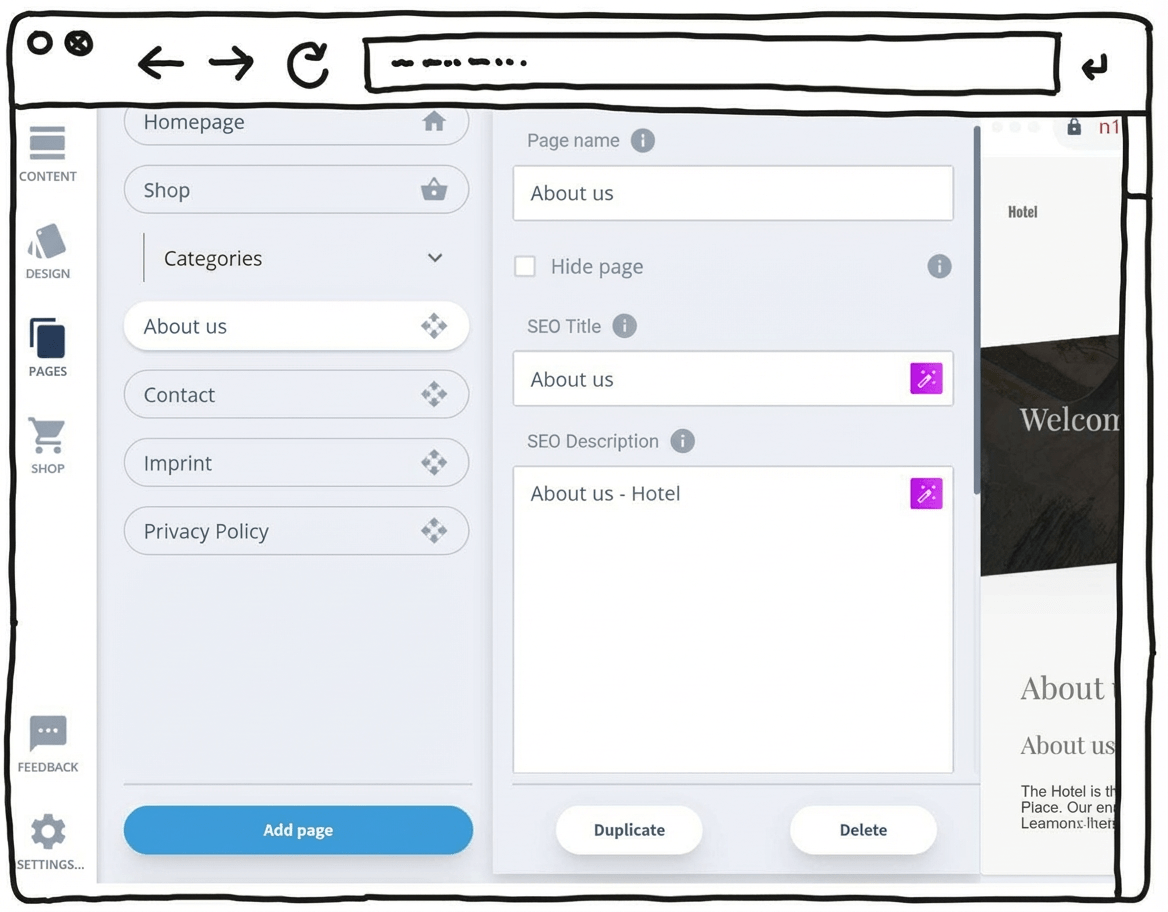
You initially create your website for potential hotel guests. But it can do much more than that: it can act as a jobs page, an events hub and an information base for business partners.
To begin with, I recommend focusing on one core topic: guests who are looking for somewhere to stay.
Provide all essential information such as location, facilities and room prices, along with booking options. Over time, you can expand your hotel website and address additional audiences with the right content for each.
For example, you can add a section that covers conferences, weddings and meetings — with an events planner, or dedicated pages for meeting-room availability and catering options. Later, you can also speak to potential partners by including relevant business information.
How to plan the content for your website
| Website section | Required content and functions |
|---|---|
| Homepage | Overview of your hotel with the most important offers — room booking, a general introduction and contact options |
| Photo galleries | Separate galleries for rooms and suites, the hotel atmosphere and all key features |
| Blog or news section | Information on services, additional offerings and events |
| Location and directions | Interactive map, parking information and details about the surrounding area |
| Contact details / legal notice | Information about you as the site operator, telephone number, email address and a contact form |
| Careers pages | Current job vacancies |
Plan done? Register your domain name!
As mentioned earlier, many website builders offer a free entry plan — but with some noticeable limitations. One of the most important ones affects your website address.
With free versions, you usually only get a so-called subdomain, for example:
Example: examplehotel.toolname.com
For a professional hotel presence, you should definitely secure your own domain — for instance:
Example: www.examplehotel.co.uk
A custom domain looks far more credible and is easier for guests to remember. This applies to small guesthouses just as much as to larger hotels or holiday resorts.
It also allows you to use a professional email address — such as:
Example: contact@examplehotel.co.uk
By the way: I’ve put together a step-by-step guide to registering a domain, including more detailed advice on choosing a good domain name.
Always include legal details and privacy policy
If you run a hotel website, you need to comply with applicable data protection rules. This includes, among other things, a complete legal notice, a compliant privacy policy and a cookie banner if you use cookies.
These elements are legally required — and failing to provide them can lead to warnings or penalties that may become costly.
Tip: To get your legal pages right, start with the ICO’s free privacy notice generator (UK GDPR) and make sure your “Company information” is complete.
More legal requirements to know
Beyond the legal notice and privacy policy, additional legal requirements may apply depending on the features of your website — for example, if you integrate an online booking system with payment functions or store guests’ personal data. Don’t worry, though: with some preparation, this can usually be handled without much difficulty.
Here’s an overview of the most important general points for legally compliant websites:
| Topic | Applies to | What do you need to do? |
|---|---|---|
| Website owner details (legal notice) | Most non-personal websites | Provide contact details, owner/company information and other required legal details. |
| Privacy notice | Any website | Explain what data you collect and why (e.g. contact form, table booking, embedded maps). |
| Cookies | Websites using cookies/tracking | Use a cookie consent banner to ask for permission if you use non-essential cookies (e.g. analytics or marketing tools). |
| Copyright | Any website | Don’t use other people’s images or text without permission; add credits where required. |
| Data protection officer (DPO) | Certain organisations processing personal data¹ | Check whether you need to appoint a DPO — this can be required for specific types of processing. |
| Cancellation/returns information | Online shops | Inform customers about cancellation and return rights and how to exercise them. |
| Terms & Conditions | Online shops | Set out rules for ordering, payment and delivery (not always mandatory, but usually sensible). |
| Newsletter | If you send marketing emails | Get consent before sending promotional emails (a confirmed opt-in process is a good practice). |
| Online shop requirements | Online shops | Show prices clearly, label the purchase button clearly, and state delivery times. |
¹ Under UK GDPR, whether you need a DPO depends on what you do with personal data (e.g. large-scale processing or sensitive data), not simply the number of employees.
Once you’ve created the most important pages, the exciting moment arrives: going “live”. Your hotel website is online!
You’ll probably have done a first check while building the pages. Still, smaller mistakes are easy to miss, so the checklist below can help you review the quality of your hotel website before launch.
Launch checklist:
- Content and functions: Is everything displayed correctly (text, images, videos)? Also check all links, especially in the menu and on key pages. Do the gallery and booking system run smoothly? If you can answer “yes” to everything, move on to the next point.
- Final browser test: Check your hotel website in different browsers such as Safari, Chrome or Firefox. Test it on mobile and tablet as well. If everything looks good, your site is ready for launch.
- External feedback: Ask friends or colleagues to test your website end to end — including all functions. Honest feedback is genuinely useful.
- Search engine optimisation: To help guests find your site more easily, edit the SEO settings in your website builder. Pay particular attention to the page title and preview text.
Publish your hotel website
If you’ve ticked off all points in this checklist (and your own), the big moment arrives: clicking “Publish”.
Congratulations — your hotel website is live and ready for new guests!
Was this guide easy to follow? Are you happy with the result? I’d love to hear your thoughts in a comment about how it worked for you.
How to create a hotel website (guide):
You can either build your hotel website yourself using a website builder or WordPress — or have it designed by professionals. In both cases, you’ll need a solid concept, suitable content and your own domain. You’ll find everything you need to know in this guide.
Ideally, choose a country-specific top-level domain combined with your hotel’s name — for example, hotel-name.co.uk. If that name is already taken, you can check whether existing name rights allow a change. As an alternative, combining your hotel name with the location can work well, such as hotel-name-london.co.uk, or using a different top-level domain like hotel-name.com. Once you’ve secured a domain, you can start building your hotel website.
Starting with a website builder tool such as Wix* or Squarespace* usually costs between £10 and £25 per month, depending on the plan you choose.
If you use WordPress as the basis for your hotel website, hosting and domain costs are in a similar range. Professionally designed themes and plugins may add some extra expense, but typically remain below three figures.
If you hire a developer or a company, expect prices ranging from £1,000 to several tens of thousands of pounds. That’s a wide range — it depends on whether you work with a freelancer who handles everything themselves or a larger agency.
In theory, it’s possible to go online the same day. As always, it depends on your expectations and the scope of your website at launch. Keep in mind that you can always add more sections step by step later.
On average, you might spend half a day researching a suitable theme. With website builders, the template is available instantly with just one click, ready to be filled with content.
With WordPress, setup and familiarising yourself with the theme usually takes an extra day. Once the theme is running, you can start adding all your content straight away.
Honestly, gathering and preparing all texts and photos is often the most time-consuming part. For a more comprehensive website, you should plan anywhere from several days to a few weeks. AI features in many website builders can help speed this up.
You might also like
- Create a website in 2026: 5 simple steps Read article
- Build a budget website: cheapest tools & step-by-step guide (2026) Read article
- Create a coaching website: top tools, costs & tips (2026) Read article
- Create a hotel website: top tools, costs & tips (2026) Read article
- Create a photography website: top tools, costs & tips (2026) Read article
- Create a portfolio website: top tools, costs & tips (2026) Read article
- Create a website for doctors: top tools, costs & tips (2026) Read article
- Create a rental website: top tools, costs & tips (2026) Read article
- Create a restaurant website: top tools, costs & tips (2026) Read article
- Create a school website: top tools, costs & tips (2026) Read article
- Tradesman website: top tools, costs & tips (2026) Read article
- Create a wedding website: top tools, costs & tips (2026) Read article
Comments and ratings
Was this article helpful?
Rate article
Share article