Squarespace: review and test 2026

As seen in:



-
Rank 1 of 6

Testurteil
2,1
2026
Gut
- Bedienbarkeit
- Templates/Design
- Funktionsumfang
- Onlineshop
- Kunden-Support
- Tarife & Preise
Baukasten-Vergleich Zum Anbieter Zum AnbieterSquarespace ist ein hochwertiger Website-Baukasten, der sich durch besonders elegante und flexible Templates auszeichnet. Einschränkungen sind im Vergleich teurere Tarife und weniger Erweiterungsmöglichkeiten
- Bedienbarkeit
Squarespace is a website builder known for high-quality design templates. That’s why it’s particularly popular with creative users such as photographers and designers.
At the same time, its wide range of features — like an online shop, a members area, email marketing, and service bookings — makes Squarespace interesting for many other groups too, especially solo business owners and smaller companies.
What kinds of websites can you build with Squarespace? How easy is the builder to use? How good are the templates really? And how does it stack up in terms of value for money?
I put Squarespace through a detailed test and point out criticism where it’s warranted — while also highlighting what makes it a solid option.
After reading this full Squarespace review, you’ll know whether it’s the right website builder for you — or one you’d rather avoid.
My Squarespace review:
- Summary: the key results of our Squarespace review
- Ease of use: how easy Squarespace is to manage
- Templates & design: how flexible the layouts and templates are
- Features: what Squarespace includes
- Online shop: how well Squarespace works for e-commerce
- Support & reviews: what users say and how helpful support is
- Pricing: the pricing and plans for Squarespace
- Alternatives: the best Squarespace alternatives
- My Squarespace review:
- Rating: 6.8 of 10 — design-focused website builder
- Is Squarespace easy to use?
- How good are the templates and designs?
- What features does Squarespace offer?
- Is Squarespace suitable for online shops?
- Customer reviews and support
- Squarespace plans and pricing
- Alternatives to Squarespace
- What else to keep in mind
At a glance
| Category | Website builder |
| Overall rating | 6.8 of 10 (5th place) |
| Price | £11 per month (14-day free trial) |
| Beginner-friendly | ✅ Yes |
| Setup time | Approx. 60 minutes |
| Tool website | Squarespace |
The setup assistant helps you pick a suitable design. The blog and shop features are strong too.
“Creating a professional, stylish-looking website with Squarespace is easy even for beginners — with no technical know-how required.”
Jörn Brien
However, when it comes to data protection, the US-based tool still has some catching up to do. In this area, website builders based in Germany — such as IONOS or Jimdo — often come across as the more convincing option.
Why Squarespace scored 6.8 of 10
As part of my detailed review, I assess tools, features and plans carefully and as objectively as possible, based on my own testing as well as customer feedback.
I rate each website builder across several categories. These scores are then weighted.
The overall result is calculated from this assessment process.
| Overall rating | Rating 6.8 of 10 |
|---|---|
| Ease of use (weighting: 35%) | 25 out of 40 points |
| Templates / design (weighting: 15%) | 28 out of 32 points |
| Features (weighting: 10%) | 43 out of 55 points |
| Online shop (weighting: 5%) | 16 out of 18 points |
| Customer support & reviews (weighting: 15%) | 8 out of 13 points |
| Costs and value for money (weighting: 20%) | 10 out of 20 points |
My experience with Squarespace

After I’d decided what kind of website I wanted and what my main goals were, the website builder suggested a matching template. Editing it was straightforward as well.
With the generative writing assistant (Squarespace AI), you can create text in no time. After about an hour, I was able to publish a simple website that matched what I had in mind.
If you don’t want to use AI support, it helps to have your texts and photos ready in advance (or add them gradually as you go).
Best for:
- Creatives such as designers or photographers
- Local businesses that need a polished website — with a blog and online shop
- Anyone who simply wants a professional, good-looking website
What I liked most:
- Easy to use, with a smooth start thanks to the setup assistant
- A wide range of stylish, mobile-optimised templates for many industries
- AI-supported text creation
- Access to millions of images
- Strong blog and online shop features
What could be better:
- An email inbox costs extra (Google Workspace)
- When it comes to data protection, the US-based tool isn’t the best option
Get started with Squarespace – save 10%
SQUARESPACE offers various packages starting from €11/month. They also offer 14-day free test.
Tip: Enter the code “PARTNER10” when registering to save 10% during the first year!
At a glance
| Rating | |
| Points achieved | 25 out of 40 points |
| Advantages |
|
| Disadvantages |
|
Squarespace is easy and intuitive to use, even for beginners with no technical background. However, a short learning phase is still required. The menu is clearly structured, and the drag-and-drop editor supports the website-building process, making it easy to add and edit elements and content.
Unlike some other website builders, Squarespace only uses dedicated AI support for text creation. That said, a smart assistant does help with choosing a suitable website design. Templates and available features are suggested based on the topics and categories covered on the site.
The mobile app proved to be surprisingly powerful and leaves little to be desired. Most functions can also be managed directly from a smartphone.
Setup assistant
Squarespace doesn’t offer dedicated AI support for building your website. In the background, however, a smart assistant suggests suitable templates and features. After you answer a few questions about your preferred topics, categories and website type — such as an online shop or a blog — Squarespace provides a matching design.

The design template is already filled with sample content such as photos, text and features. You should definitely customise this and replace it with your own content. The better prepared you are in terms of site structure and materials, the faster your website will be ready.
Overall, there are around 140 templates available for all sorts of topics.
Website editor ease of use
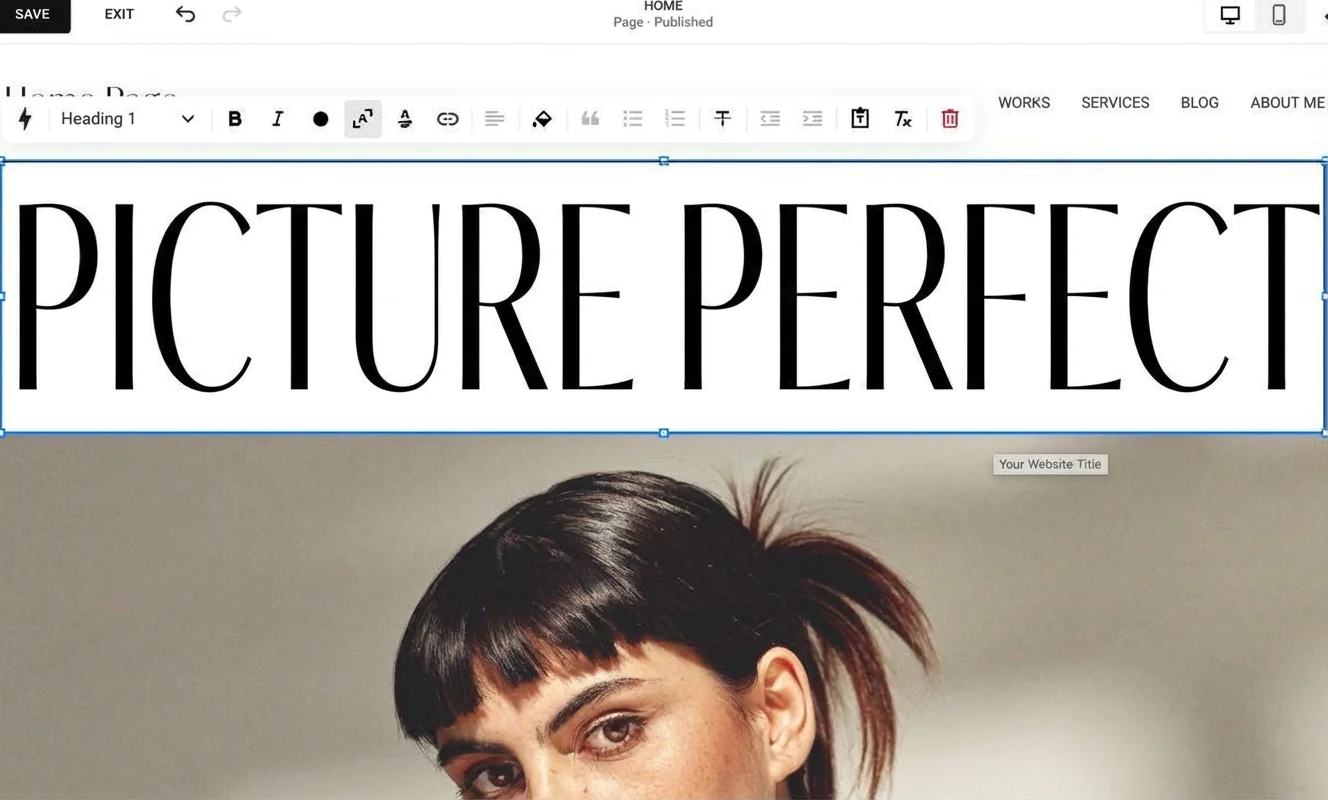
After a short learning curve, the Squarespace editor is very comfortable to work with. The dashboard is split into two sections, positioned to the left and right of the website preview in the centre.
On the left, you’ll find the menu for navigating features and options for building and designing your site. This is where you access settings for your website or online shop, with further sub-menus also located on the left.
On the right, Squarespace groups the site styles. Here you can change fonts and colours, and design buttons and forms. You can open the style menu via the paintbrush icon in the top right of the page.
You can also adjust text and headings, as well as images and the background. For this, Squarespace offers a so-called grid profile, which is meant to make design work easier.
“Apart from the limited AI features and some text suggestions that didn’t really make sense, the Squarespace editor convinced me in testing. Even if you’re not a designer, you can still create a nicely designed website with it.”
Jörn Brien
You can switch the preview between desktop and mobile views.
AI website builder

Squarespace doesn’t offer a dedicated AI assistant for building a website like some other tools do. However, the smart design assistant does a good job when it comes to suggesting templates and features.
For images and most written content, it’s best to rely on your own material. There is a dedicated AI chatbot for text creation, though. With Squarespace AI, you can produce decent first drafts for website copy.
There’s no AI image generator, no AI support for search engine optimisation, and no AI tool for video generation either.
That said, you can of course create text, images and videos in external AI tools such as ChatGPT and then add them to your Squarespace site.
Admin area and features
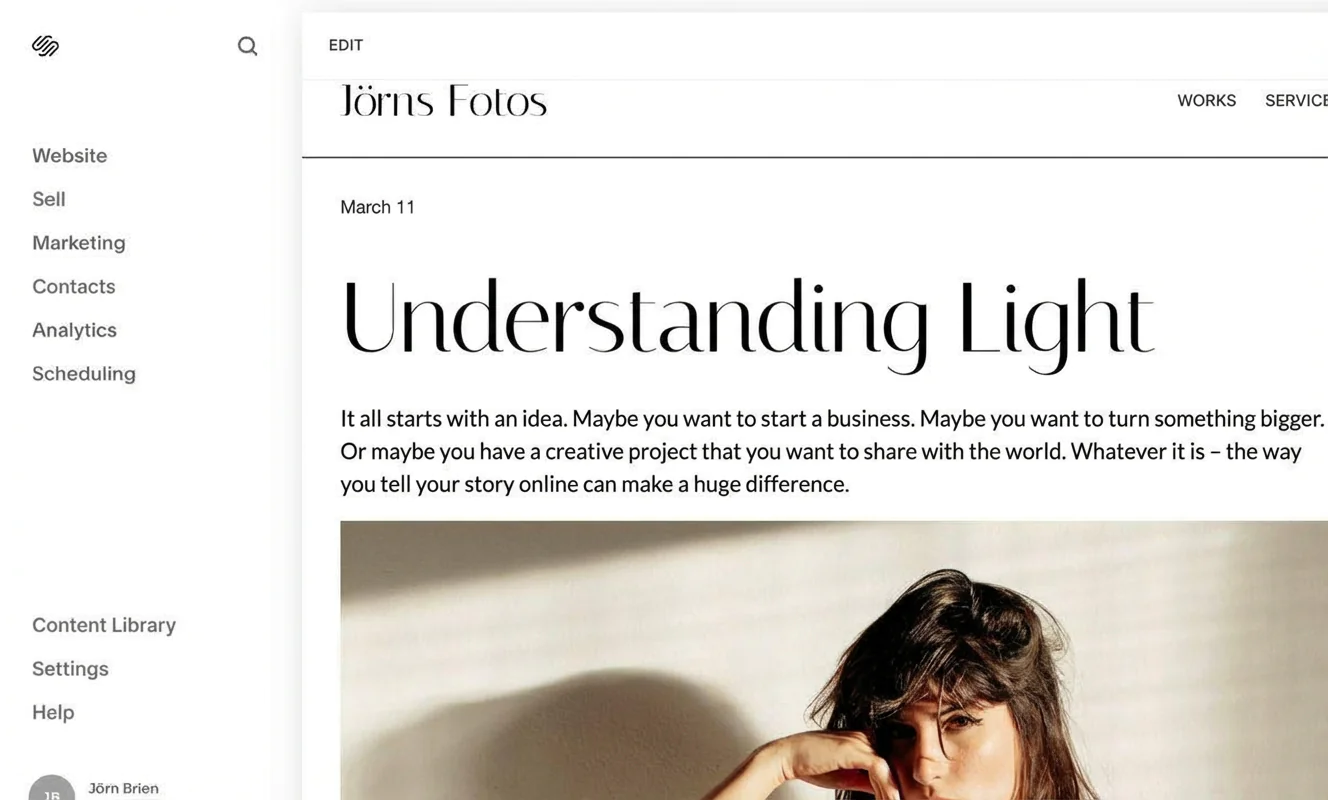
In Squarespace, the management options and features are neatly organised in a left-hand menu. At the top, you can access settings for your website, online shop, marketing options and analytics.
Further down, the settings area lets you manage domains and email, or add third-party tools. Under your registered username, you’ll find the dashboard with existing websites, as well as the option to create a new one.
Overall, everything feels well structured and, despite the wide range of options, remains user-friendly and easy to navigate. Beginners can quickly find the key features needed to design and publish a site without feeling overwhelmed.
Edit your site on the go with the app

Squarespace has an excellent mobile app — one of the highlights when assessing how easy the website builder is to use. The app doesn’t just let you manage your online shop on your phone, such as orders or products.
“Unlike many competitors, Squarespace lets you edit your website while you’re on the go. The app includes the same editor you know from the desktop version. That’s why it gets full marks.”
Jörn Brien
At a glance
| Rating | |
| Points achieved | 28 out of 32 points |
| Advantages |
|
| Disadvantages |
|
Squarespace is known for its high-quality, stylish templates with a modern look. That’s one reason the builder is especially popular with creatives such as photographers and designers — and I can confirm that impression. The templates stand out in a positive way compared with many competitors. In many cases, experienced users can tell at a glance: this is a website built with Squarespace. A tiny points deduction, though: over time, the templates can start to feel quite similar and may come across as a bit sterile to some visitors.
Interim conclusion: If you want to create a genuinely polished website with little or no design experience, Squarespace is a strong choice. Compared with many other tools, the US-based builder stands out. What matters, however, is filling the site with distinctive content of your own (photos and text). If you do that, the potential similarity between templates is unlikely to be an issue.
Examples of Squarespace websites
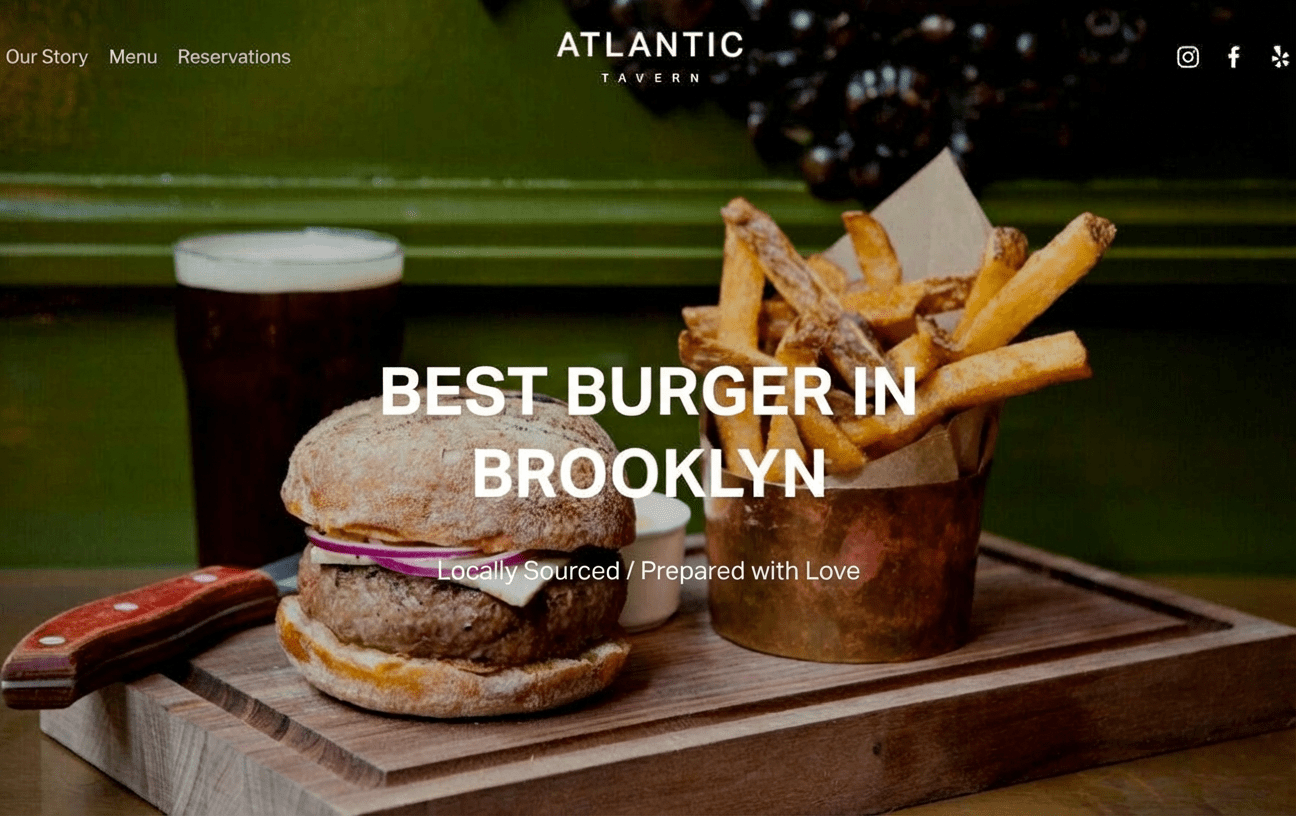
With more than 140 templates, Squarespace offers a really solid selection of high-quality designs for almost any industry. Below is a selection of layouts that gives a good sense of the style and typical use cases.
If you have a good eye for design, you can also start with a “blank” theme in Squarespace and have full freedom to shape the layout.






Template variety and quality
When it comes to the range and overall quality of design templates, Squarespace is hard for other website builders to beat. With more than 140 ready-made templates, the number could still be higher, though.
For comparison: IONOS offers around 400 design templates, and Wix has more than 800.
That said, Squarespace templates are very high quality — and it’s no surprise they’re especially popular with creatives and designers. There’s a tiny points deduction because some designs look a bit too similar. Still, the strong overall rating stands.
Exkurs:
Until a few years ago, you had to be careful when choosing a template so it included all the features you needed — such as an appointment calendar, image gallery, shop or blog. Not every design template supported every feature.
Fortunately, that’s no longer an issue. No matter which template you pick, you can add all Squarespace features to your site template via the drag-and-drop editor.
Content modules and flexibility
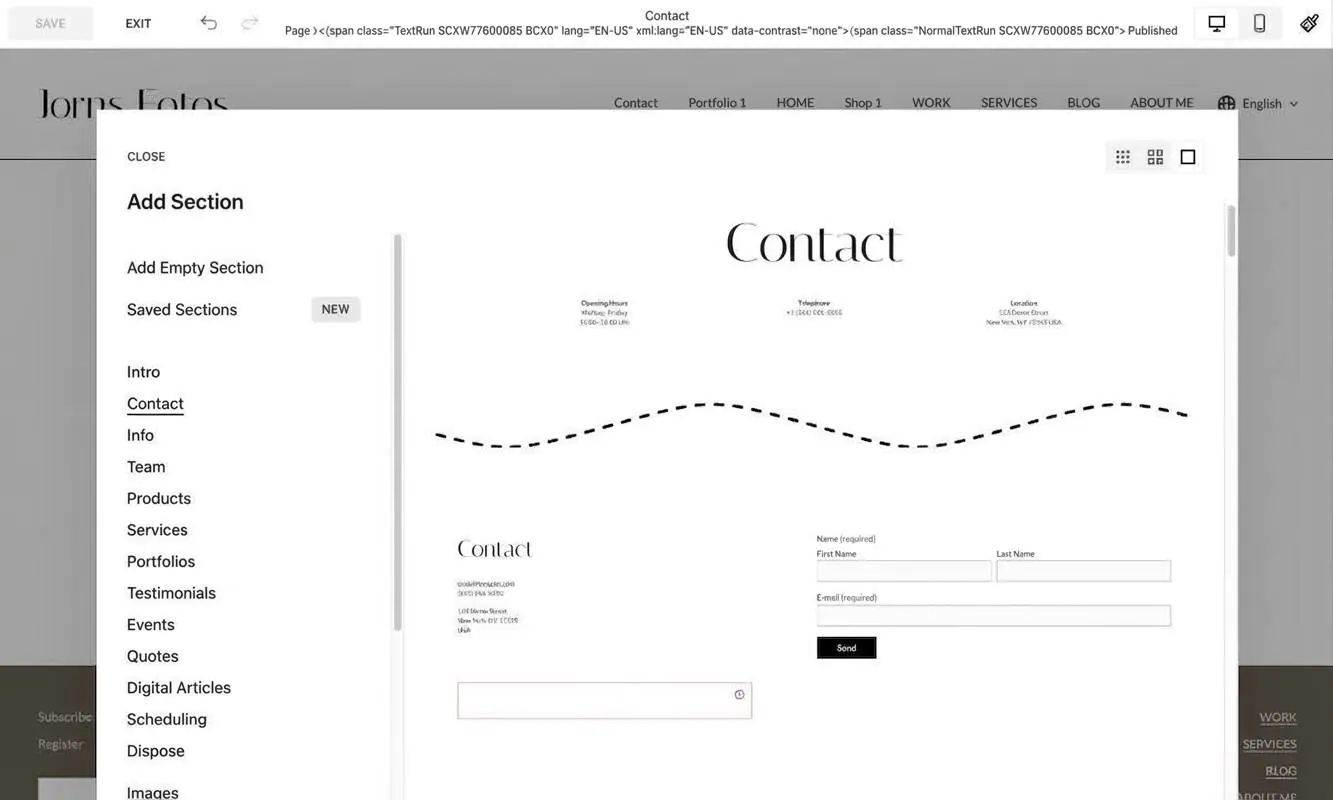
Squarespace offers a wide range of content blocks, covering everything from an online shop and a blog to a dedicated members area. You can also create portfolio collections, video pages or course pages.
The modules are flexible and easy to customise. While Squarespace provides a fairly broad selection of different block types, the number of variations within each block is somewhat limited. This can be an advantage for beginners, as they’re not overwhelmed by too many options. However, if you’re aiming to build a highly unique website with lots of design variations, you may run into some limitations.
Template customization
Squarespace templates are straightforward to adapt. You can adjust fonts, colours, animations and spacing, as well as customise the look of buttons, forms and image blocks.
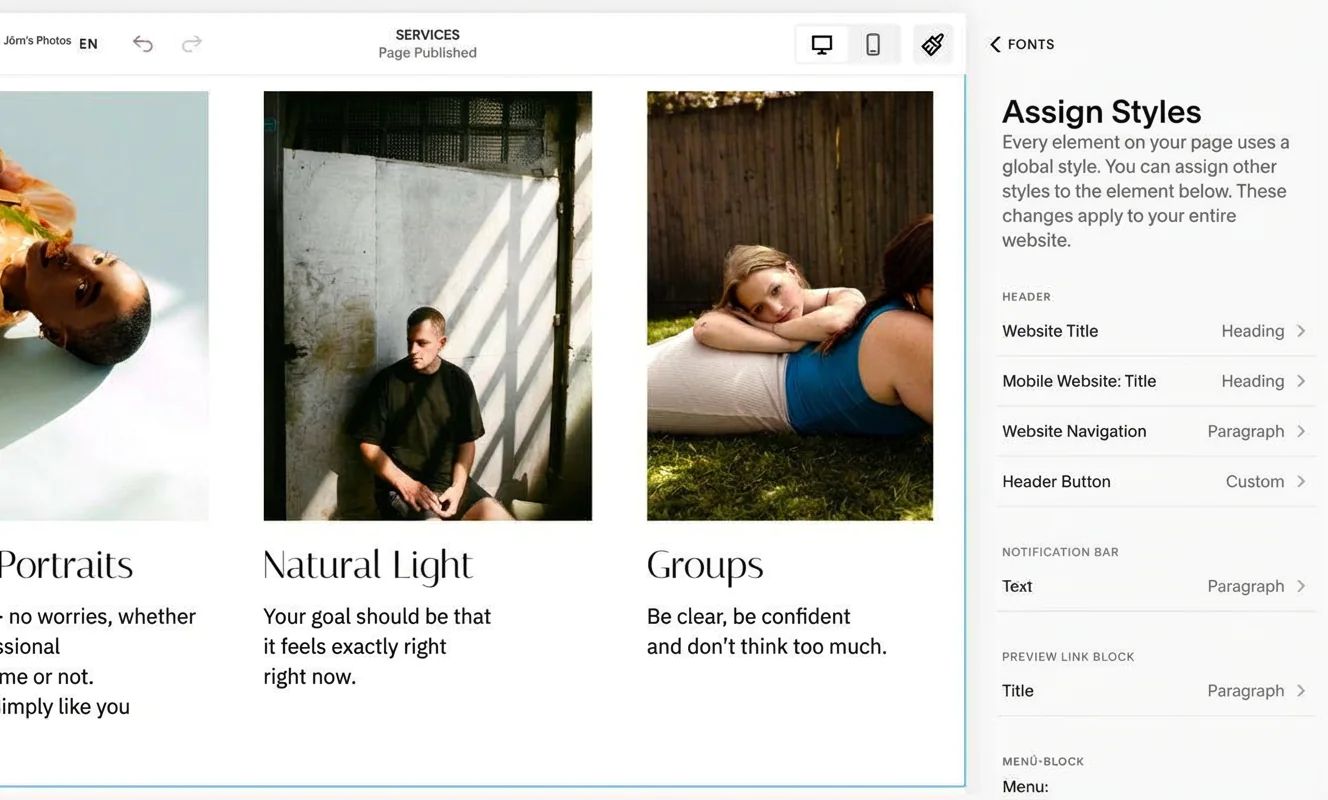
Around 70 different fonts are available and can be assigned to various parts of the website — such as headings, body text or buttons. Using the Custom CSS option, you can also add additional fonts, including Google Fonts.
A favicon can be added via the website settings. You can also upload a logo and choose different versions for the desktop and mobile view of your site.
Tip:
Squarespace includes a basic logo maker. As a subscriber to the platform, you can create a logo and download it free of charge.

Mobile optimization
Squarespace templates are responsive, meaning they automatically adjust when viewed on smartphones or tablets. You can preview how your website looks on mobile via the smartphone icon in the top right.

You also have the option to customise the layout, colours and content of the mobile version separately — for example, if something doesn’t quite work visually. As a beginner, though, it’s usually best not to change anything if the mobile design already looks reasonably good.
Loading times
When it comes to loading speeds, Squarespace doesn’t perform particularly well. One reason for this is the large-format images used in many templates.
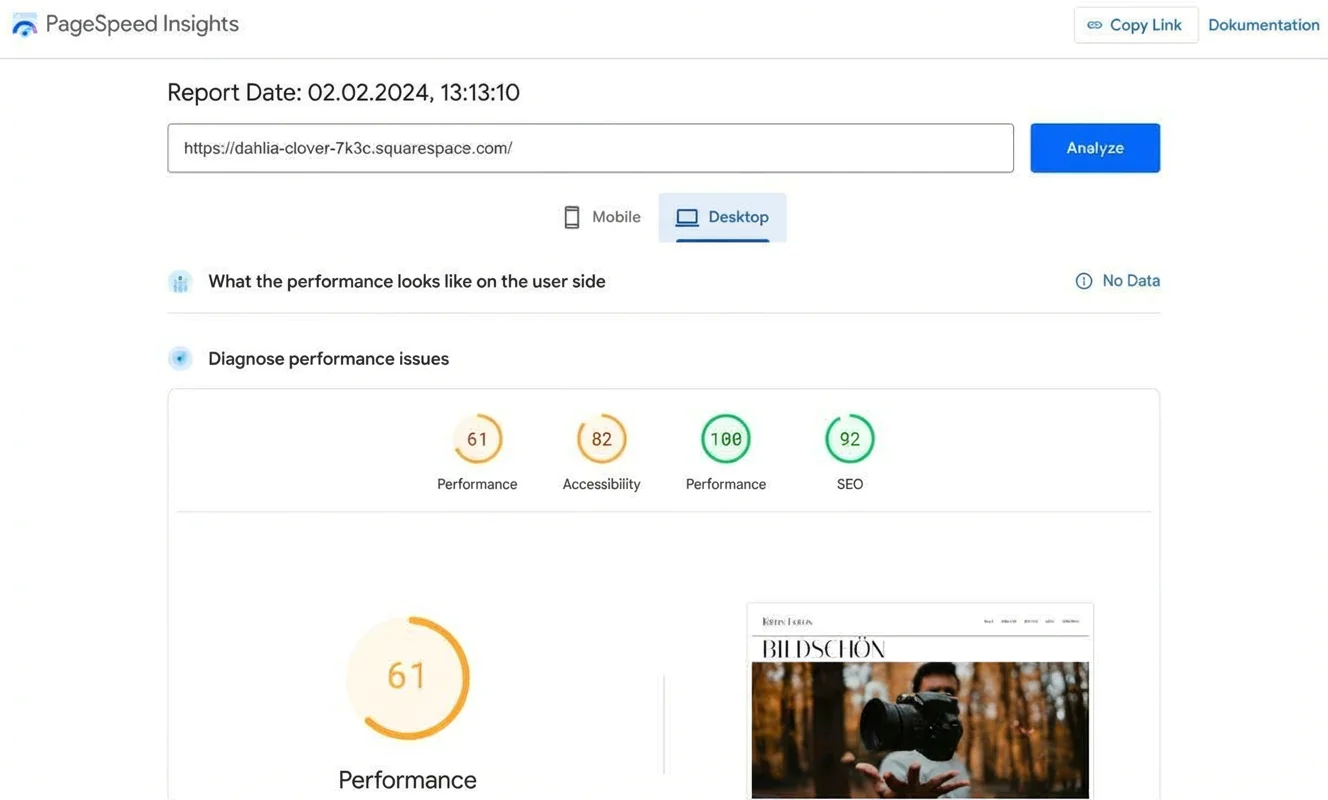
If you want your website to load faster, it also helps to choose fonts carefully. Tools such as Google PageSpeed can help you identify elements that slow your site down and improve them.
At a glance
| Rating | |
| Points achieved | 43 out of 55 points |
| Advantages |
|
| Disadvantages |
|
There’s very little to criticise about the range of features Squarespace offers. The options to set up a blog, an online shop or a password-protected members area are particularly worth highlighting.
There are some deductions for the lack of options when it comes to truly complex website projects. Squarespace is also fairly restrictive when it comes to external extensions.
That said, if you’re building a straightforward website with core features like a blog or online shop, few other tools let you achieve such a creative and professional result.
Storage and traffic
With Squarespace, there are no limits on storage or traffic even on the basic plan (“Personal”). For video hosting, however, there’s a limit of 30 minutes. Video storage can be expanded via the add-on for digital products.
- Unlimited storage and traffic from the basic plan
- Video storage (30 minutes) can be extended
Blog functionality
Among the major website builders, Squarespace offers the strongest blog features. One advantage is that you can set up different author profiles and schedule posts in advance.

You can embed a wide variety of content, including videos and image galleries, maps, code and quotes. You can also add products from your own online shop into blog posts. And: the blog includes its own RSS feed, a comments function, and even lets you host your own podcast.
In short, Squarespace is a very solid option for blogging. In my view as an experienced blogger, only true professional bloggers really need a WordPress blog. The main limitation you may run into is when it comes to fine-tuning the blog design.
- All key blogging features included
- Multiple author profiles, RSS feed and flexible content options
- Some limitations in design customisation
- Only professional bloggers should rely on a dedicated WordPress CMS
In Squarespace, creating subpages is limited to certain areas and to one additional level. You can build a website menu with up to 60 subpages. You can also add a so-called dropdown page.

There are several options for editing the menu, but you can only add it to the footer manually.
- Limited number of subpages
- Menu supports only one extra level
- Footer menu has to be set up manually
Multilingual website
Squarespace allows you to translate your website into different languages, but you’ll need to use the “Weglot” extension. You connect it via the “Website languages” menu.
After a short sign-up and selecting your languages, translation is set up in no time. A small drop-down menu in the top right lets visitors choose the language.

However, certain parts are not translated — for example the appointment scheduling page (“Scheduling”) or external blocks such as social media links.
When it comes to Weglot, there are a few things to keep in mind. You can try the service free for 10 days. After that, you can still use Weglot for free, but you can only translate up to 2,000 words into one language.
I chose English. In testing, the translation proved to be error-free. Individual blog posts and existing subpages were also translated quickly.
The main downside is the limit on words and languages. If you want to run a larger website in multiple languages, costs can rise significantly. For example, Weglot’s “Pro” plan allows up to 200,000 words in up to five languages — at a price of €79 per month.
- Website translation via the Weglot app
- Fast, error-free translation, including blog posts and subpages
- Automatic integration of the drop-down menu
- Limits on words and languages in the free version
- Larger websites are rarely affordable to translate at low cost
(Booking) calendar
Squarespace includes a comprehensive calendar feature under the “Scheduling” menu. Here you can set up different appointment types — such as an introductory call or a photo session — which visitors can then book. You can also connect a payment provider so the service can be paid for straight away.
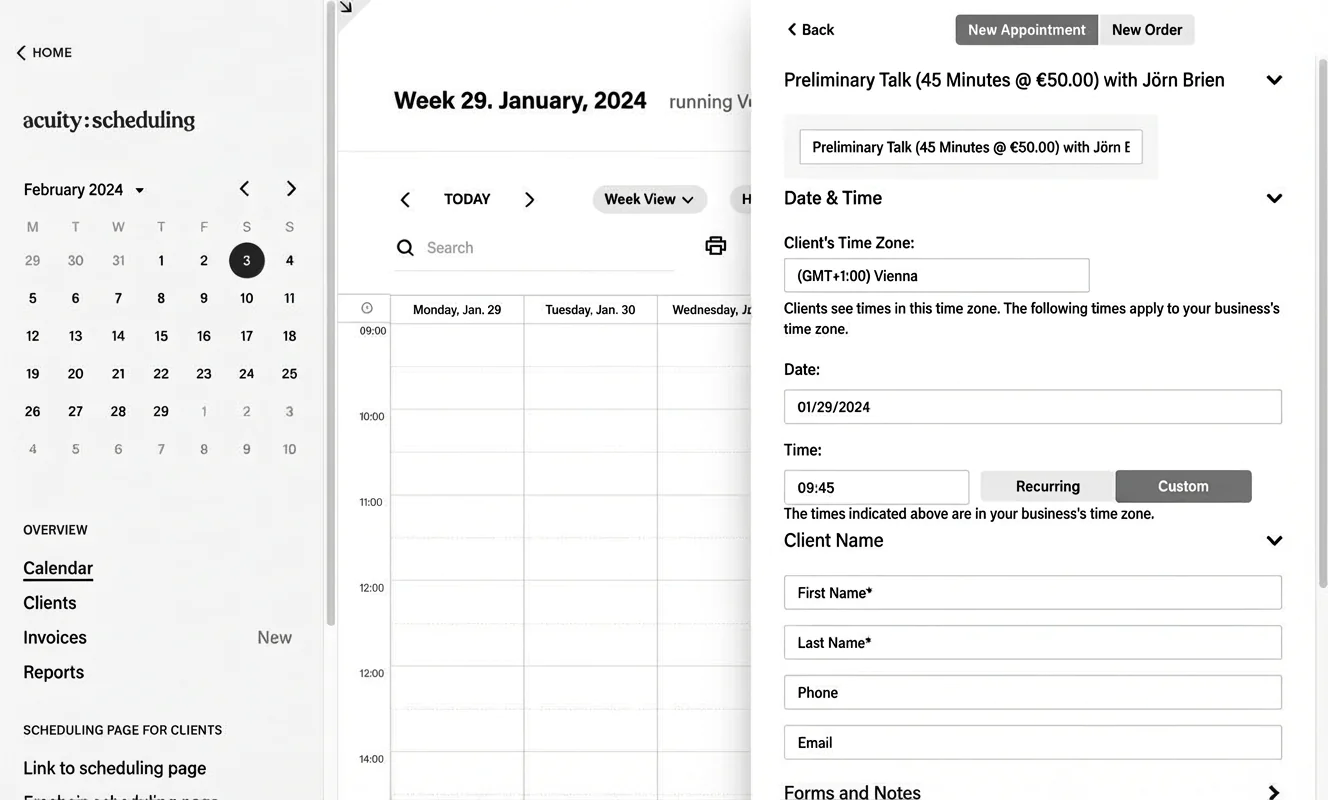
You can offer the appointment calendar on a separate site or embed it directly into your Squarespace pages. You can customise the look and feel to match your branding. You can also create invoices and manage customer lists.
- Scheduling and booking (“Scheduling”): A comprehensive calendar and booking option
- Management: Appointments, customers and payments in one place
- Display: Show the calendar on a separate site or embed it on your pages
- Customisation: Adjust the design to your preferences
Video hosting
You can host videos on a website built with Squarespace. However, you only get space for 30 minutes of uploaded video. If you need more storage, you’ll have to add a subscription for digital products. This can make sense if, for example, you want to offer video courses.

Besides uploading videos directly, you can also embed videos from YouTube and Vimeo. To do that, you either paste the video URL or use an embed code.
- Uploads: Video uploads are possible, but limited to 30 minutes
- More storage: Add a digital products subscription to increase capacity
- Embedding: Integrate videos from YouTube, Vimeo, etc. via embed code
Image library
With Squarespace, you get access to more than 40 million images. But note: only photos provided by Unsplash are free to use. The premium images come from Getty Images and need to be licensed for about £9 per photo.

You can still find high-quality images for many purposes on Unsplash. My tip: if you want a distinctive, creative website, you’ll usually get the best results with your own photos anyway.
- Access: 40 million+ stock images
- Free option: High-quality photos from Unsplash
- Paid option: Getty Images photos cost around £9 each
SEO
Squarespace does quite a lot to help your website come across as SEO-friendly. That includes an automatically generated sitemap, clean URLs, structured data and mobile-optimised pages.
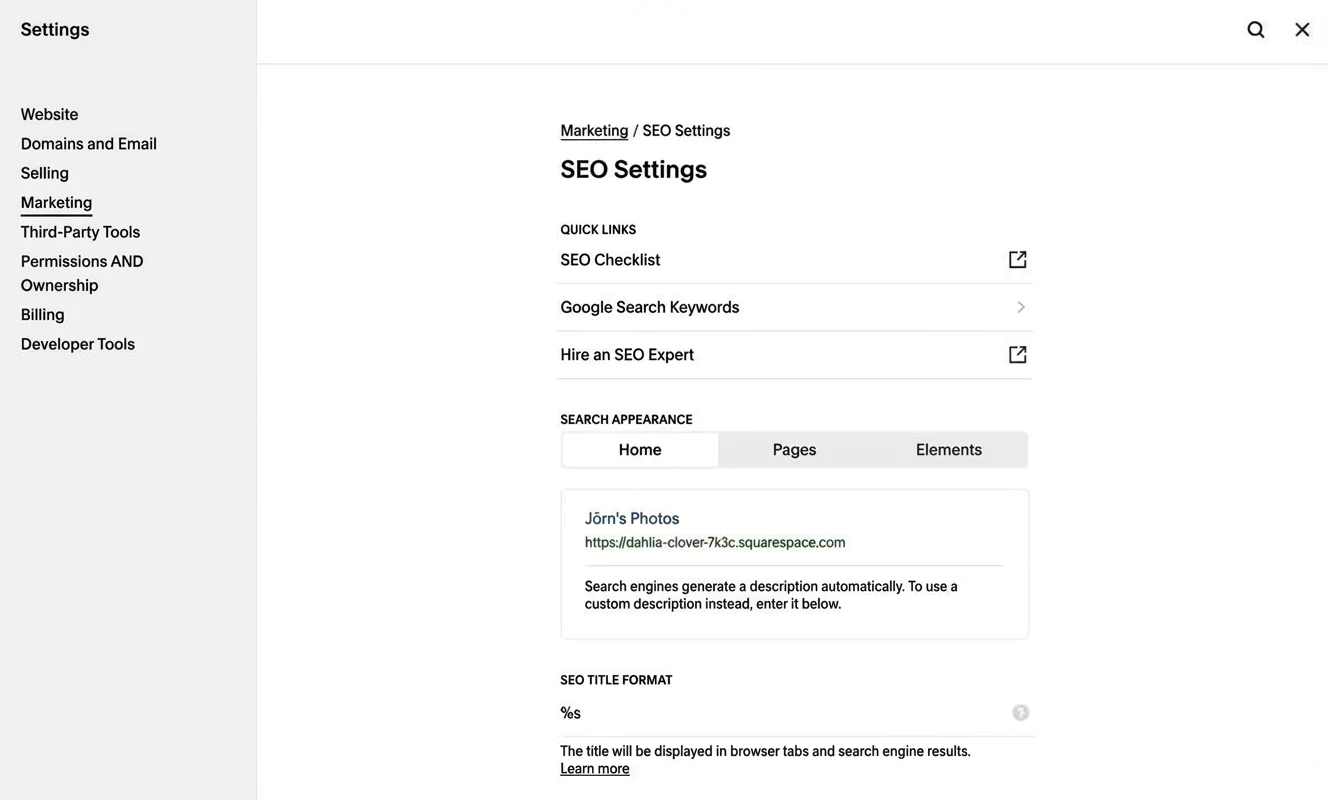
You can also enable AMP (Accelerated Mobile Pages) for blog posts and use free SSL certificates. In addition, you can add SEO descriptions, site descriptions, logos and favicons.
For each page, you’ll find the option to enter SEO titles and text in the page settings (gear icon). That’s also where you can exclude pages from being indexed by search engines such as Google.
Marketing
For businesses, artists, bloggers or online shop owners, a social media presence is almost essential. Your website should be able to show links to profiles on platforms like Facebook, Instagram or TikTok.

Squarespace does let you link to your social media profiles — including the relevant icons — via the website settings. However, adding these linked icons to the site wasn’t as straightforward as I expected.
Email newsletters are another key part of modern marketing for both businesses and solo operators. Squarespace includes a capable newsletter tool. You can import existing subscribers (via CSV) and create your own campaigns. Newsletters can be put together from different blocks, so you can customise the layout.
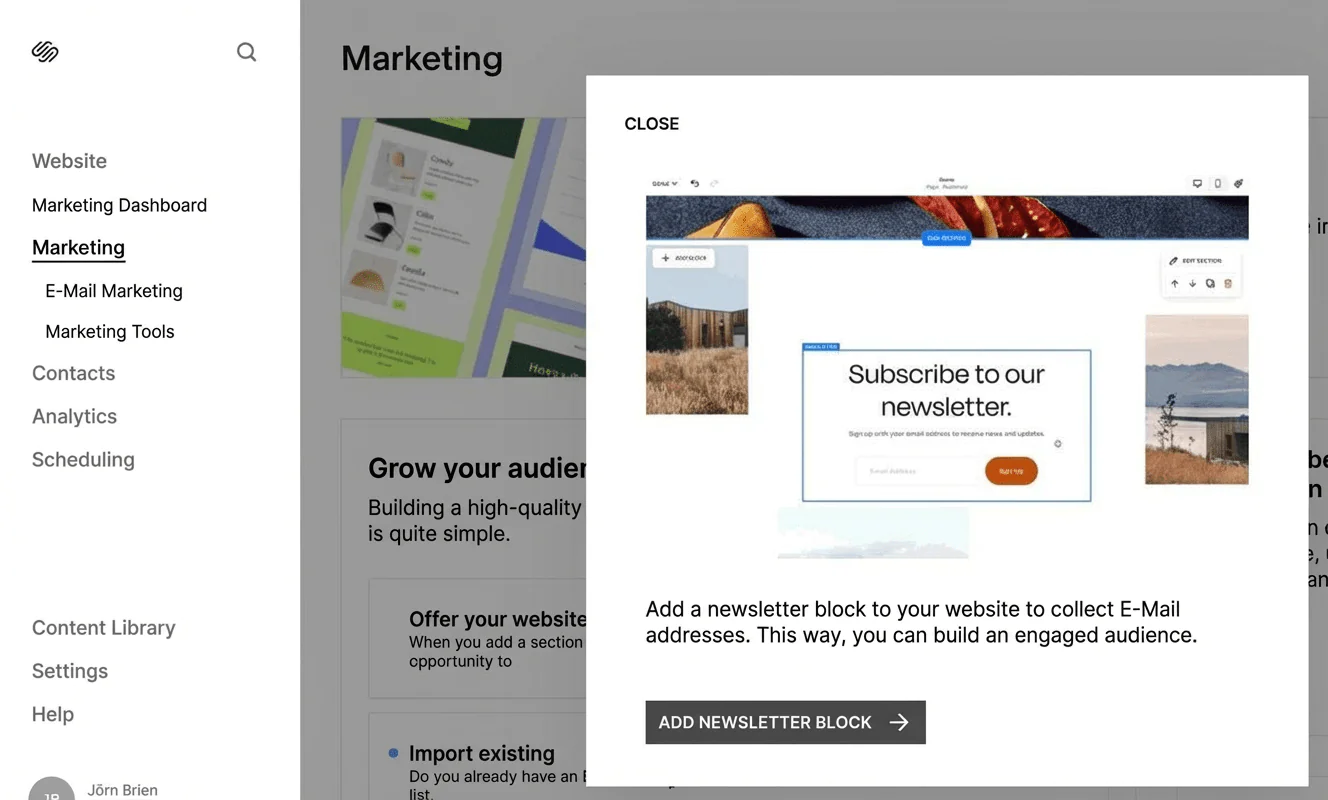
You can also gain subscribers through a sign-up form on your website. An optional pop-up can help increase sign-ups. Alternatively, you can integrate tools from third-party services such as Mailchimp.
Overall, Squarespace offers a solid marketing toolkit for everyday needs.
Extensions via plugins and apps
In addition to the translation tool Weglot and the email service Mailchimp, Squarespace offers around three dozen other extensions and app options. That’s decent, though it could be broader.
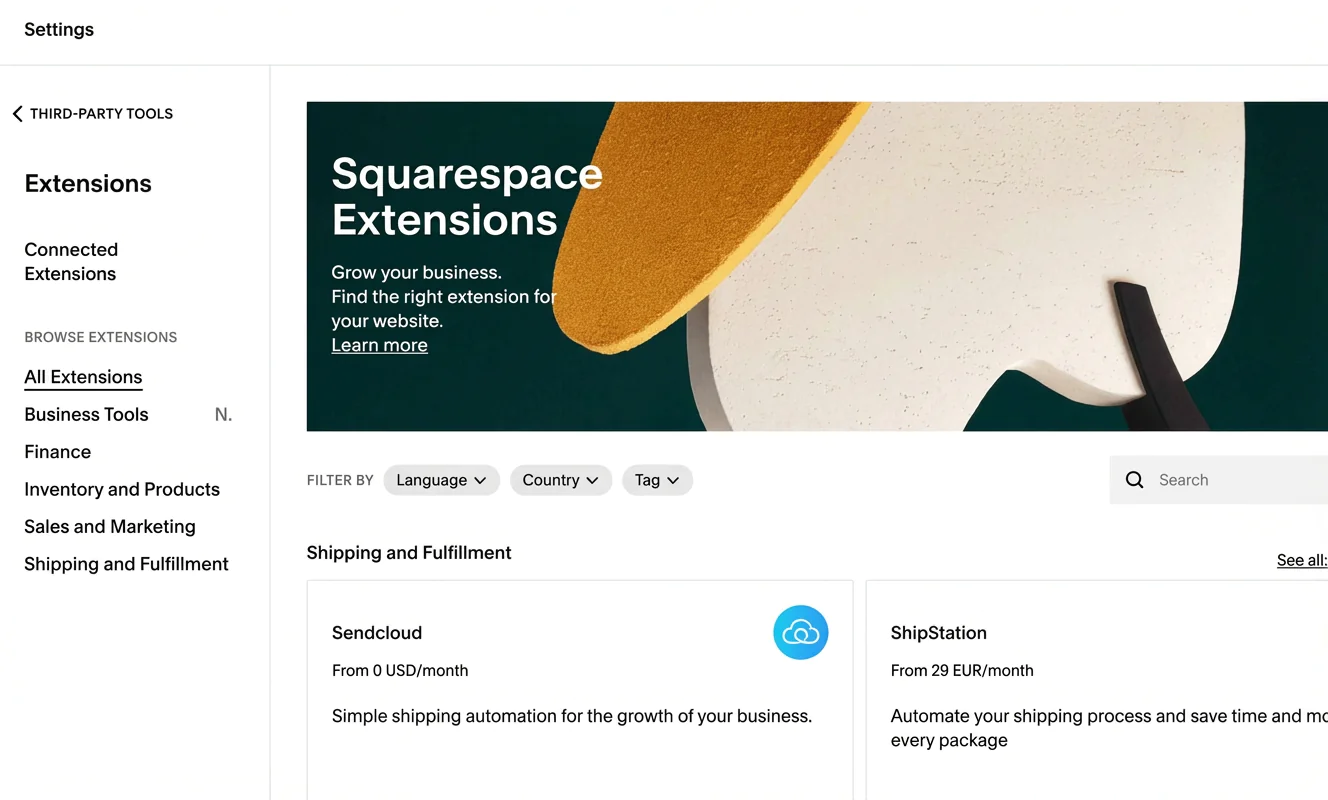
A large part of these add-ons focuses on online shop management — for example tax details, accounting, orders or shipping. Some apps are paid.
You can also integrate accounts such as Google Analytics or an Amazon Associates account via APIs.
Custom HTML and CSS adjustments are also possible when building a site with Squarespace.
Analytics and statistics
For a website builder, Squarespace has a genuinely strong analytics area. You don’t just see visitor numbers, traffic sources and locations — you also get insight into where visitors went on your site.
Even better: you can track conversions from forms or buttons and monitor the number of RSS subscribers. There are also shop statistics, such as revenue by product and abandoned purchases.
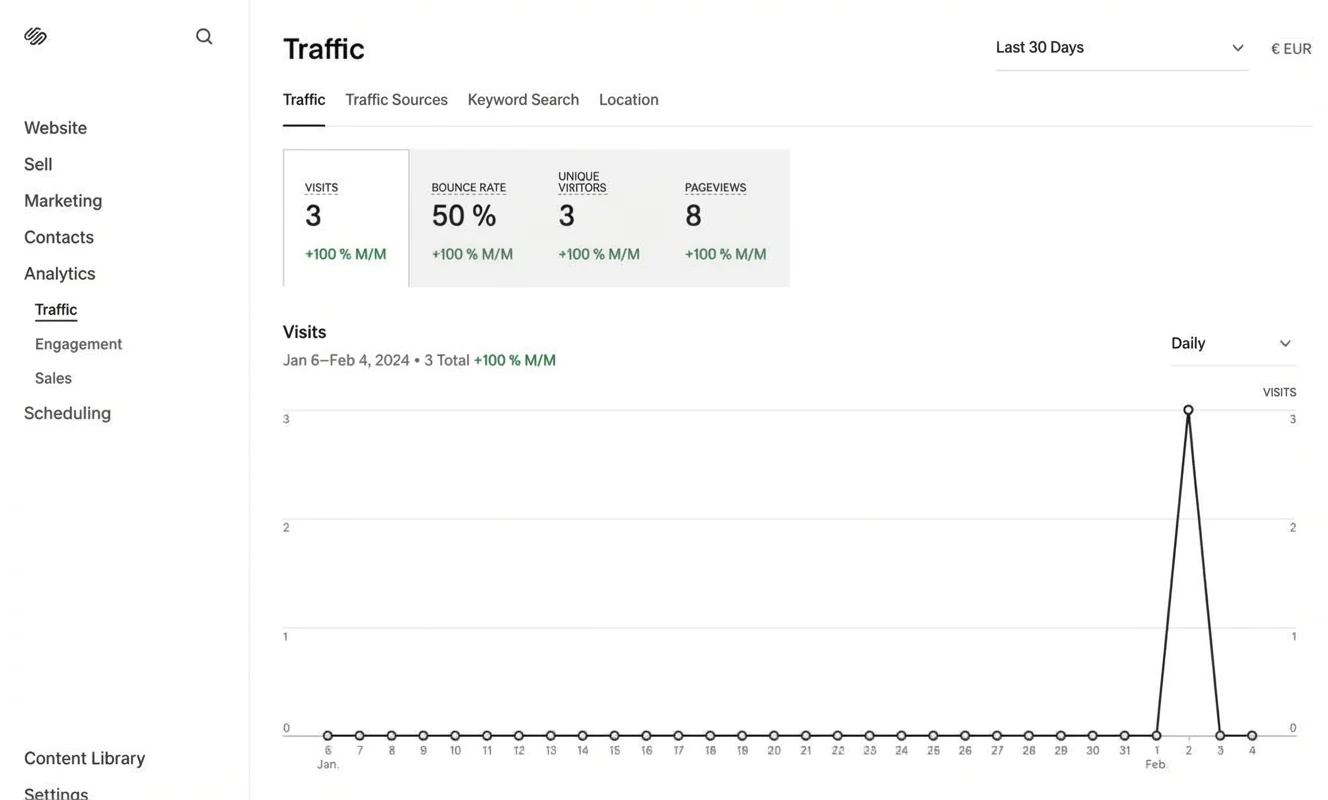
You can even connect Google Search Console to stay informed about the search terms visitors use — an important piece of SEO work.
In principle, analytics are available across all subscription plans. The range of analytics features depends on the plan you chose and whether, for example, you’ve connected a payment provider.
- Internal analytics: Powerful built-in reporting
- Insights: Visitors, page views, shop stats and more
- Integration: Google Search Console can be connected
- Scope: Available features depend on your plan
Contact forms
Squarespace lets you add a contact form as well as forms for internal features (such as newsletter sign-ups) or forms from external services.
On a contact page, you can add contact details such as address, email or phone number. You can also include a contact form, a map or opening hours.
Interestingly, Squarespace doesn’t include a built-in site search function. You also can’t integrate databases.
Password protection and members area
In your Squarespace settings, you can invite users to collaborate on the website with you. You can also add blog authors.
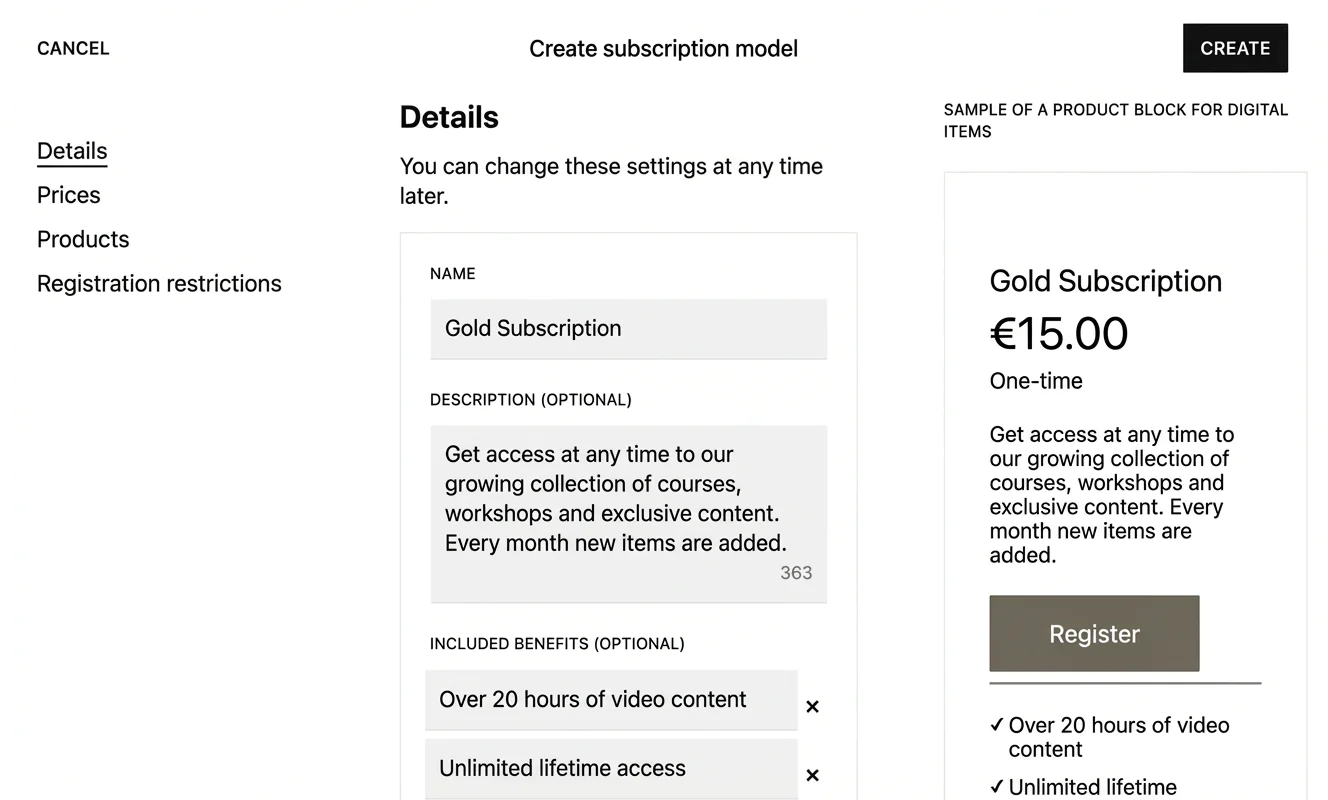
If you want to offer paid courses, for example, you can create so-called member sites. Content added there is automatically placed behind a paywall. To access it, visitors need to subscribe.
You can show a preview of paid member content on your main website. After a short learning curve, setting this up and managing it is straightforward.
GDPR and legal compliance
Because Squarespace’s parent company is based in the US, this can be a consideration for business use — depending on what kind of data you process and what requirements apply to you. Squarespace states that it follows established frameworks for international data transfers, but you should still check whether your setup meets your obligations (for example under UK GDPR).
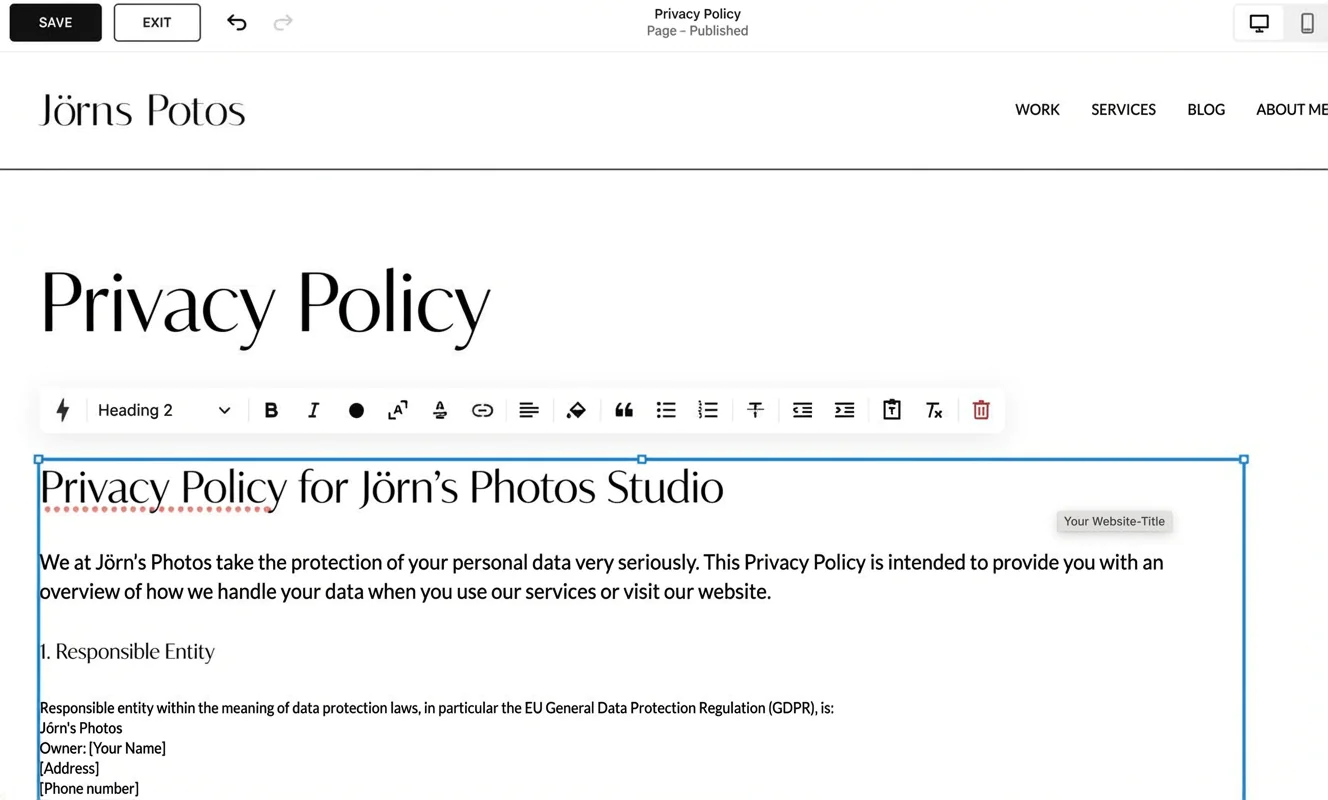
In practice, this usually means reviewing your privacy notice, your cookie settings and any third-party tools you integrate. Squarespace provides a basic privacy policy template and you can enable a cookie banner. It’s also worth making sure key legal pages are easy to find — typically placed in the footer.
At a glance
| Rating | |
| Points achieved | 16 out of 18 points |
| Advantages |
|
| Disadvantages |
|
Squarespace offers one of the strongest online shop systems among the major website builders available in Germany. You get the basic tools for selling products on your website from the “Business” plan upwards — although this comes with a 3% transaction fee.
On the more expensive e-commerce plans, you can offer subscriptions or discount campaigns, and the transaction fees are removed. Customers can also create their own accounts.
What you can sell
With Squarespace, you can offer an unlimited number of products in your online shop from the “Business” plan (from around £17 per month).
In addition to physical products, you can sell digital items such as e-books or audio files, offer consultations, or sell gift vouchers.
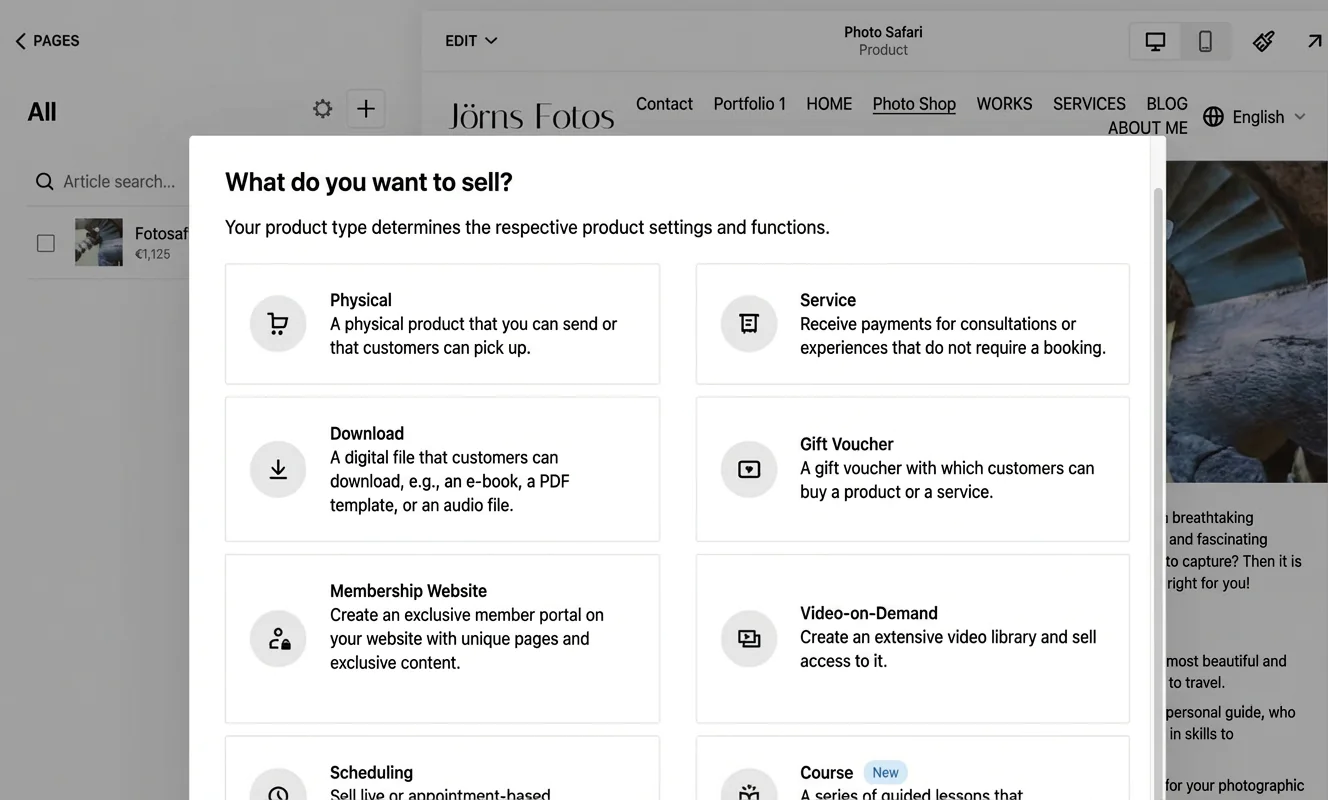
You can also sell access to exclusive content on a members-only site, video collections or online courses.
Customisation options and design
Squarespace gives you a range of options to customise the design of your shop and individual products. There are several layout templates available, for example for digital products or services.
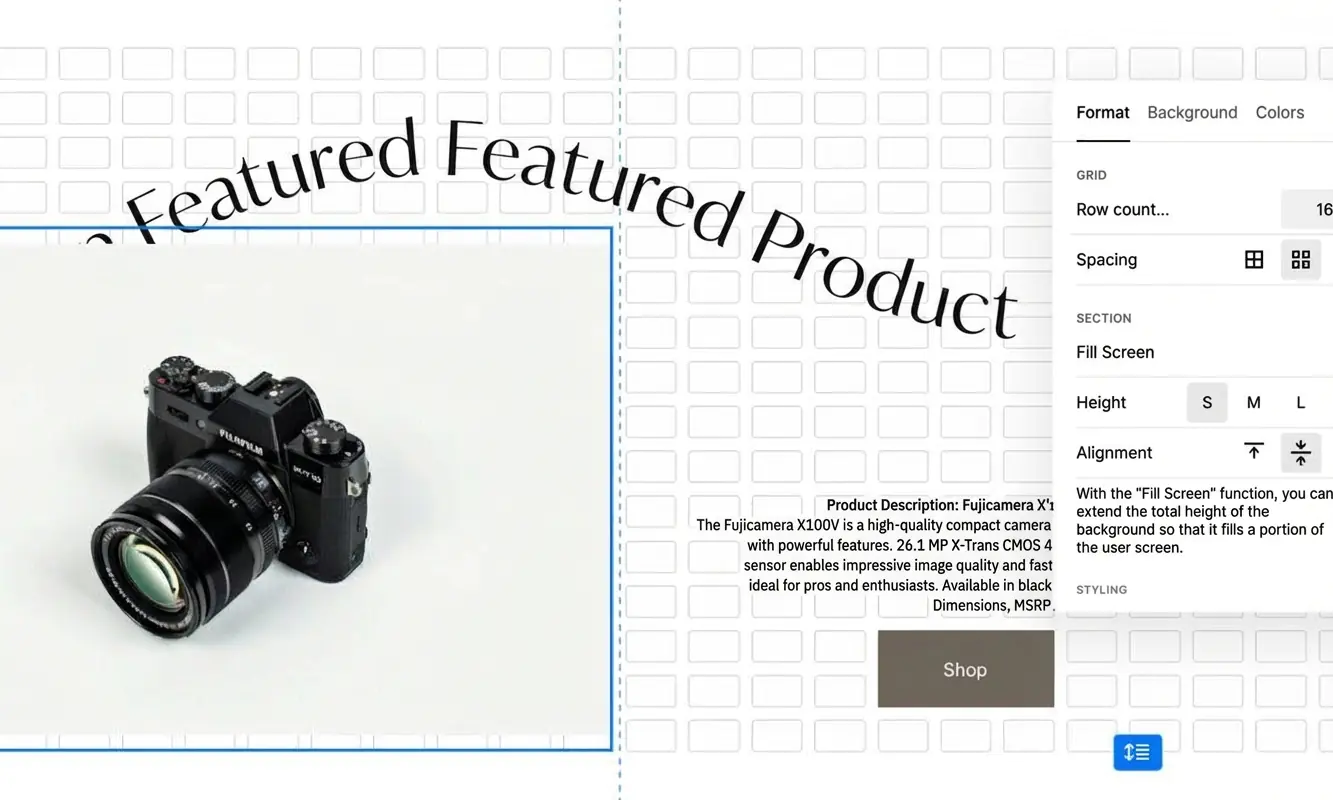
You can also design product pages entirely to your liking or freely edit pre-designed layouts.
Customer reviews
You can add static customer reviews to your online shop by using sections such as “Quotes” or “Testimonials”.
There’s also the option to let customers leave reviews directly for purchased products or to integrate reviews from the e-commerce platform Etsy.
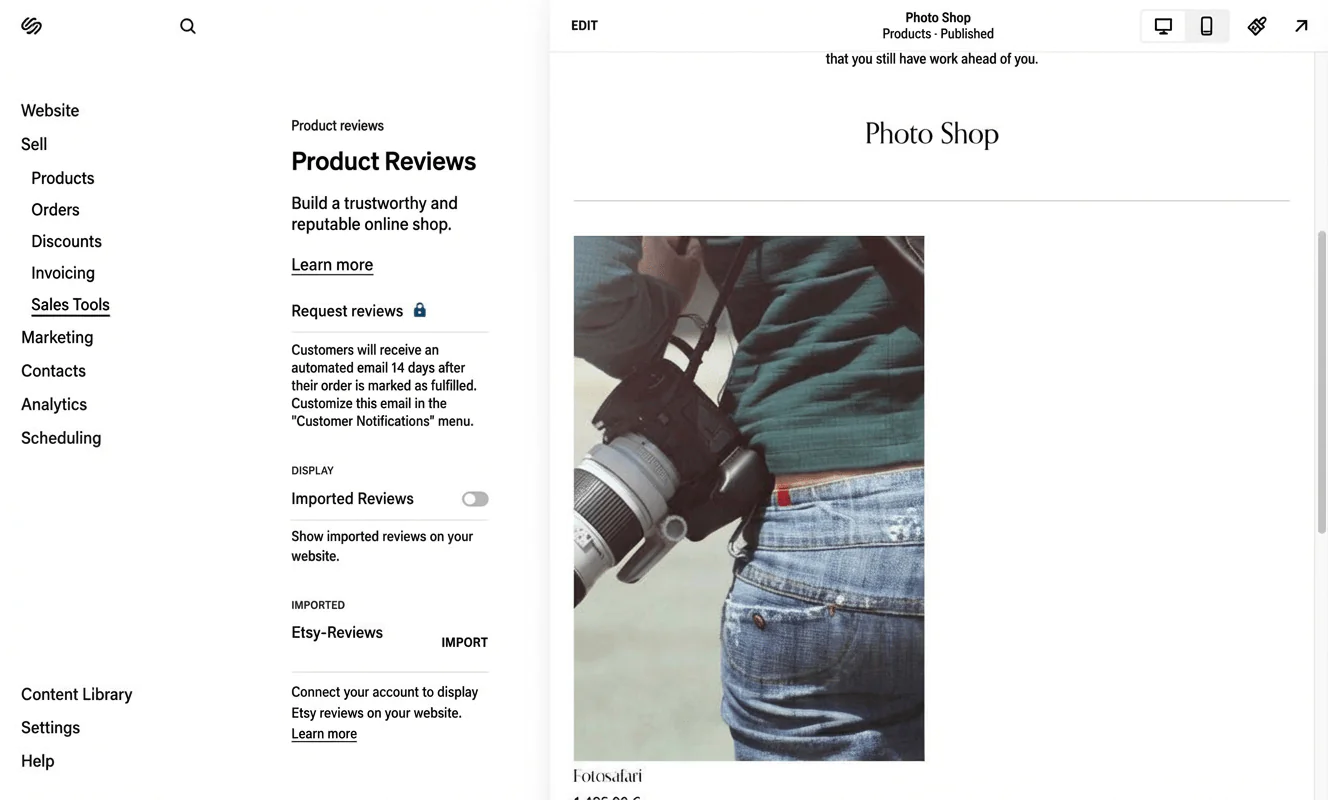
Customers are automatically invited by email to leave a review 14 days after purchasing a product. To use this feature, an e-commerce plan is required.
Supported payment methods
To make shopping as easy as possible for customers, it’s important to offer a wide range of payment options. Squarespace supports several payment providers for its e-commerce users.
Squarespace supports the following payment methods:
- PayPal
- Apple Pay
- Credit and debit cards (Visa, MasterCard, American Express)
- Afterpay
- Additional providers via Stripe or Square
Transaction fees
On the “Business” plan, Squarespace charges a 3% fee per transaction. On the e-commerce plans, Squarespace itself doesn’t charge transaction fees, though additional costs may apply depending on the payment provider (for example PayPal or card networks).
Shipping options
Squarespace lets you configure order processing and management very flexibly. Shipping options can also be customised. Outside the US, DHL is the only available courier. However, you can also allow customers to collect their orders directly from your shop.
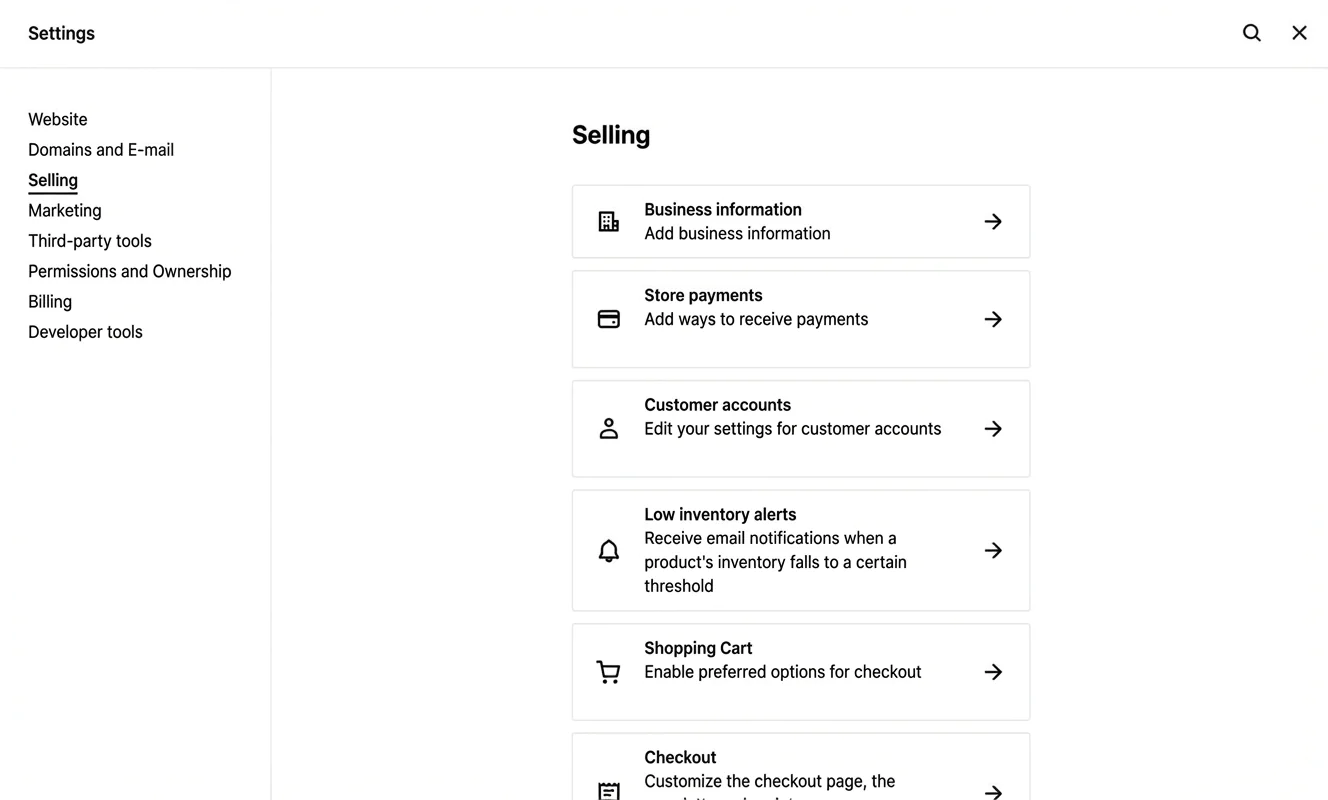
Squarespace also lets you set up fulfilment profiles, for example for oversized or fragile items. To extend your shop’s capabilities, you can use extensions such as Sendcloud.
Accounting and inventory integration
Squarespace’s built-in tools for accounting and inventory management are sufficient for running an online shop. You can expand the functionality via extensions. Data can be exported as CSV files, but there’s no direct integration with accounting software.
Legal compliance
Squarespace allows you to run an online shop in compliance with legal requirements in Germany and the EU. However, you need to take care of the details yourself — for example adding a privacy policy and terms and conditions, displaying VAT correctly, using appropriate button labels, and showing shipping costs clearly.
Squarespace is certified under the EU–US data transfer framework, which means its US base doesn’t automatically prevent its use by European businesses.
There are some deductions, though, because VAT rates can be adjusted by country, but not individually by product.
At a glance
| Rating | |
| Points achieved | 8 out of 13 points |
| Advantages |
|
| Disadvantages |
|
Squarespace unfortunately doesn’t offer strong support. That costs points in this test as well as in customer reviews online.
Support channels and languages
Over the past few years, Squarespace has put effort into translating a large part of its help pages into German. However, there isn’t dedicated German-language support. At least you can email the support team in German 24/7 — but when I sent a simple test question, it still took several days to get a reply.
Live chat is available for English-speaking users, but it isn’t offered on the German Squarespace site. There’s also no phone support at all. In other words: if you already know you’ll need quick answers while building your website, you may be better off with a tool that offers reliable support in your language.
How satisfied are Squarespace users?
The weaknesses in support don’t just affect Squarespace’s score in this review — they also show up in online ratings. On Trustpilot, for example, Squarespace has a score of 1.4 out of 5 based on around 850 reviews. That corresponds to poor.

Most of the one-star reviews focus heavily on poor support. Users also complain about billing issues, high prices and technical problems. Here too, better support could likely have prevented many dissatisfied customers.
As a result, an otherwise solid product leaves an uneasy impression. It can feel as though users are left on their own when problems arise with the website builder.
Another slightly odd point: unlike some competitors, Squarespace hasn’t responded to a single negative Trustpilot review.
At a glance
| Rating | |
| Points achieved | 10 out of 18 points |
Squarespace performs well in terms of design and ease of use — and, of course, when it comes to running a blog or an online shop.
When it comes to pricing, however, the US-based tool comes last in our broader website builder comparison. That said, the gap to competitors is relatively small. You could argue that visual quality comes at a price.
Squarespace doesn’t offer a free plan. You can try the system free for 14 days, but you won’t have access to all features during the trial.
Even the basic plan includes unlimited storage and bandwidth. All key features — including a domain — are already part of the entry-level package.
Points are deducted because there’s no free email account — not even on higher-tier plans. You always need to purchase an email account separately via Google Workspace.
Some specialised third-party apps also come at an extra cost. Full online shop functionality is only available on the more expensive plans.
Tip: When signing up, entering the code “PARTNER10” reduces fees by 10% in the first year.
| Personal | Business | E-commerce (Basic / Advanced) | |
|---|---|---|---|
| Price | from £11 per month | from £17 per month | £24 / £36 per month |
| Free trial | ✅ 14 days | ✅ 14 days | ✅ 14 days |
| Full use of the builder | ✅ yes | ✅ yes | ✅ yes |
| Custom domain (1 year) | ✅ included | ✅ included | ✅ included |
| Email inbox | ❌ no | Google Workspace free for 1 year | ❌ no |
| Web space | unlimited | unlimited | unlimited |
| Video hosting** | 30 minutes | 30 minutes | 30 minutes |
| AI and extensions | ✅ available | ✅ available | |
| Website analytics | basic features | advanced features | advanced features |
| E-commerce | ❌ not included | ✅ yes — basic features only | ✅ yes — advanced / full features |
** All plans include 30 minutes of video hosting. You can add more storage via the add-on for digital products.
Why Squarespace might not be for you
In my view, Squarespace is very well suited to anyone who places a strong emphasis on design and ease of use. If low cost is your main priority, or if you have more complex requirements, it’s worth looking at alternatives.
Reasons Squarespace may not be a fit:
- Complex projects: If you want a website with many deeply nested subpages, Squarespace may not be ideal. You’ll quickly run into limits when it comes to menu depth. In this case, tools like Wix or WordPress are usually a better choice.
- Highly ambitious blogging projects: Squarespace offers a strong blogging solution. However, if you aim to become a professional blogger, WordPress is still the better option. It gives you more control over performance and speed optimisation.
- Professional online shops: While Squarespace’s e-commerce features are powerful, specialised systems such as Shopify offer more advanced options for orders, payments and product management.
- Low-cost or private websites: If you’re building a small personal site or a very simple homepage, cheaper alternatives to Squarespace may be more suitable. In many cases, a free plan or low-cost options from other tools, such as Webador, are sufficient.
Best Squarespace alternatives
You’ll find the best alternatives to the Squarespace website builder in our comprehensive website builder comparison.
-
1 Winner 2026

Test score
9.4
2026
Outstanding
Pros and Cons
- WordPress securely installed with 1 click
- Control over functions and data
- Huge range of extensions and designs
- Automatic updates and backups
- Using WordPress is more complicated than a website builder
Visit sitePricing
- IONOS WordPress
- Fast server hardware
- Incl. domain & email addresses
- From £1 / month
- 30 days money back
-
2 Ideal for beginners

Test score
8.5
2026
Excellent
Pros and Cons
- Very easy to set up
- Best results for simple websites
- AI assistant facilitates creation
- Image database with 17,000 photos
- Email inbox included in the tariff
- Rather not ideal for more complex websites
- Other providers offer more choice in design templates
Visit sitePricing
- IONOS MyWebsite Now
- Free from advertisements
- With your own domain & email
- from 1£ / month
-
3 Best value for money

Test score
7.9
2026
Very good
Pros and Cons
- Very simple and beginner-friendly creation
- Designs optimised for mobile devices
- Free support
- Attractive Pro tariffs
- Selection of design templates is limited
- Functionality not as extensive in comparison (no app store)
Visit sitePricing
- Webador Free
- Permanently free of charge
- No own domain
- Webador banner on the page
- Webador Pro
- Incl. domain and email inbox
- Incl. online shop
- from £8.50 / month
- Test 3 months free of charge
-
4 Very easy to set up

Test score
7.3
2026
Very good
Pros and Cons
- Website wizard that gets your page up and running in just a few minutes
- Attractive & mobile-optimised designs
- Functions rather limited to basics
- Few possibilities for extension
Visit sitePricing
- JIMDO Free
- Permanently free of charge
- Jimdo branding
- No own domain
- JIMDO Premium
- Advertising free
- With your own domain
- from 9,00£ / month
-
5 Most flexible solution

Test score
7
2026
Very good
Pros and Cons
- Website builder with the greatest design freedom
- 800+ high-quality designs, 300+ app extensions
- AI assistant for website and content
- Several image databases integrated
- Range of functions can be overwhelming at first
- Email addresses only via Google Workspace (costs extra)
Visit sitePricing
- WIX Free
- Permanently free of charge
- Wix.com branding
- No own domain
- WIX Premium
- Advertising free
- With your own domain
- from £7.50 / month
- Test 14 days free of charge
-
6 Great design templates
Test score
6.8
2026
Good
Pros and Cons
- Particularly stylish & mobile-optimised design templates
- Templates for every industry
- Integrated marketing and analysis tools
- Access to over 40 million images
- Comparatively few add-ons (or cost extra)
- Email inbox costs extra (via Google Workspace)
Visit sitePricing
- Squarespace Personal
- With your own domain
- from 11,00£ / month
- Test 14 days free of charge
Squarespace is a US-based company that specialises in building and managing websites. Its website builder lets users create professional websites without any coding skills. Squarespace is particularly popular with creatives, small businesses, artists and photographers because of its polished design templates. The platform can also be used to create and manage online shops or blogs.
Squarespace AI is the name used for the platform’s generative writing assistant. This AI feature can create website copy or product descriptions in a short amount of time. Artificial intelligence is also used to support the creation and adjustment of website designs.
The Squarespace app allows users to manage their Squarespace websites from iOS and Android devices. It includes features such as website editing, blogging, e-commerce management and analytics. Users can update their site on the go and receive notifications about activity.
Squarespace is a website builder that enables users to create websites without programming knowledge. Users choose a template, customise the design, add content and, if needed, set up an online shop or blog.
The platform offers simple page management and built-in e-commerce features. Once the site is ready, it can be published and managed via the mobile app.
Squarespace hosts websites on its own servers and provides additional features such as analytics and SEO tools.
Squarespace offers different plans, with prices depending on your needs. There are subscriptions for personal and business use, as well as dedicated online shop plans for different e-commerce requirements.
Plans include features such as hosting, security and 24/7 customer support. Additional costs may apply for domain registration, premium templates or optional add-ons. More details can be found in the section “What prices and costs should you expect with Squarespace plans?”.
Prices start at £11 per month on the “Personal” plan. There’s no free plan, but Squarespace does offer a 14-day trial.
With a Squarespace plan, a domain is included for the first year. If you already own a domain, you can connect it to your Squarespace account. You can also register new domains through Squarespace. A .de domain costs around £18 per year, while other top-level domains such as .com or .org cost roughly £11 per year.
You can cancel a Squarespace subscription or account easily via the account settings. Before doing so, you should cancel any additional subscriptions, export your content and transfer your domain if needed. Depending on whether you chose a monthly or annual plan, cancellation takes effect at the end of the current billing period.
Comments and ratings
Was this article helpful?
Rate article
Share article