IONOS website builder: review & test 2026

As seen in:



-
Rank 1 of 6

Testurteil
1,5
2026
Sehr gut
- Bedienbarkeit
- Templates/Design
- Funktionsumfang
- Onlineshop
- Kunden-Support
- Tarife & Preise
Baukasten-Vergleich Zum Anbieter Zum AnbieterIONOS MyWebsite punktet mit extrem einfacher KI-Erstellung, hervorragendem Kunden-Support und günstigen Tarifen.
- Bedienbarkeit
The web host IONOS offers its own website builder called “MyWebsite”. It’s designed to help sole traders and small to medium-sized businesses create a professional-looking website quickly and without much hassle.
You don’t need any coding skills. And IONOS also emphasises a strong approach to data protection and privacy, including compliance with widely used standards such as the GDPR.
But what kinds of websites is IONOS “MyWebsite” actually best for? How smooth is it to use in practice? And how does it stack up in terms of features and pricing?
I took out a Premium subscription and put the “MyWebsite” builder through a thorough test. I’ll be direct about what works well and what doesn’t — without sugar-coating or marketing fluff.
By the end of this detailed review, you’ll know whether IONOS “MyWebsite” is a good fit for building your own website.

My IONOS “MyWebsite” review:
- Summary: the key results of our IONOS MyWebsite review
- Ease of use: how easy the IONOS website builder is to manage
- Templates & design: how flexible the layouts and templates are
- Features: what the IONOS website builder includes
- Online shop: how well IONOS works for e-commerce
- Support and customer ratings: what users say and how helpful support is
- Pricing: the plans and costs for IONOS MyWebsite
- Alternatives: the best alternatives to IONOS MyWebsite
- My IONOS “MyWebsite” review:
- Rating: 8.5 of 10 — best value for money
- Is IONOS easy to use?
- How good are the templates and designs?
- What features does IONOS offer?
- Is IONOS MyWebsite good for online shops?
- Customer reviews and support
- Plans and pricing
- Alternatives to IONOS “MyWebsite”
- What else to keep in mind
At a glance
| Category | Website builder |
| Overall rating | 8.5 of 10 (2nd place) |
| Price | from £12 per month |
| Discount | ✅ available from £1 per month |
| Beginner-friendly | ✅ yes |
| Setup time | under 30 minutes (with AI assistant) |
| Tool website | IONOS |
With the IONOS “MyWebsite” builder, beginners with no technical background can quickly create professional-looking websites.
This is made possible by the clear interface and the support of practical AI features.
Another strong point is the comparatively low cost.
IONOS also stands out for its strong data protection standards and responsive support. The main limitation is that the “MyWebsite” system is not suitable for more complex websites.
Why IONOS “MyWebsite” scored 8.5 of 10
As part of this in-depth review, I assessed the tools, features and plans objectively, based on hands-on experience. Each website builder is evaluated across several categories.
These categories are weighted accordingly, and the final overall rating is calculated from the combined results.
| Overall rating | Rating 8.5 of 10 |
|---|---|
| Ease of use Weighting: 35% | 37 out of 40 points |
| Templates / design Weighting: 15% | 21 out of 32 points |
| Feature set Weighting: 10% | 35 out of 55 points |
| Online shop Weighting: 5% | 10 out of 18 points |
| Support & customer satisfaction Weighting: 15% | 12 out of 13 points |
| Costs and value for money Weighting: 20% | 18 out of 20 points |
My experience with IONOS “MyWebsite”
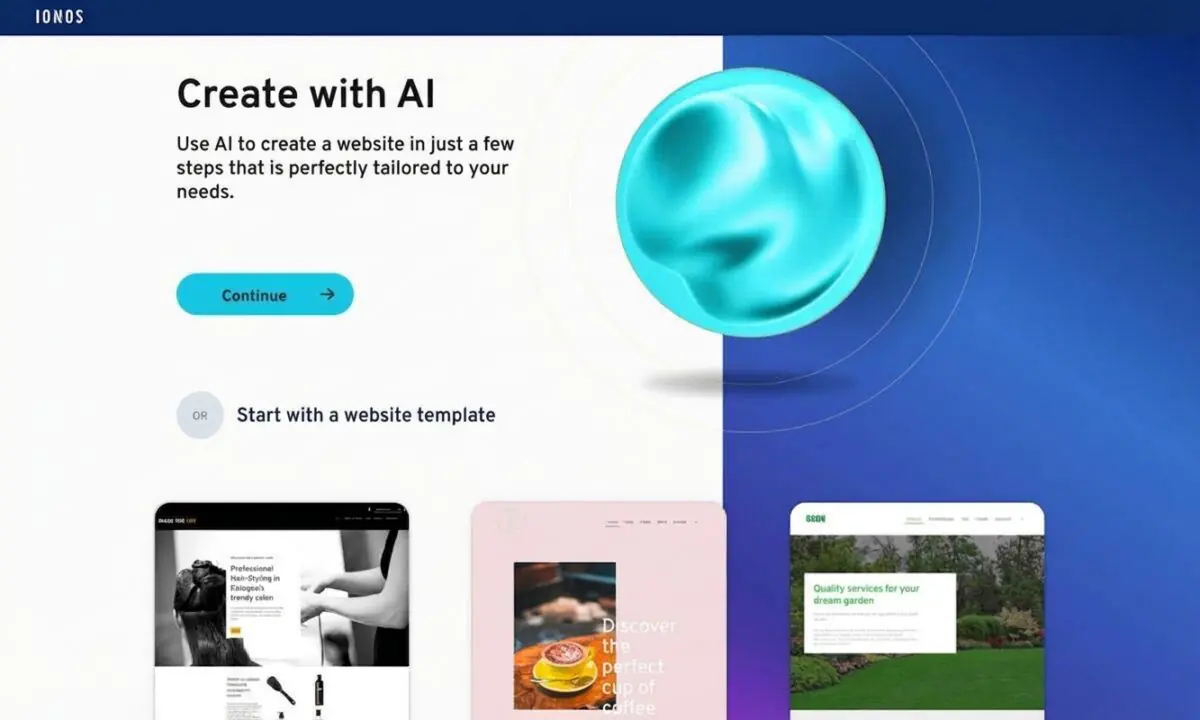
Creating my test website was quick and easy thanks to the AI support.
After about half an hour, I had a simple painter’s website live. If you don’t want to use AI-generated text and images, it helps to prepare your own content in advance and have it ready during setup.
Best for:
- Sole traders such as coaches or estate agents
- Local businesses such as tradespeople or medical practices
- Anyone who wants to build a simple website without technical knowledge
What I liked most:
- The setup and editing process is straightforward
- The AI assistant is genuinely helpful for creating the site and filling it with content (text and images)
- A solid approach to privacy and compliance (for example, GDPR-related requirements)
- Plans are affordable
- An email address and domains are included in the plan
What could be better:
- Templates could offer more creativity and higher design quality
- If you need a more complex website, you’ll likely be better off with a different tool
Start with IONOS MyWebsite
IONOS offers various website plans starting at just 1£/month for the first 6 months.
At a glance
| Rating | |
| Points achieved | 37 out of 40 points |
| Pros |
|
| Cons |
|
IONOS “MyWebsite” stands out mainly for its very simple, intuitive handling. The built-in drag-and-drop editor and the AI support play a big role here.
Building your website feels straightforward. With the drag-and-drop editor, you can add elements and content comfortably. The AI assistant helps you create content. The only real downside is the IONOS app: its features and options for managing your website still feel limited.
Setup assistant
IONOS has clearly picked up on the trend towards AI-supported website creation and built it into the tool. With the AI website generator, you can generate a professional-looking design with just a few details — including suitable text and images.

In our example, the AI support made sensible suggestions. With a few small tweaks, the site could be published right away — without anything looking out of place.
Website editor ease of use

No other tool in our review offered an editor that felt as clear and intuitive as IONOS “MyWebsite”. If you’re a beginner who wants to build a simple website, it’s hard to go wrong here.
Using drag and drop, you can place elements such as headings, text and image blocks, or forms into the prepared template. The best part: these elements automatically adapt to the site’s existing design.
Editing in the browser works smoothly. Changes are saved automatically, and mistakes can be undone quickly.
In testing, the editor impressed us with how neatly everything is arranged. On the far left, you can switch easily between content, design and pages. Right next to that, you’ll find the relevant options — for example, adding sections and text or choosing colours.
On the right-hand side, you see the website with your changes applied. For layout, you can use grids and additional HTML options. But don’t worry: you don’t need to be a professional designer to create a good-looking website with IONOS.
A preview option lets you switch between desktop, tablet and smartphone views.
AI website builder
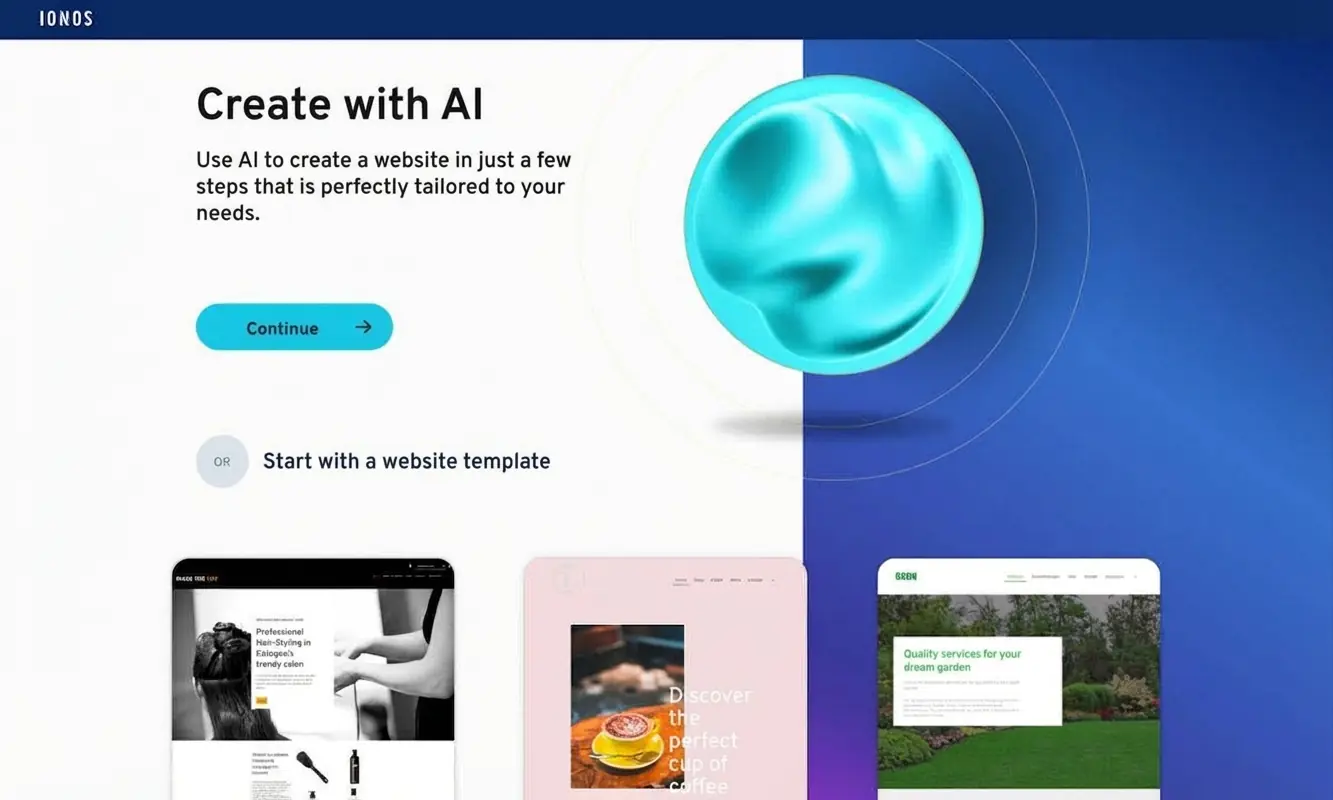
In our test, generating text and images worked very well overall. The AI assistant produced readable, sensible copy. For images, however, some follow-up work was still needed.
Either way, it’s a good idea to review texts and images carefully and replace them where necessary. If you don’t have your own content, you can use additional AI support. Alongside the AI image and text generator, IONOS also provides an AI text optimiser.
You can also use AI to support search engine optimisation (SEO). There is no AI-based video generation option.
Dashboard clarity
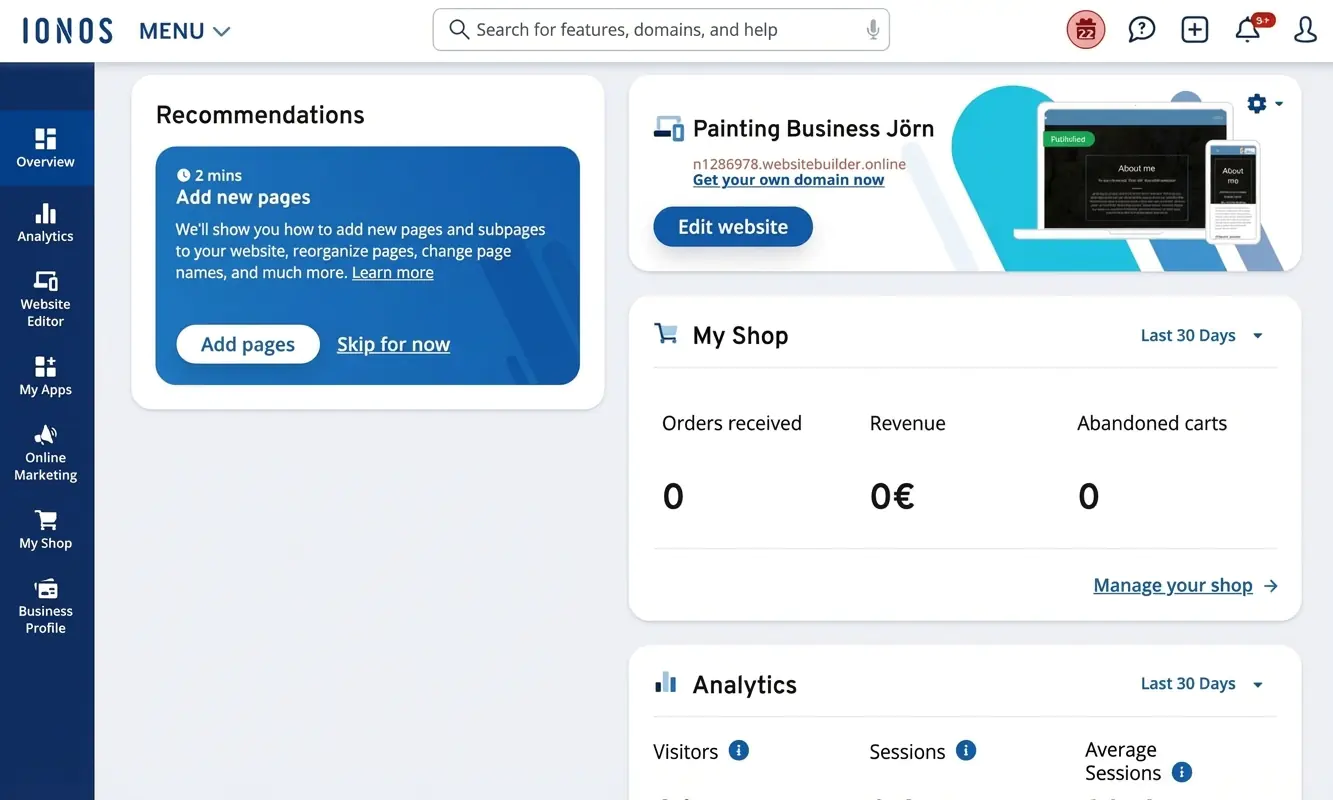
The management options and tools are laid out clearly within IONOS. You create and manage your site in the “Websites & Shop” dashboard. Alongside the editor, you’ll find options for analytics and marketing, and you can visit the — currently quite limited — app store. From the menu, you can also switch to your IONOS account or your domains.
Edit your site on the go with the app
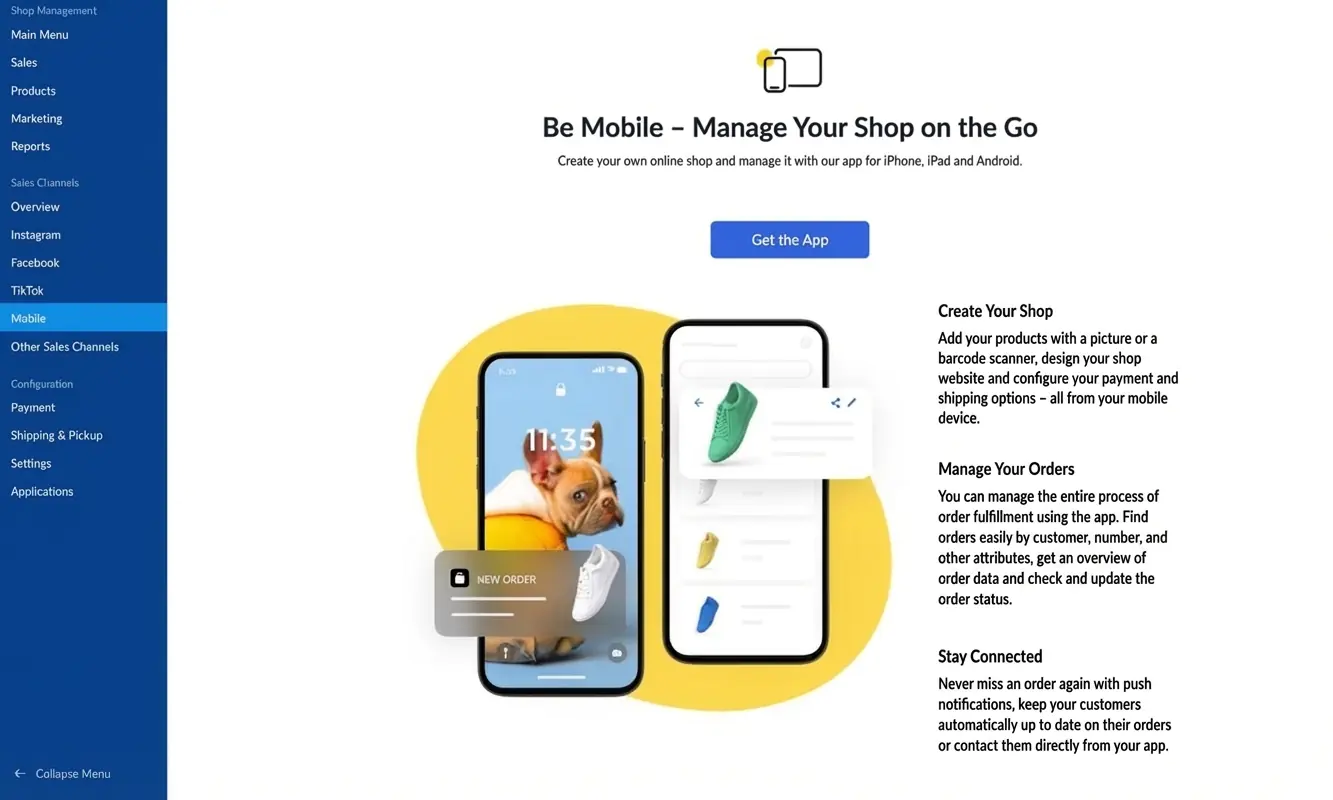
The only major weak point in terms of usability is the mobile app experience. There is an IONOS app that lets you manage your account while you’re out and about. However, you can’t edit the website itself within the app.
A separate e-commerce app allows you to manage your online shop — but it’s only available on higher-priced plans that include an online shop.
If IONOS wants to score higher here, it will need to improve this area.
At a glance
| Rating | |
| Points achieved | 21 out of 32 points |
| Pros |
|
| Cons |
|
When it comes to ready-made designs, IONOS “MyWebsite” isn’t quite as strong as some competing tools. On the plus side, it covers a wide range of industries, and the quality of the available templates is competitive. In other words: you won’t go wrong choosing one of the templates. On top of that, the AI website generator gives you additional options.
Interim conclusion: If IONOS offered more high-quality templates and a broader set of useful features, it could move right to the top of many rankings.
Examples of IONOS design templates
IONOS “MyWebsite” includes a range of well-made templates. Below are five layouts that give a good sense of what’s possible. If none of these suit you, you can also use the AI website generator instead.


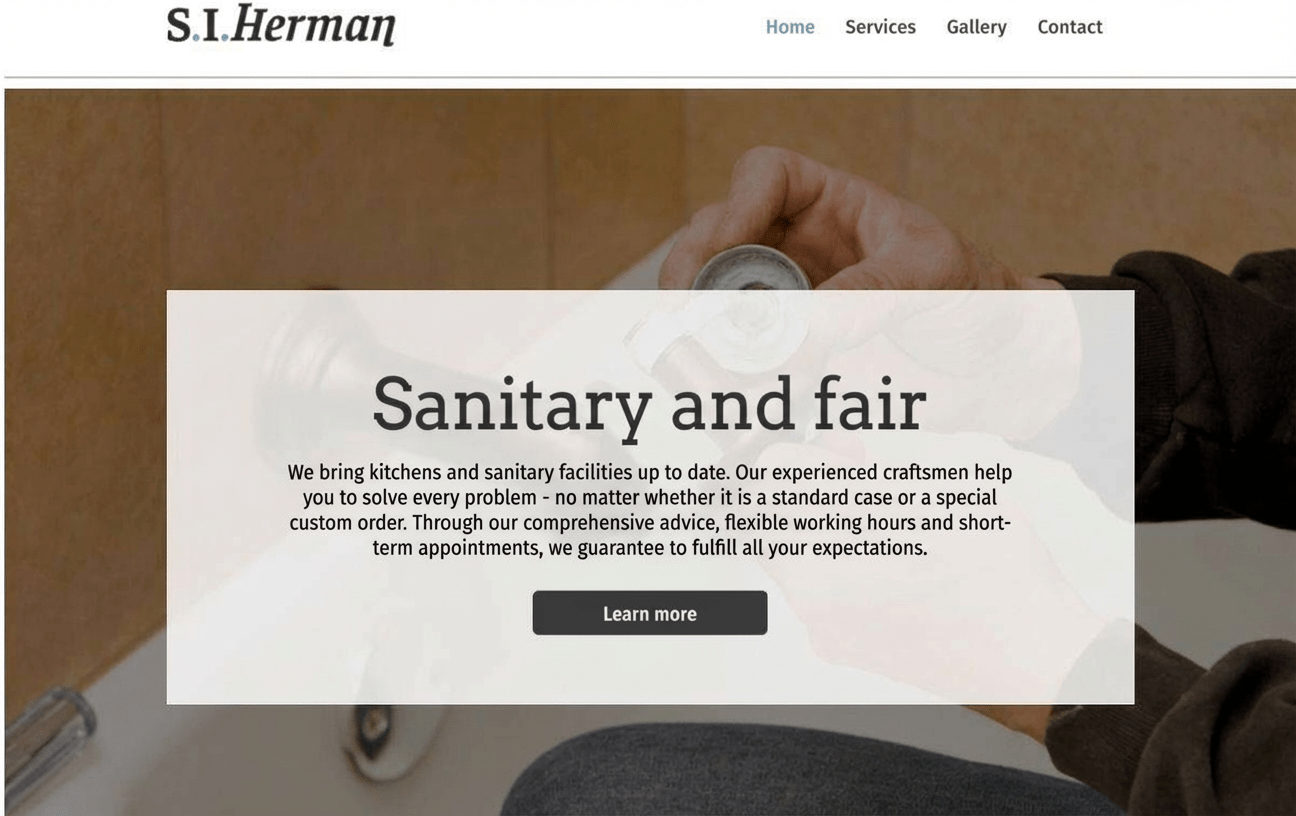


Template variety and quality
When it comes to templates, IONOS could put in a bit more effort. Other website builders offer a wider selection. To be clear: the roughly 400 templates cover a lot of niche topics and are generally good quality.
You’ll very likely find a suitable template that you can adjust to your taste. Building a professional-looking website is absolutely possible with IONOS. But: IONOS could offer more templates and more creative options, which is why some points were deducted.
Content modules and flexibility
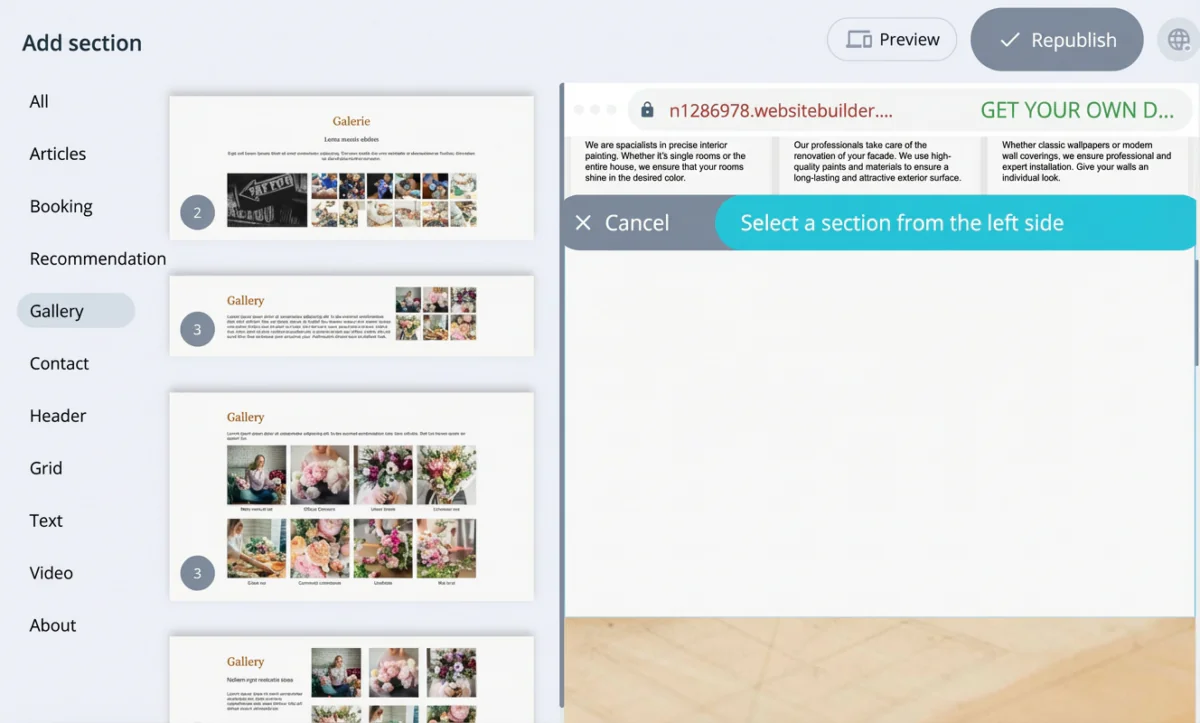
What applies to templates also showed up in testing with the content modules. For a simple website, you get everything you need — for example a booking module, gallery options, contact and “about me” layouts, and customer testimonials.
However, there’s often only one or just a few module options per block. That’s perfectly fine and also less confusing for beginners. But if you want a very distinctive, highly creative website with lots of variations, you may run into limits with IONOS.
How customisable the templates are
Templates are easy to customise, with the limitations mentioned above around variety and variations. IONOS offers around 50 fonts, but you can’t upload your own fonts.

You can upload a favicon and a logo, though. If you don’t have a logo yet, you can generate one using IONOS’s AI. Still, it’s best not to expect too much from the results. It can help to spend some time refining your prompts, meaning the instructions you give the AI.
If you want your online presence to look as professional as possible, you may prefer working with a human logo designer.
Mobile optimisation

IONOS templates are responsive, meaning they adapt to mobile screens. You don’t need to create a separate mobile website. You can preview how your site looks on desktop, tablet or smartphone. One drawback is that you can’t customise the mobile layout separately.
Loading times
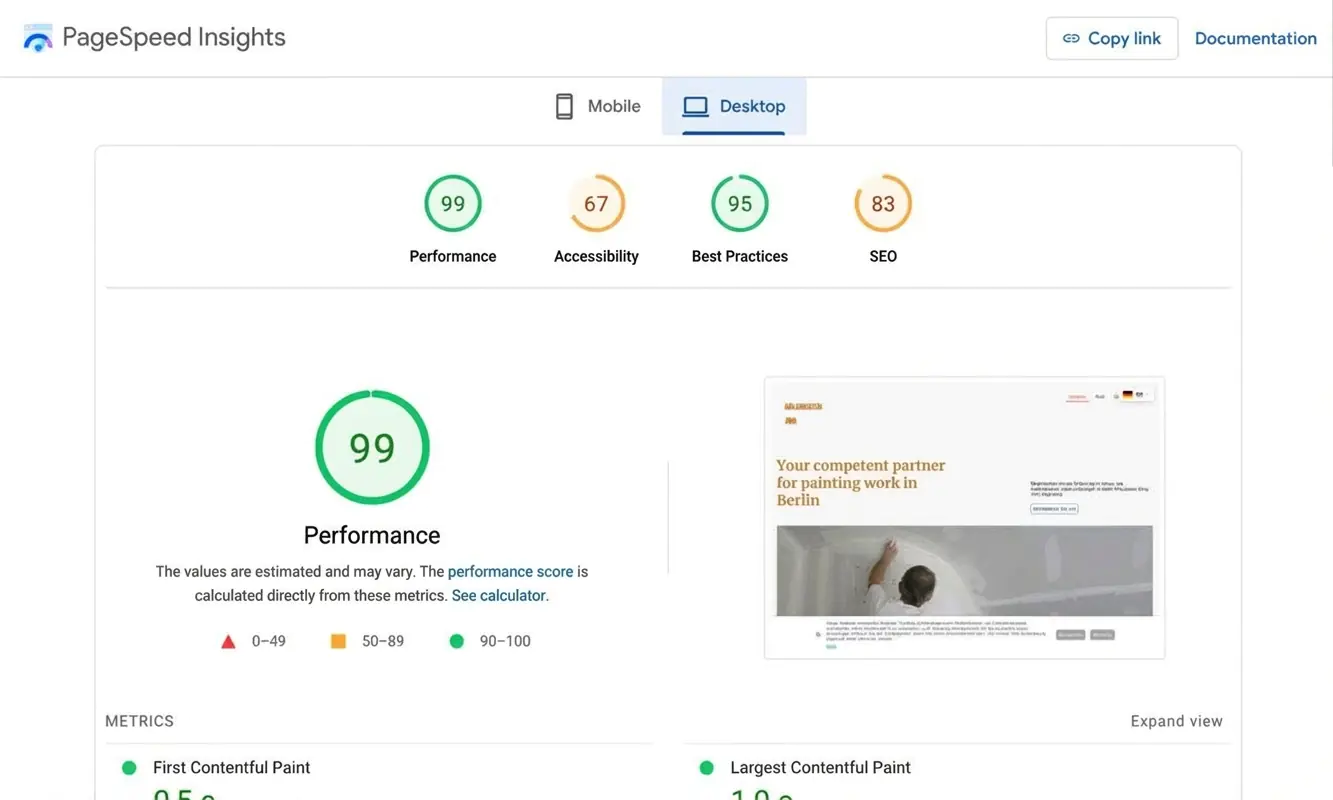
Performance is also strong. In a speed test using Google PageSpeed, my painter’s business website scored 99 points. That’s almost perfect — and another reminder that the idea that website builders can’t produce fast websites doesn’t really hold up.
At a glance
| Rating | |
| Points achieved | 35 out of 55 points |
| Pros |
|
| Cons |
|
The main strengths of IONOS “MyWebsite” are its ease of use and affordable pricing. As with the range of templates, the same applies to the feature set: IONOS is perfectly sufficient for simple websites. If you’re looking for more creativity and advanced functionality, you may want to consider alternatives such as Squarespace.
Storage space and traffic
With the basic “Starter” plan, you get 10 GB of web space and can create up to 10 subpages. In the “Pro” plan, which I recommend for building a more professional website, storage increases to 50 GB and you can create up to 200 subpages. The included email inbox offers 12 GB of storage instead of 2 GB. There are no traffic limits, regardless of the plan.
- 10 GB / 50 GB / unlimited storage — depending on the plan
- 10 / 200 / unlimited subpages available
- No traffic limits
- Extra storage for the email inbox
Blog functionality
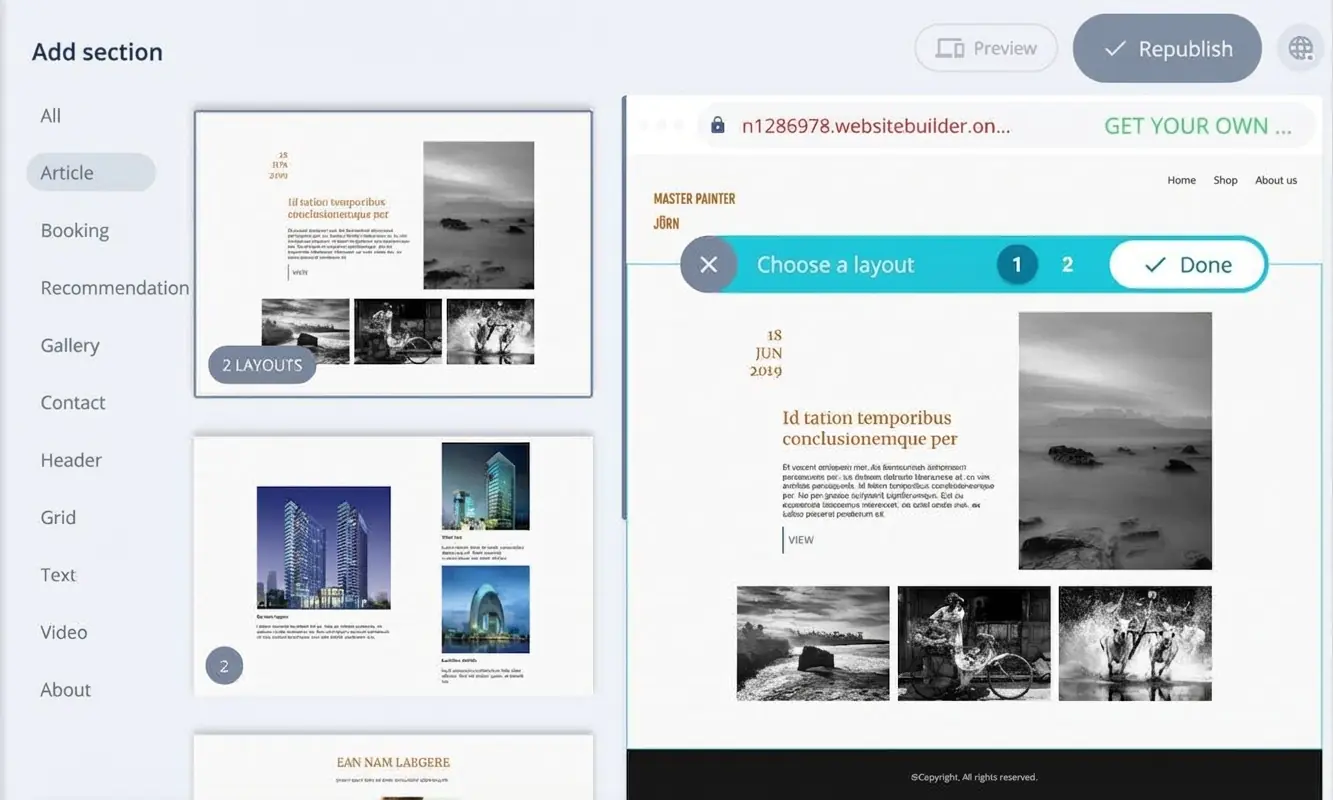
IONOS “MyWebsite” does include a basic blog-style feature. You can add it via “Add section” → “Articles”. To be honest, though, it’s a very limited solution, best suited for occasional posts. Features such as comments or tags are not supported.
If you want to run a professional blog, a website builder like Squarespace is the better option. For more ambitious blogging projects, setting up your own WordPress CMS is the way to go. The good news: IONOS offers a strong WordPress hosting plan.
- Basic blog functionality
- No comments or tagging
- Squarespace as a stronger builder alternative
- Ambitious bloggers should use a dedicated WordPress CMS
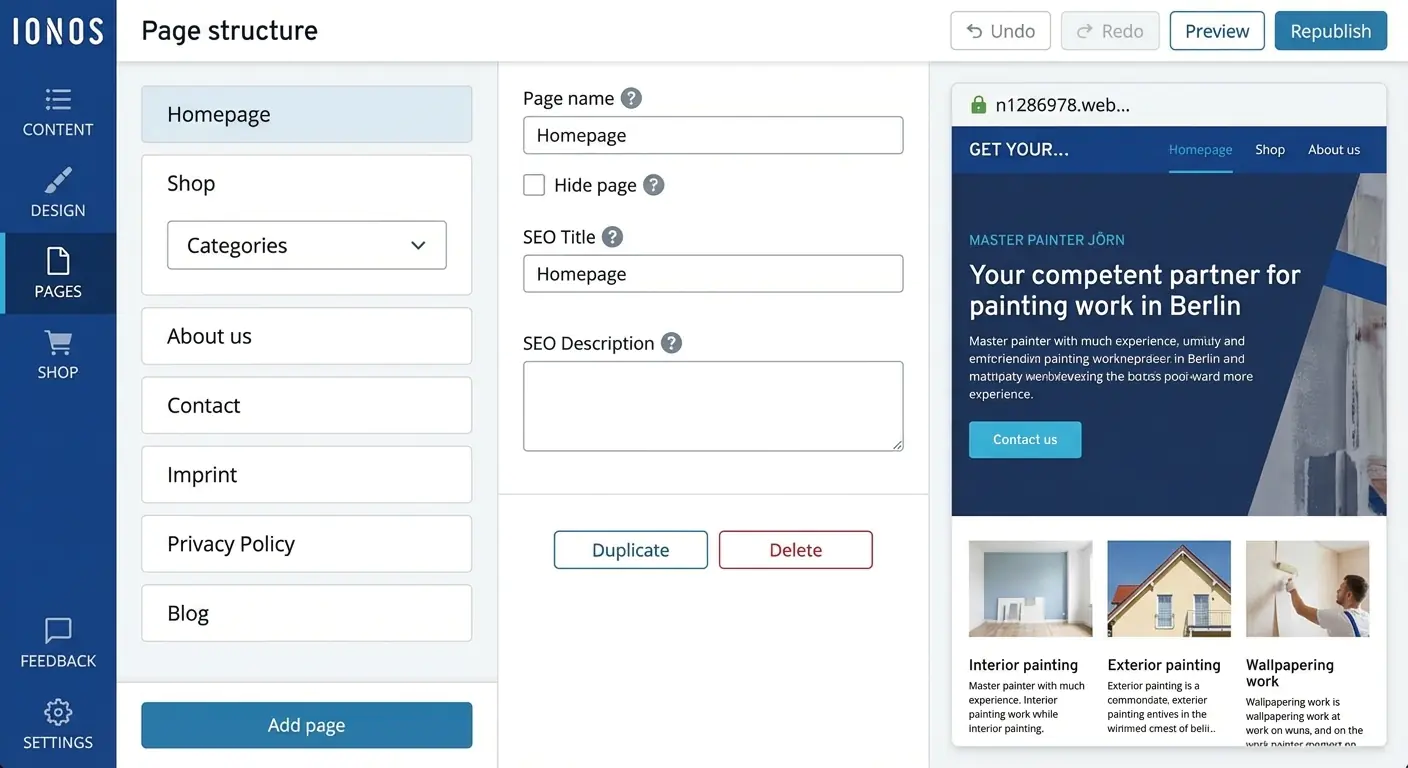
IONOS “MyWebsite” allows you to create up to 10 (“Starter”), 200 (“Plus”) or an unlimited number of subpages (“Pro”). These can be organised across up to three levels. Menus can be displayed in different positions, such as at the top of the page or in the footer.
- 10 / 200 / unlimited subpages — depending on the plan
- Up to three menu levels
- Menu can be placed in different positions
Multilingual websites

IONOS provides a “Website Translator” app that lets you translate your site (text, features and modules) into around 100 languages. It uses free automatic Google Translate, so results are fairly basic. A language switcher can be added to the site, which worked smoothly in testing.
- Activated via the “Website Translator” app
- Choice of around 100 languages
- Based on free automatic Google Translate
- Language switcher can be integrated
(Booking) calendar
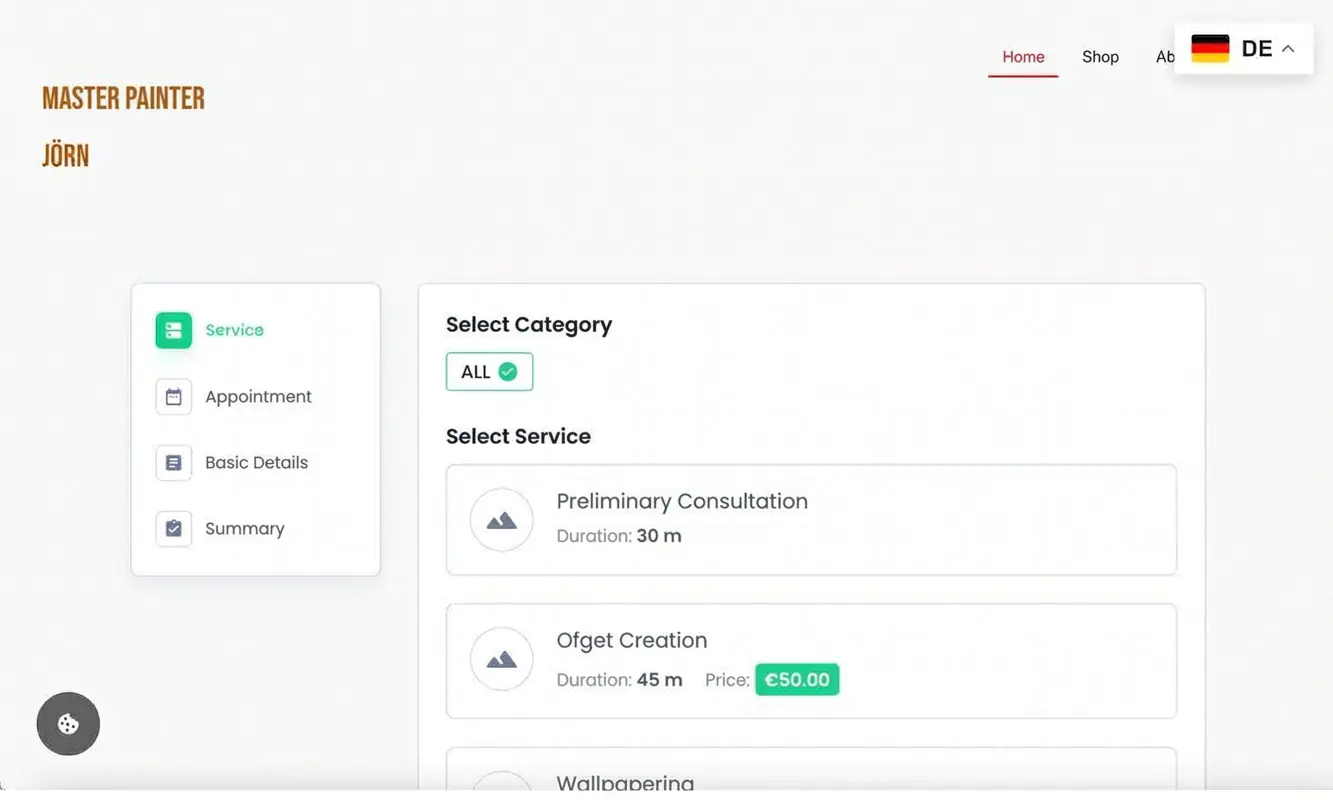
IONOS “MyWebsite” offers a calendar and booking function via the “BookingPress” app. This is a third-party tool with a wide range of settings.
You get a calendar, appointment management, payment and customer management, and the ability to offer different services. The tool can be embedded on any subpage, and the design can be customised.
- Calendar and booking function via the “BookingPress” app
- Manage appointments, payments, customers and services
- Tool can be embedded into your site
- Design can be customised
Video hosting
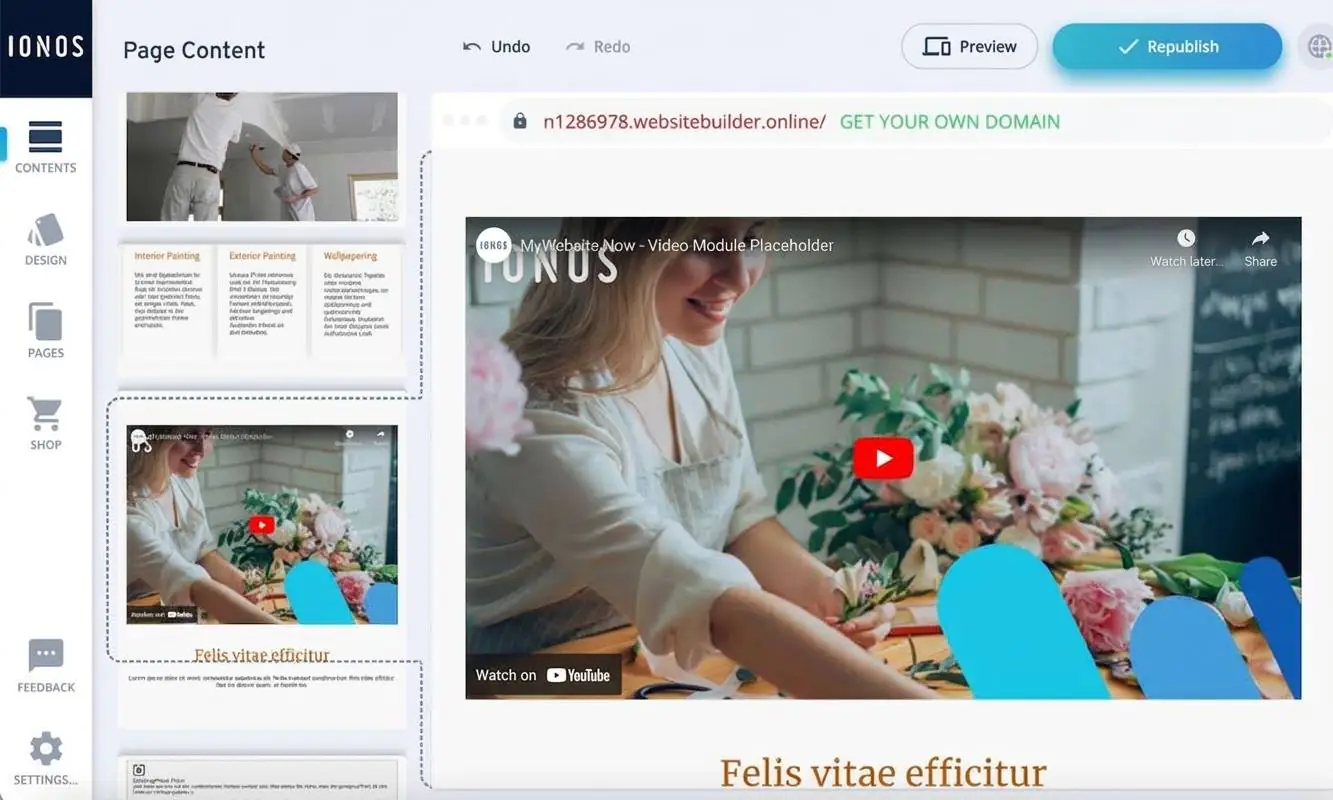
You can embed videos into your IONOS-built website by adding a video section with a YouTube video. You can also use an HTML module to integrate other video services.
Uploading your own videos is not possible in the current “Now” version of IONOS “MyWebsite” used in this review. That’s why points were deducted. Video uploads (up to 200 MB) only work in the “Creator” version, which is no longer actively offered.
- Embed videos from YouTube, Vimeo and similar platforms
- Uploading your own videos only possible in “Creator” mode
- “NoW” mode does not support video uploads
Image library
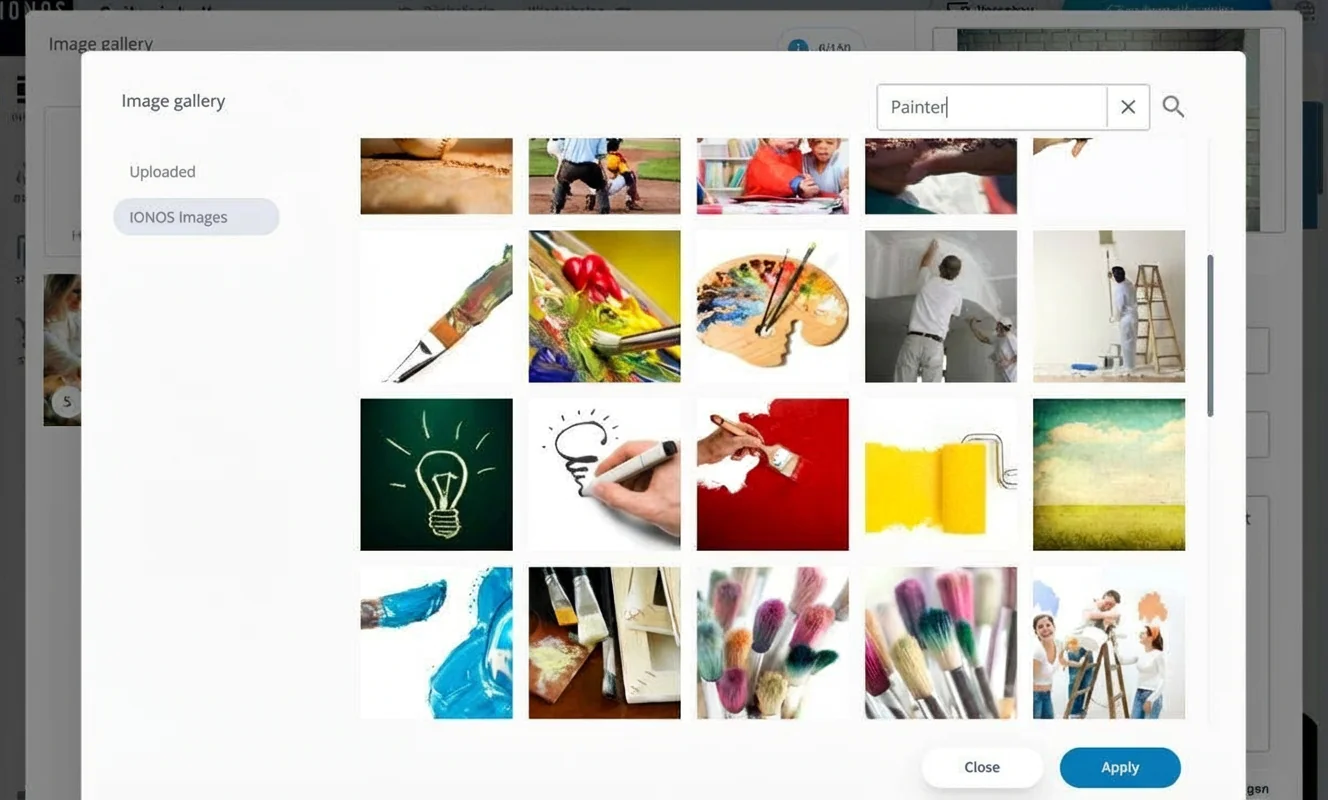
IONOS “MyWebsite” includes an image library with over 17,000 royalty-free images, available in all plans. Not all images are suitable for professional websites, but there’s a good selection you can use.
The AI image generator is only included in the higher-priced “Plus” and “Pro” plans. It lets you create additional images that match your website’s topic.
- Over 17,000 royalty-free images available
- Mixed image quality
- AI image generator included in “Plus” and “Pro” plans
SEO
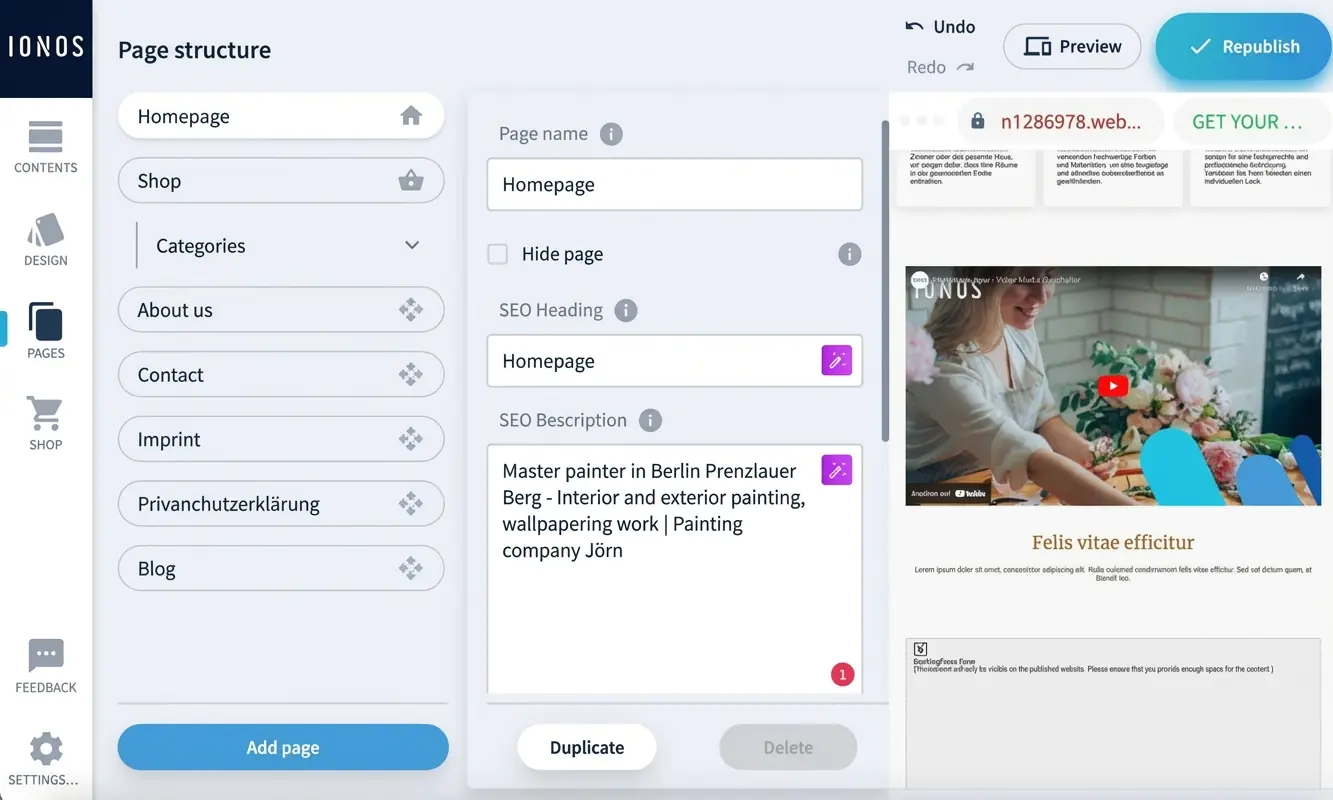
IONOS “MyWebsite” is well equipped for basic search engine optimisation. For each subpage, you can define an SEO title and description, with optional AI support. URLs are generated automatically but can also be customised.
This covers the most important SEO settings for a simple website, including page titles, descriptions and domain name. You can also optimise text content with headings and images with descriptions.
IONOS offers additional paid tools such as “List Local” and “rankingCoach” to support SEO. You can also run a free keyword analysis and check your site’s Google visibility. This includes basic competitor monitoring, such as ads or social media activity.
Marketing
Many businesses rely on social media to promote their website. IONOS allows you to link to profiles on platforms such as Facebook, Instagram, TikTok, LinkedIn, X (formerly Twitter), Xing and YouTube, including platform logos. Design options for these icons are limited.
Newsletters remain an important marketing tool, especially for businesses. IONOS does not include a built-in newsletter tool for the “Now” builder. However, it offers a paid email marketing tool. The required signup form can be embedded via an HTML module, which also allows integration of external tools such as Mailchimp or CleverReach.
Extensions via plugins or apps
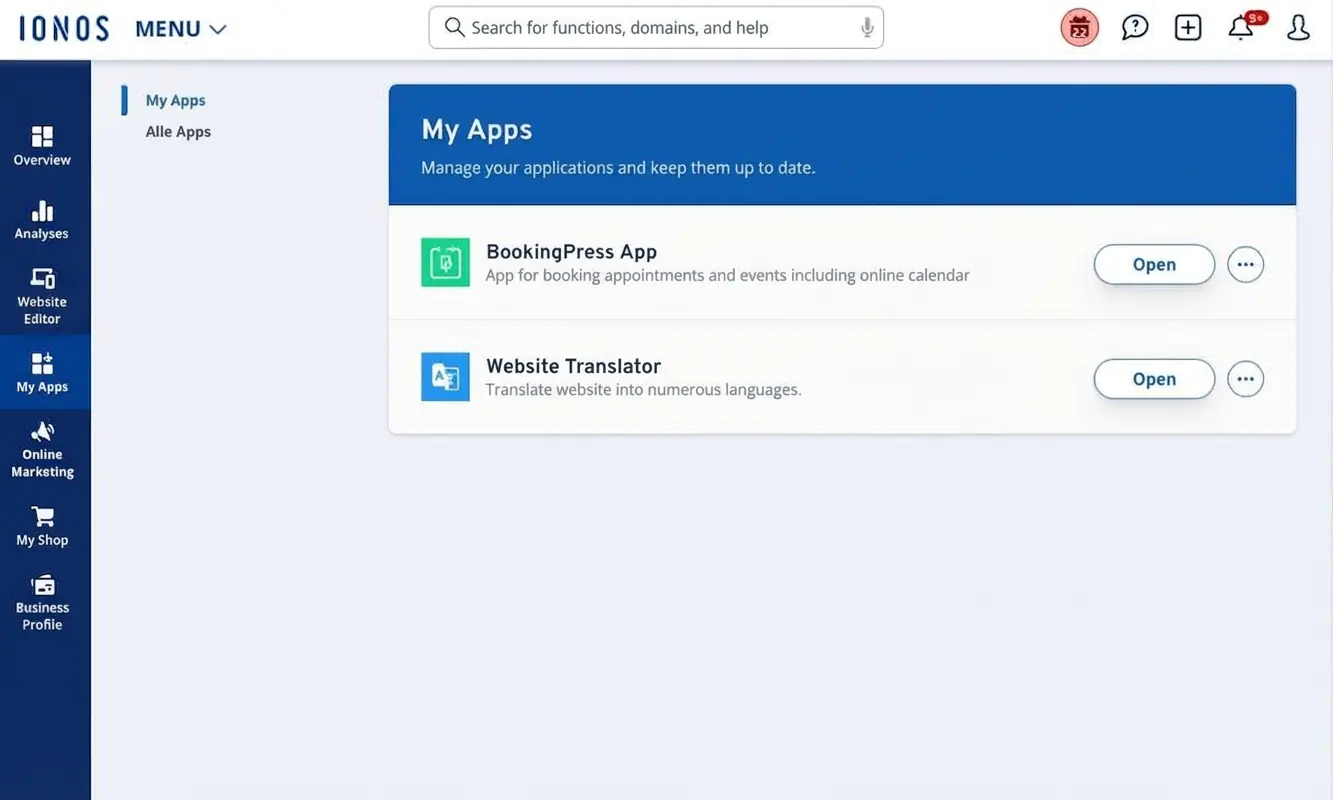
IONOS offers a small app store called “MyApps”, but it only includes a handful of extensions, such as the Website Translator and BookingPress.
You can add custom HTML or CSS code when building your site, although this option isn’t very easy to find. Within a page, go to “Section options” and then “Elements”. Clicking the “+” icons lets you add an HTML module, contact form, map or button.
You can also insert HTML or JavaScript code into the head section via the settings.
Analytics and statistics
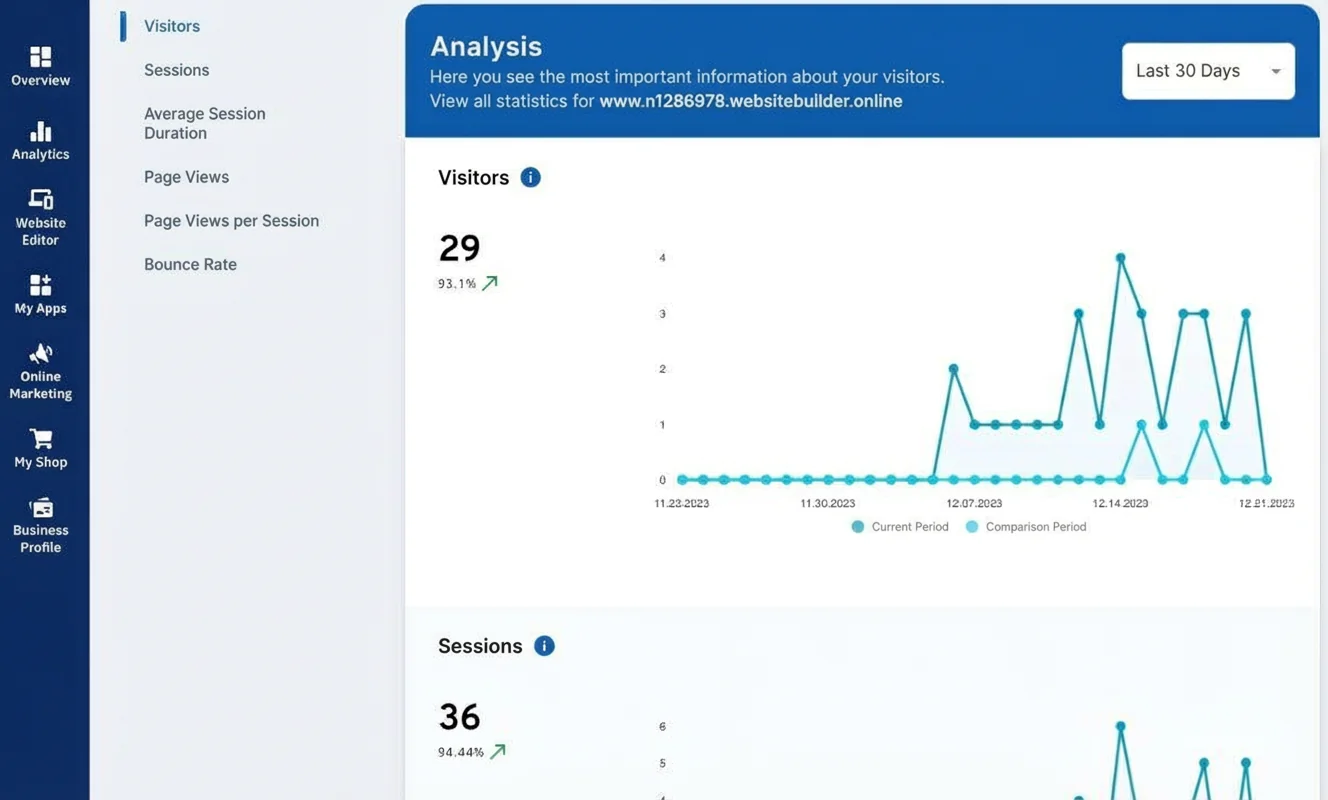
IONOS provides a strong built-in analytics overview for a website builder. You can view visitor numbers, page views per session and the most visited pages. Bounce rate, entry and exit pages, referrers and browser usage are also included. There’s no need to use external tools like Google Analytics.
- Very good built-in analytics tool
- Visitors, page views, referrers, bounce rate and more
- No external analytics tools needed for standard use
- Free in “Plus” and “Pro” plans
Contact forms
You can add a contact form to any page via “Section options” → “Elements”. You just need an email address where messages will be sent.
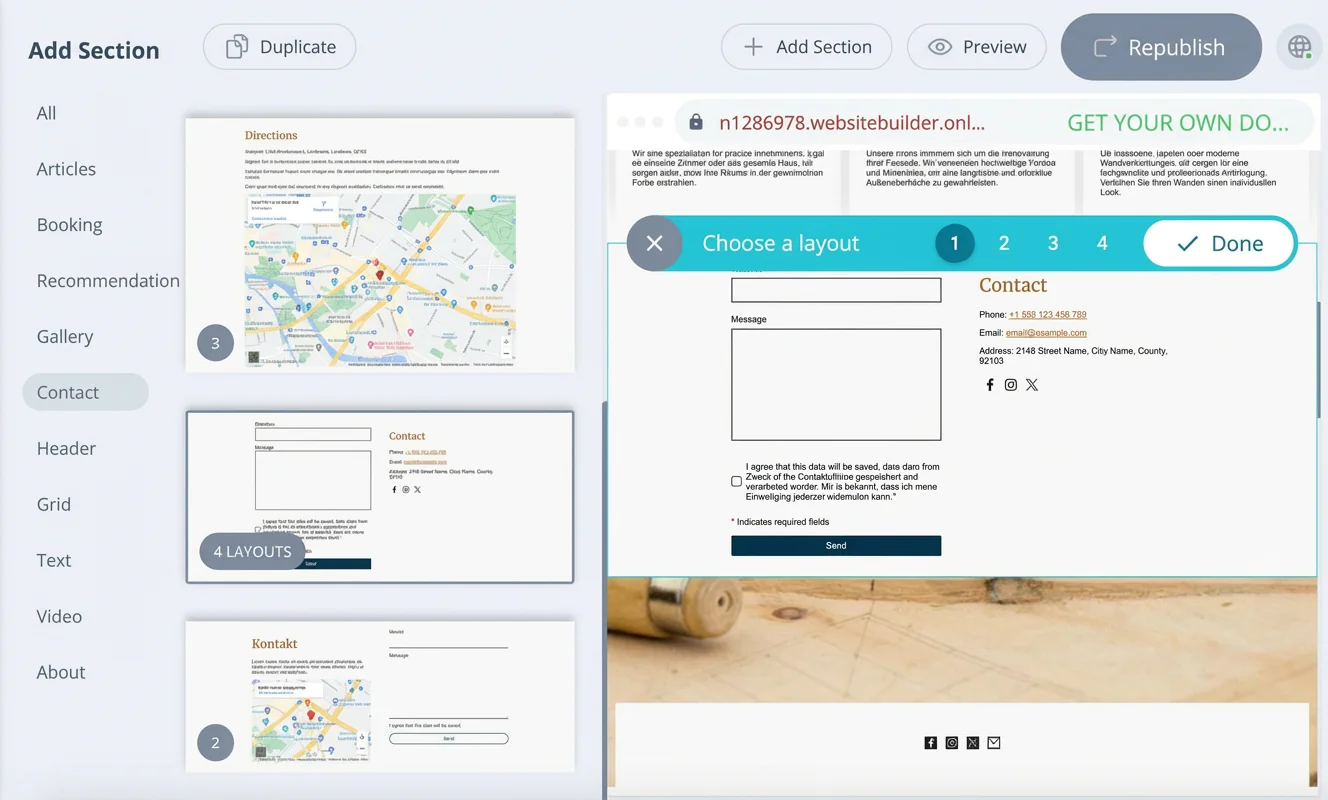
Forms from external providers such as Mailchimp or CleverReach can also be embedded.
There’s no built-in site search, no database integration and no password-protected member area. For the latter, a tool like Wix is a better choice.
Data protection and legal aspects
IONOS scores well on data protection, with servers based in Germany and a strong focus on GDPR compliance. There’s a customisable cookie banner that only appears when services such as Google Maps are used.
You can define which services require user consent. Pre-built legal pages, AI support for privacy policies and additional guidance help you create a legally compliant website.
At a glance
| Rating | |
| Points achieved | 10 out of 18 points |
| Pros |
|
| Cons |
|
Whether IONOS is suitable for online shops is best answered with a cautious yes and no.
Depending on the plan, you can list anything from a few hundred to an unlimited number of products. There’s an app for managing the shop, and you can sell products directly via Facebook and Instagram as well as through external online marketplaces.
More details — and the strengths of the IONOS shop solution — are covered below.
What you can sell
Depending on the plan, IONOS shop solutions allow you to list between 500 and an unlimited number of products, including digital items.
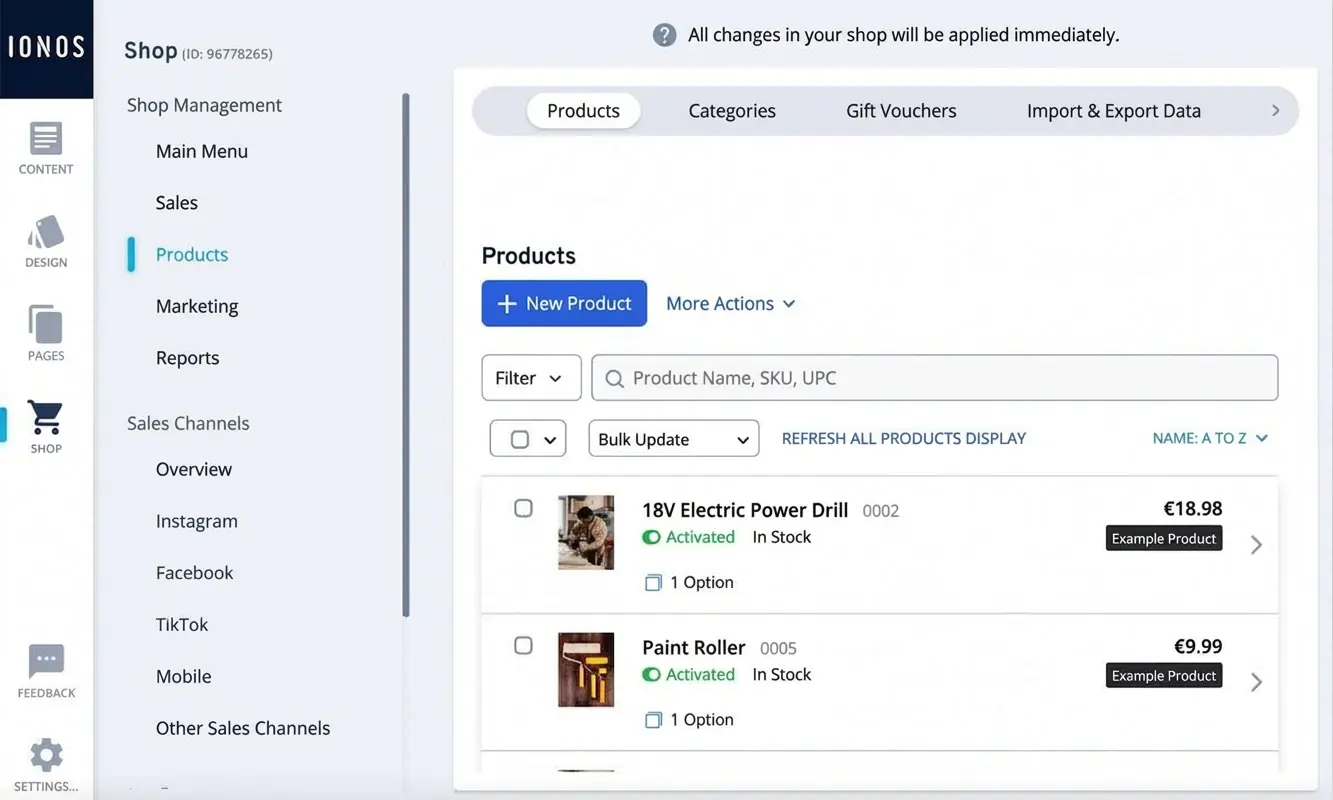
The following e-commerce plans are available for a stand-alone online shop (including a domain, professional email address and additional features):
- “Starter” (first 6 months: £6/month, then £22/month): up to 500 products
- “Plus” (first 6 months: £1/month, then £30/month): up to 5,000 products
- “Pro” (first 6 months: £32/month, then £62/month): up to 10,000 products, including digital products
- “Expert” (first 6 months: £42/month, then £92/month): unlimited products, including digital items
If you want to add an online shop to an existing IONOS website, the following plans are available:
- “Pro” (£55/month): up to 10,000 products, including digital
- “Expert” (£85/month): unlimited products, including digital
Tip: You can save money by choosing IONOS’s shop integration option. This allows you to embed online shops into CMS platforms such as WordPress or into any website via HTML — including sites built with IONOS “MyWebsite”.
With the “Shop Integration” plan, you can list up to 5,000 products and digital items (up to 1 GB) for £20 per month, after three free trial months.
Customisation options and design
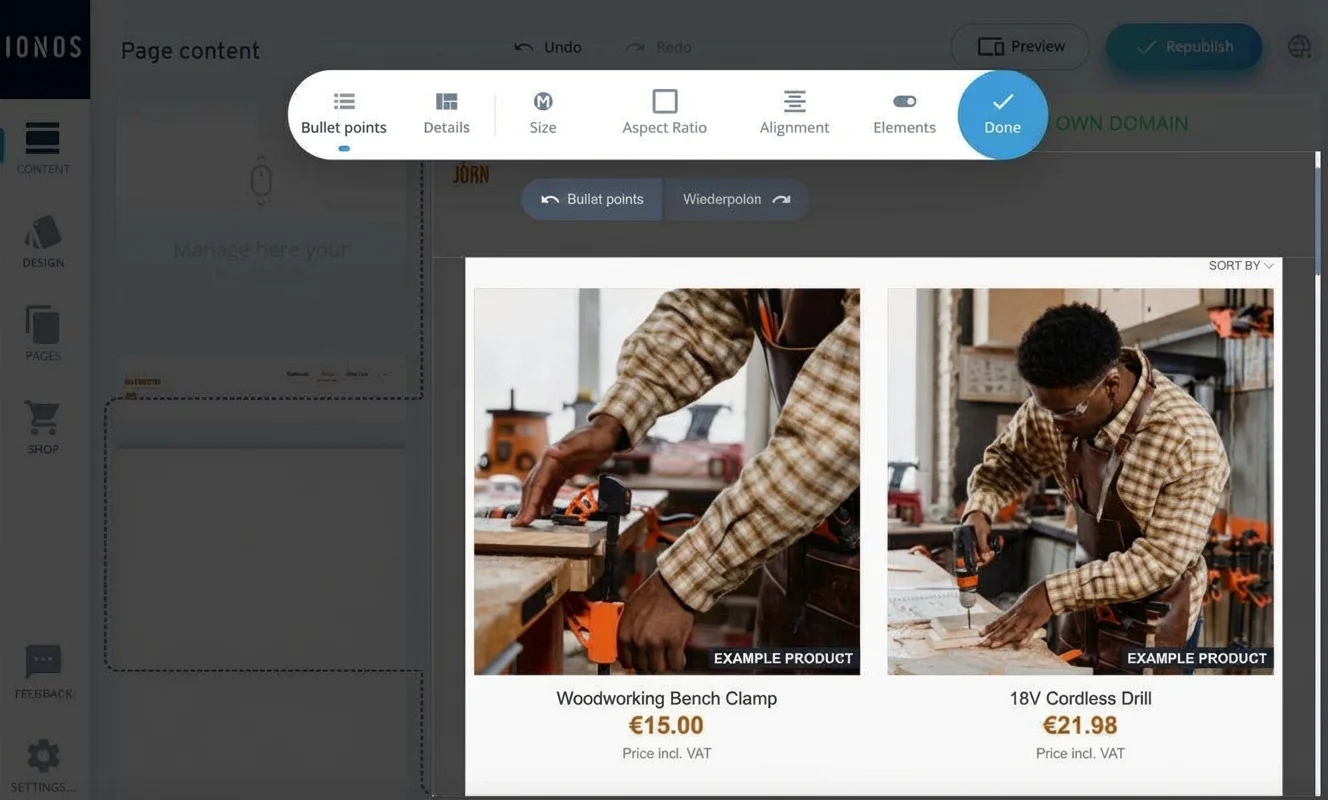
When it comes to design adjustments, IONOS offers a range of options. While you can’t customise everything freely, there are various layout and display settings — both for product overview pages and individual product pages.
Customer reviews
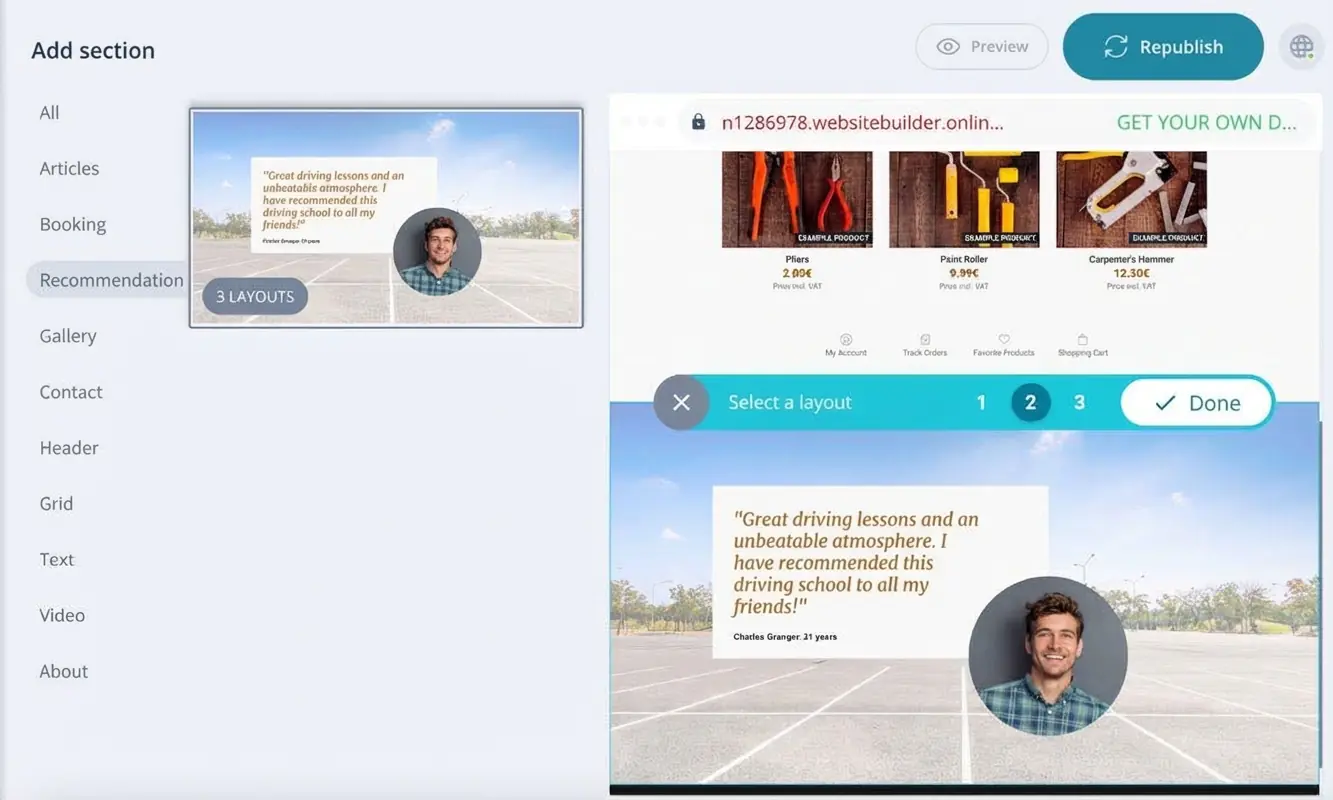
Customer testimonials can be added via dedicated content sections and styled as needed. However, there’s no built-in option that allows customers to submit their own reviews directly.
Supported payment methods
Payment options are a key success factor for any online shop — the more choices, the better. Fortunately, IONOS performs well here.
IONOS supports the following payment methods:
- PayPal (all plans)
- Credit cards (all plans)
- Invoice payments (all plans)
- Direct debit (only “Pro” and “Expert”)
- Up to 20 additional international payment providers
Transaction fees
IONOS itself does not charge a percentage or fixed fee per order. However, transaction fees may apply through payment providers such as PayPal or credit card processors.
Flexible shipping options
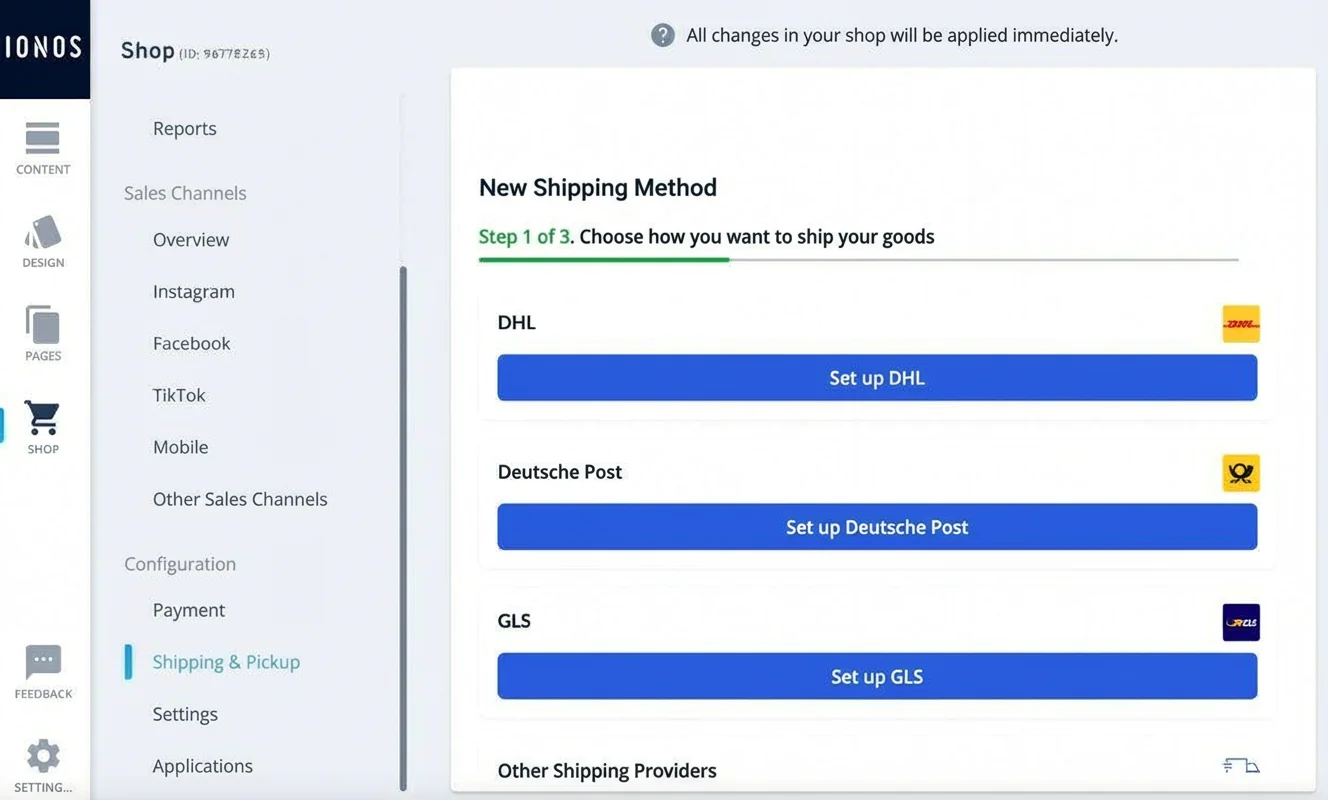
IONOS offers a wide range of tools for managing and processing orders. Shipping options can be customised flexibly. Products can be shipped via common parcel services, offered for local delivery, or made available for in-store collection.
Accounting and inventory integration
Product catalogues can be imported and exported via CSV files. Orders, customer data and abandoned baskets can also be exported for further processing. Tax settings and invoice templates can be edited and customised. However, there’s no direct integration with accounting or inventory management systems.
Legal compliance
According to IONOS, its e-commerce solutions comply with GDPR requirements and the regulations of the key markets in which the company operates. All technical prerequisites for meeting applicable legal requirements are in place.
This includes pre-configured cookie banners, text templates for privacy policies and legal notices, and automatic tax calculation. The checkout button can be labelled with wording such as “Place order with obligation to pay”.
The correct tax rate is calculated at checkout based on the applicable rules of the destination country. Tax rates can also be defined manually by region and product. Terms and conditions can be added so that customers must explicitly agree to them.
At a glance
| Rating | |
| Points achieved | 12 out of 13 points |
| Pros |
|
| Cons |
|
IONOS users can generally rely on very good support.
Help is available around the clock. If you want, you can also get a dedicated personal advisor. In our test, the support delivered.
In many of the strong customer reviews, support is mentioned as a key positive point.
Support channels and languages
IONOS offers a 24/7 service. Support is available by phone or email, and you can request a callback if you prefer. You can also get in touch via live chat.
If needed, you can create a support ticket, which is then handled by an expert team. In addition, IONOS provides a wide range of helpful articles and FAQs.
How fast and helpful is support?
Support responded quickly and answered our (test) questions in a friendly and competent way.
How satisfied are IONOS users?
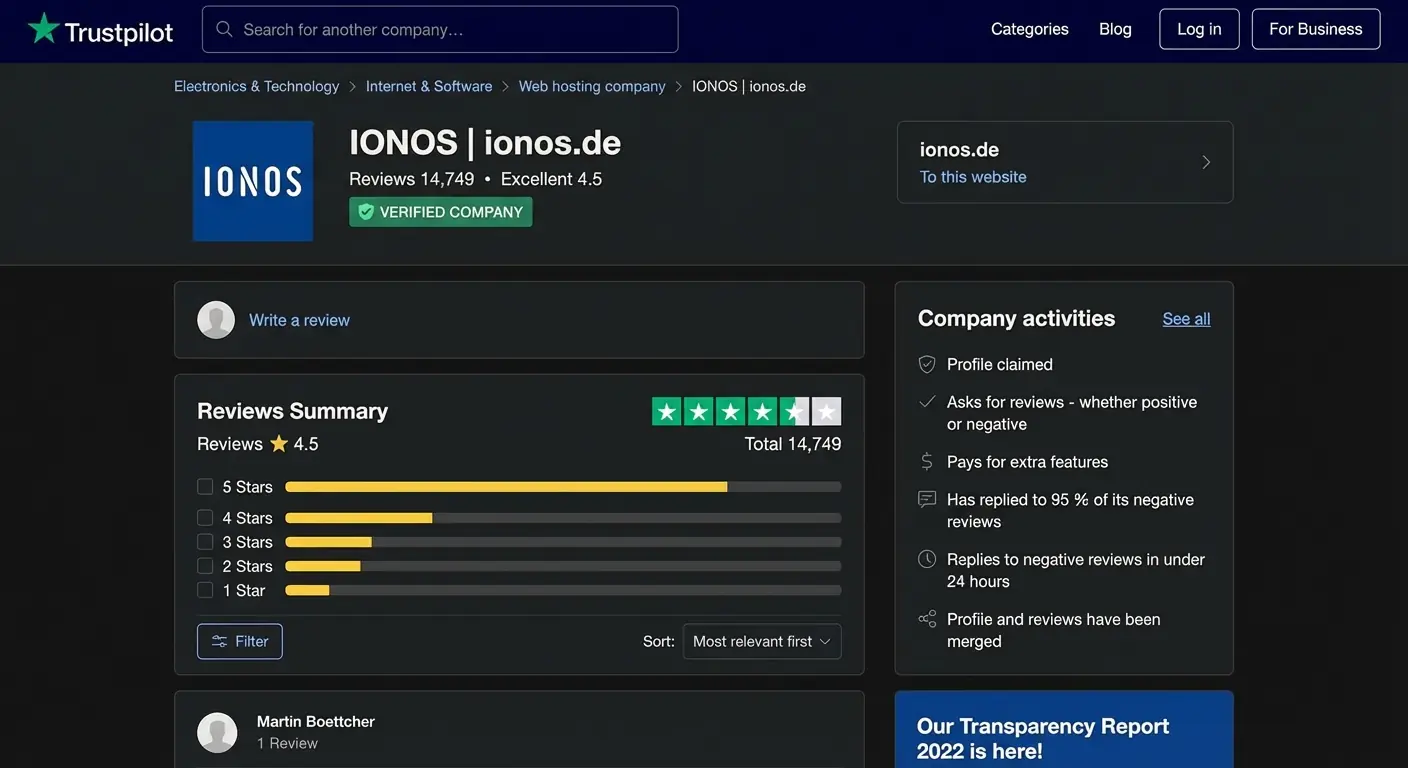
What users like:
- Friendly, competent and helpful support
- Easy website creation
- Detailed help pages
Common complaints:
- Costs and cancellation terms
- Reaching customer service
According to Trustpilot, IONOS replied to the vast majority of negative reviews (94%) within 24 hours.
At a glance
| Rating | |
| Points achieved | 18 out of 20 points |
In our test, the IONOS “MyWebsite” builder delivers the best value for money for simple websites. That’s because even the lower-priced entry plans include the most important features. The only downside: there’s no permanently free plan. However, you can try the builder free of charge for 30 days.
The basic “Starter” plan includes 10 GB of web space and up to 10 subpages. You also get a free domain for one year. A professional email address is included as well, with a 2 GB mailbox — though this storage can’t be expanded.
| “Starter” | “Plus” | “Pro” | |
|---|---|---|---|
| Price | £6/month (first 12 months), then £12/month | £1/month (first 12 months), then £18/month | £18/month (first 6 months), then £30/month |
| Money-back guarantee | ✅ 30 days | ✅ 30 days | ✅ 30 days |
| Full use of the builder | ✅ | ✅ | ✅ |
| AI website generator | ✅ | ✅ | ✅ |
| Own domain (1 year) | ✅ | ✅ | ✅ |
| Email inbox | ✅ | ✅ | ✅ |
| Web space | 10 GB | 50 GB | unlimited |
| Subpages | 10 | 200 | unlimited |
| AI text & image generator | ❌ | ✅ | ✅ |
| Website analytics | ❌ | ✅ | ✅ |
| Advanced SEO features | ❌ | ❌ | ✅ |
| Best suited for | simple websites, beginners | simple websites with higher requirements | larger websites |
Why IONOS “MyWebsite” might not be for you
Based on my personal experience, the IONOS “MyWebsite” builder is a very good choice for beginners and for creating simple websites. If you’re planning more demanding projects that go beyond the typical scope of a standard website, it’s worth considering other options as well.
Reasons IONOS may not be a fit:
- Complex website projects: If your planned website requires a very large number of subpages and advanced features, a website builder like IONOS “MyWebsite” may reach its limits. In that case, a more flexible builder such as Wix, or a CMS like WordPress, is the better choice.
- Ambitious bloggers: For bloggers with high ambitions, WordPress offers more options for optimising performance and speed — both important factors for successful blogging.
- Online shop operators: If your main goal is running an online shop, a specialised system like Shopify is worth considering. Shopify provides comprehensive tools for product management, orders, payment methods and extensions.
- Design enthusiasts: If you’re aiming for a highly polished, design-driven website, Squarespace stands out with its elegant templates. You may have to accept some functional limitations in return.
- Private users and very small projects: If you only want to create a private website or a very simple project, tools like Webador may offer a cheaper alternative to IONOS.
You’ll find the best website builder alternatives to IONOS in our website builder comparison.
Recommended website builders
-
1 Winner 2026

Test score
9.4
2026
Outstanding
Pros and Cons
- WordPress securely installed with 1 click
- Control over functions and data
- Huge range of extensions and designs
- Automatic updates and backups
- Using WordPress is more complicated than a website builder
Visit sitePricing
- IONOS WordPress
- Fast server hardware
- Incl. domain & email addresses
- From £1 / month
- 30 days money back
-
2 Ideal for beginners
Test score
8.5
2026
Excellent
Pros and Cons
- Very easy to set up
- Best results for simple websites
- AI assistant facilitates creation
- Image database with 17,000 photos
- Email inbox included in the tariff
- Rather not ideal for more complex websites
- Other providers offer more choice in design templates
Visit sitePricing
- IONOS MyWebsite Now
- Free from advertisements
- With your own domain & email
- from 1£ / month
-
3 Best value for money

Test score
7.9
2026
Very good
Pros and Cons
- Very simple and beginner-friendly creation
- Designs optimised for mobile devices
- Free support
- Attractive Pro tariffs
- Selection of design templates is limited
- Functionality not as extensive in comparison (no app store)
Visit sitePricing
- Webador Free
- Permanently free of charge
- No own domain
- Webador banner on the page
- Webador Pro
- Incl. domain and email inbox
- Incl. online shop
- from £8.50 / month
- Test 3 months free of charge
-
4 Very easy to set up

Test score
7.3
2026
Very good
Pros and Cons
- Website wizard that gets your page up and running in just a few minutes
- Attractive & mobile-optimised designs
- Functions rather limited to basics
- Few possibilities for extension
Visit sitePricing
- JIMDO Free
- Permanently free of charge
- Jimdo branding
- No own domain
- JIMDO Premium
- Advertising free
- With your own domain
- from 9,00£ / month
-
5 Most flexible solution

Test score
7
2026
Very good
Pros and Cons
- Website builder with the greatest design freedom
- 800+ high-quality designs, 300+ app extensions
- AI assistant for website and content
- Several image databases integrated
- Range of functions can be overwhelming at first
- Email addresses only via Google Workspace (costs extra)
Visit sitePricing
- WIX Free
- Permanently free of charge
- Wix.com branding
- No own domain
- WIX Premium
- Advertising free
- With your own domain
- from £7.50 / month
- Test 14 days free of charge
-
6 Great design templates

Test score
6.8
2026
Good
Pros and Cons
- Particularly stylish & mobile-optimised design templates
- Templates for every industry
- Integrated marketing and analysis tools
- Access to over 40 million images
- Comparatively few add-ons (or cost extra)
- Email inbox costs extra (via Google Workspace)
Visit sitePricing
- Squarespace Personal
- With your own domain
- from 11,00£ / month
- Test 14 days free of charge
IONOS is a web hosting company based in Germany and part of the United Internet Group. It is best known for its hosting services, which also include website builders such as “MyWebsite Now”.
“MyWebsite Now” is a website builder from IONOS. It uses artificial intelligence (AI) to make creating simple websites faster and easier. The builder is aimed at sole traders and small to medium-sized businesses that want to create a professional website without technical knowledge. IONOS “MyWebsite Now” stands out for its ease of use, strong support and high data protection standards.
The IONOS app is a mobile application provided by IONOS to help customers manage their services more conveniently. It allows you to manage hosting, domains, email and other IONOS services directly from your smartphone.
However, the app is not suitable for managing website builder features such as “MyWebsite Now”. There is a separate mobile app available for IONOS shop systems.
IONOS offers a wide range of internet services for individuals, small and medium-sized businesses, and larger organisations. These include web hosting, domain registration, cloud services and email hosting.
A key area is its website builder offering, aimed at users who want an easy way to create a website. Sites can be built using drag-and-drop editors without any coding knowledge.
IONOS places a strong focus on security and data protection and provides extensive customer support options.
IONOS offers different pricing models depending on the service you choose. Overall, it’s known for offering good value for money.
For the “MyWebsite Now” builder, prices start from around £12 per month after an initial discounted period. Even the lower-priced entry plans include the most important features. There’s no permanently free plan, but you do get a 30-day money-back guarantee.
As with other registrars, domain prices at IONOS vary depending on the extension. As a general rule, prices between £10 and £15 per year are considered good value. When you choose a website builder or online shop plan, the domain is included for the first year.
You can cancel an IONOS service such as “MyWebsite Now” directly in your account. Under “Contracts and subscriptions”, select the contract you want to cancel and choose “Cancel contract”.
Cancellation depends on the contract term. Longer contracts are cheaper per month, but they can’t be cancelled on short notice.
Comments and ratings
Was this article helpful?
Rate article
Share article