Create a restaurant website: top tools, costs & tips (2026)

As seen in:



Top 3 website tools for restaurant owners
-
Visit site
Test score
9.4
2026
Outstanding
-
Visit site
Test score
8.5
2026
Excellent
-
Visit site
Test score
7.9
2026
Very good
Want to create a restaurant website, but you’re not sure where to start?
No problem: we’ll walk you through the two most common routes — doing it yourself with a website builder or WordPress, or having it built professionally. For both options, you’ll find tool recommendations tailored to restaurants, cafés, bars, food trucks and more.
You’ll also learn what costs are realistic, how to plan your website properly, what to keep in mind for data protection — and which features actually matter.
How to create a restaurant website:
- Introduction: what makes a successful restaurant website
- Build it yourself: the best website builders and CMS tools for restaurants
- Web designer: where to get a restaurant website built professionally
- Costs: how much a website for your restaurant costs
- Planning: how to plan the content for your restaurant website
- Legal basics: what to consider for legal pages and privacy
- Final checks: what to review before going live
At a glance
- Methods: You can create a restaurant website either yourself or with professional help. Website builders and WordPress are solid options even if you’re a beginner.
- Especially important: Present your restaurant in a genuine, appealing way — with strong photos, clear information on your offer and how to contact you, and (if relevant) a section for job applications. Don’t forget your legal pages and privacy information.
- Costs: DIY tools start from around £5 per month. A professionally built website usually starts at around £2,000.
Why your website matters
A professional website is now almost as important for restaurants, cafés and bars as good food. Whether you create a restaurant website yourself with a website builder or WordPress, or have it made for you, one thing matters most: it should show what you offer, capture the atmosphere, and make it as easy as possible for guests to visit you.
Typical goals:
- Attract new guests and spark interest
- Show opening hours, menus and special offers
- Enable online table reservations
- Take orders for collection or delivery
- Introduce your team and kitchen — maybe even with recipes or classes
Good web design depends on what you want to achieve and how you want to present yourself as a restaurant. If you’re clear on the essentials upfront, you can save a lot of time and money later.
Your own website is the most effective way to speak to guests directly — without relying on social media platforms or delivery apps.
Jörn Brien
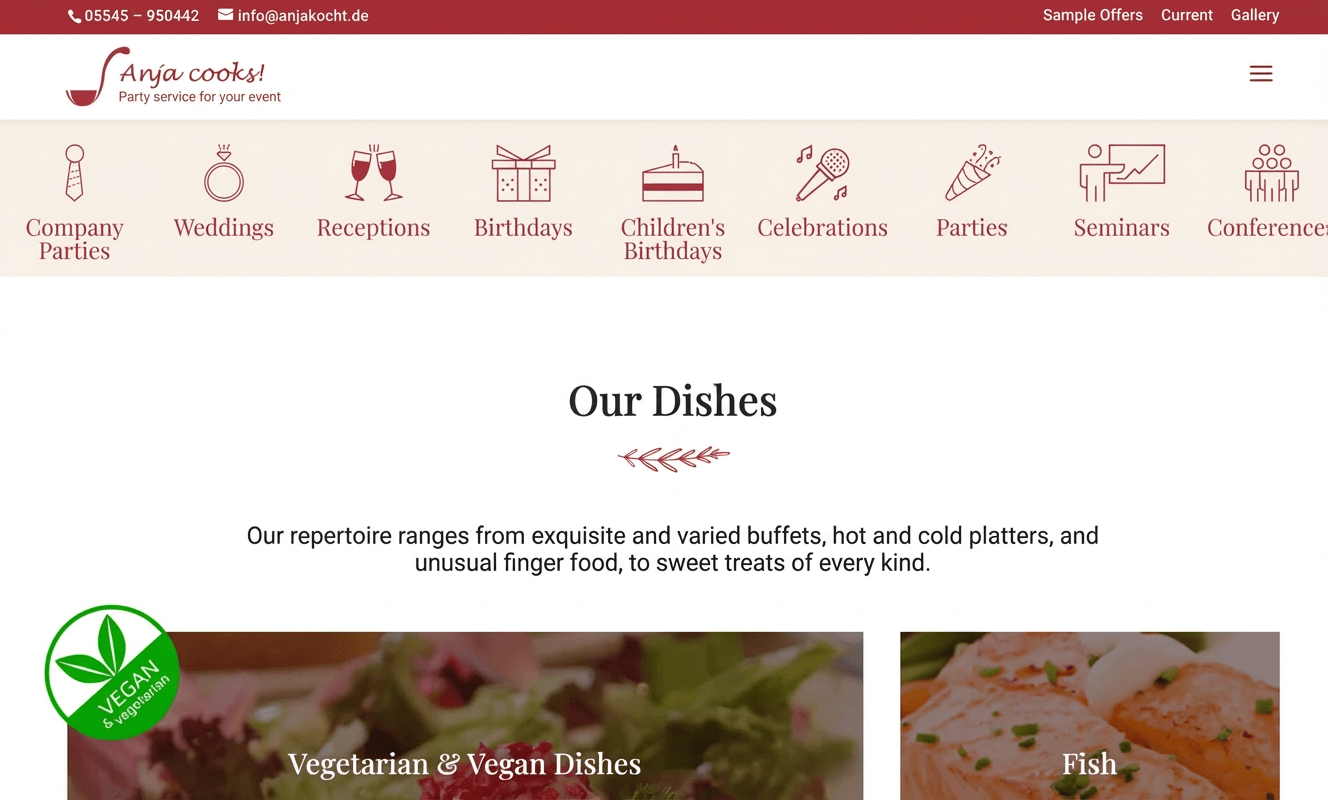
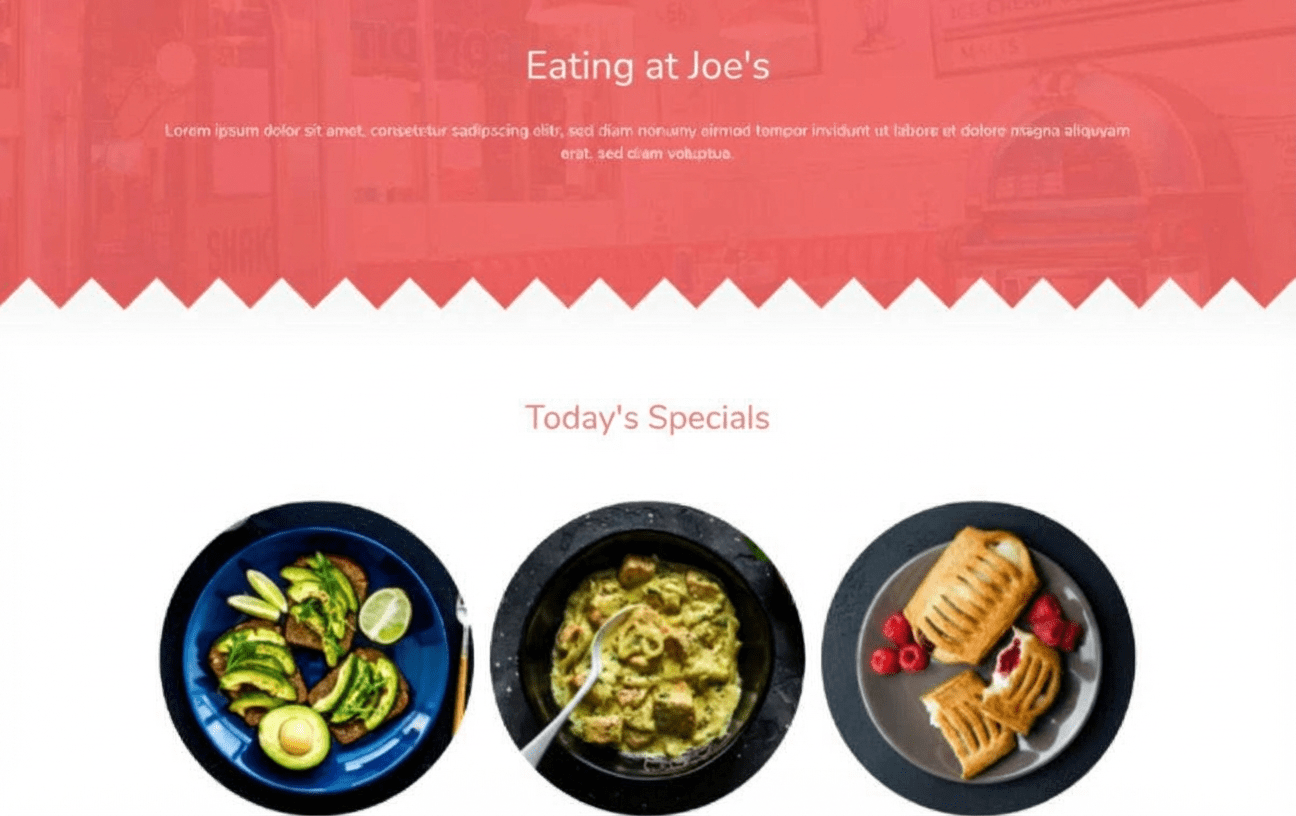
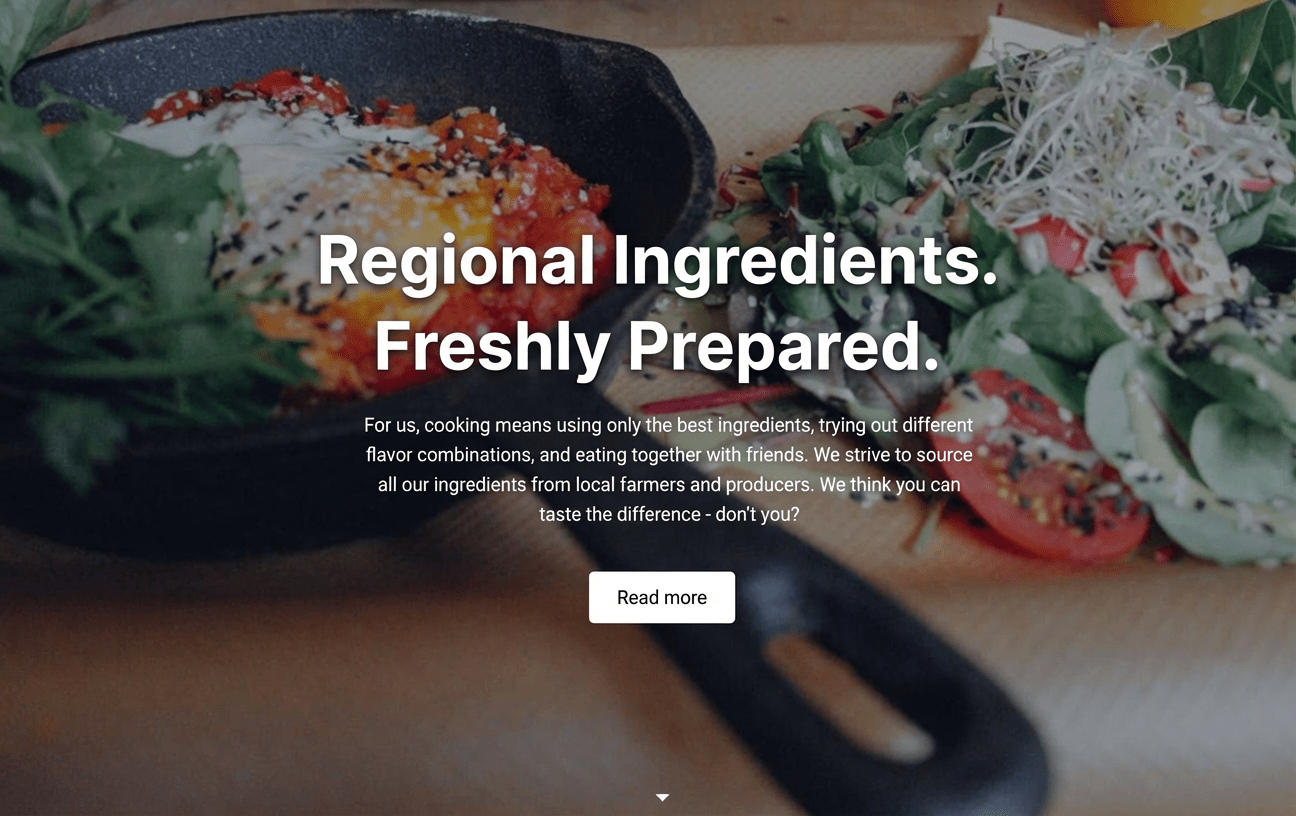
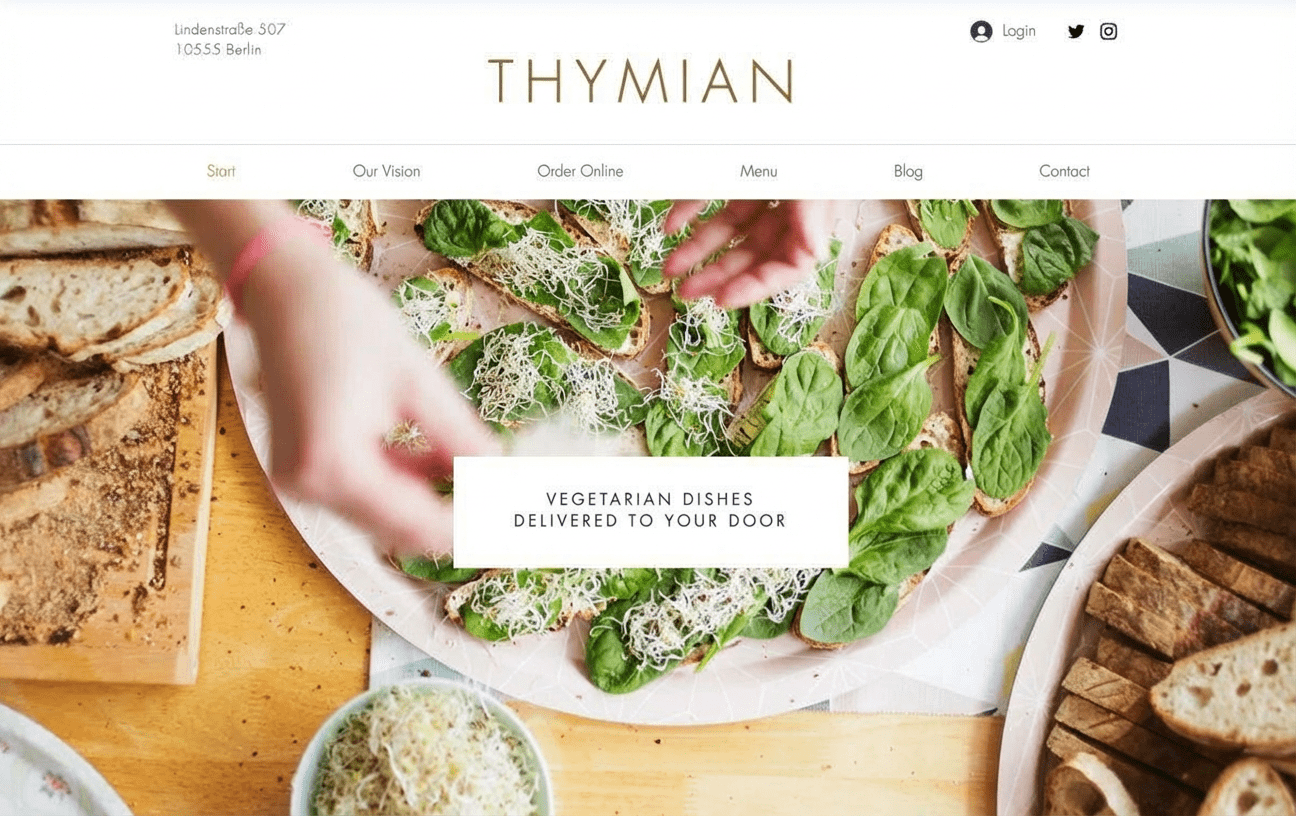
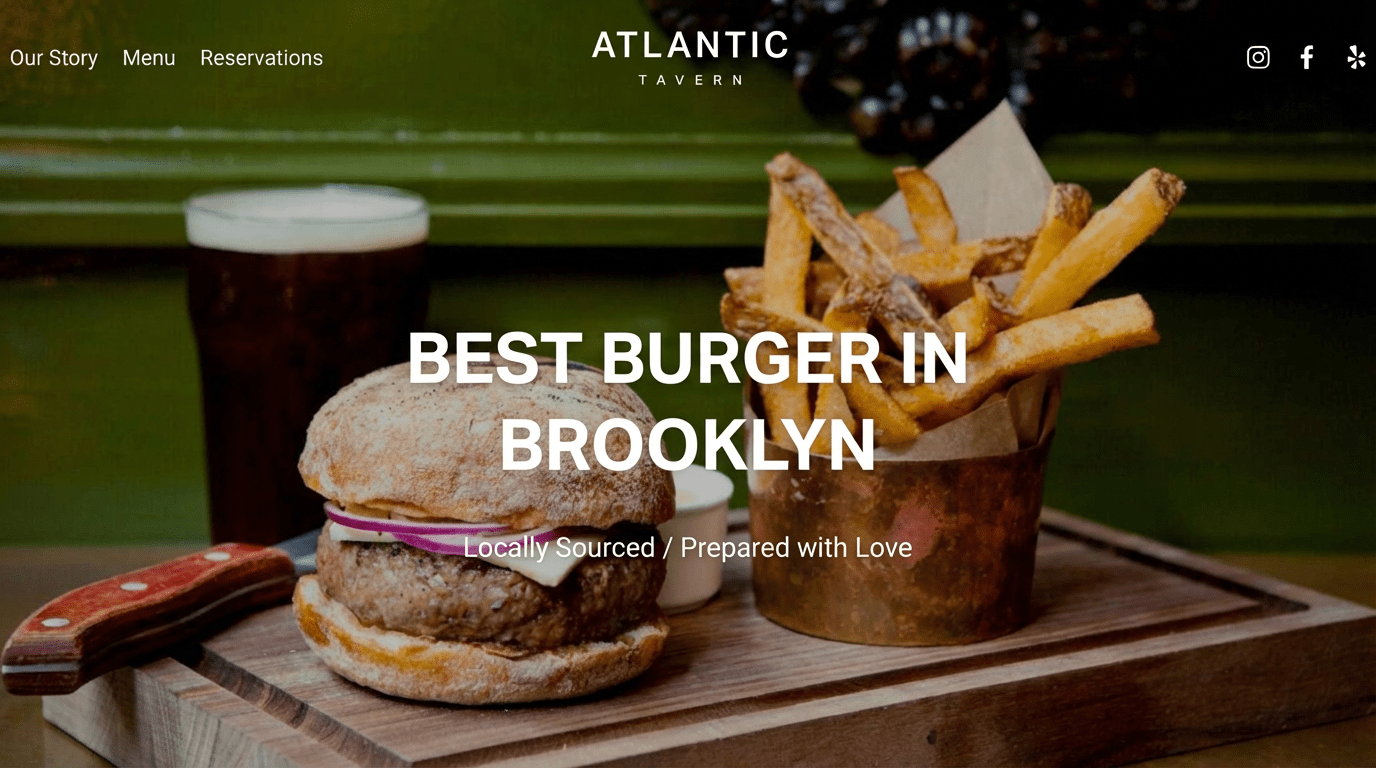
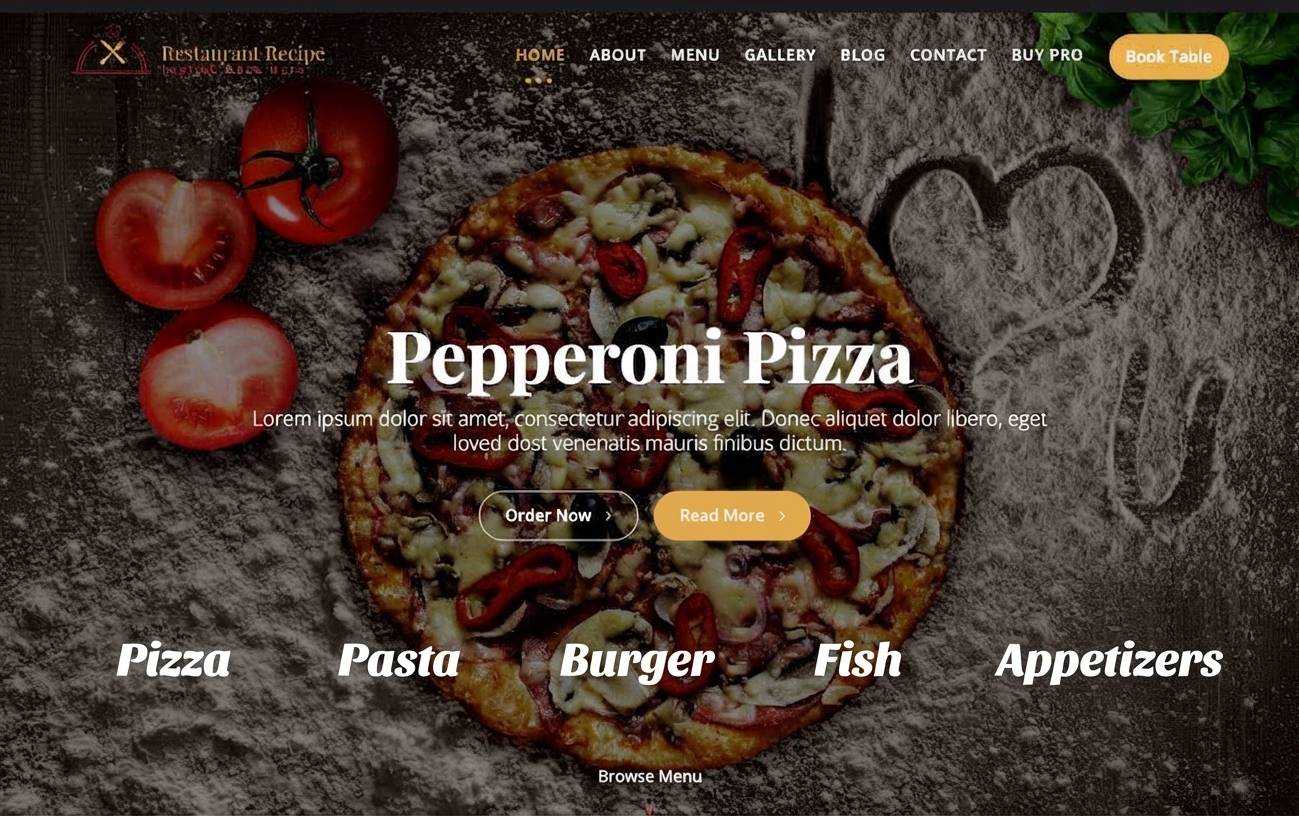
Well-designed restaurant websites
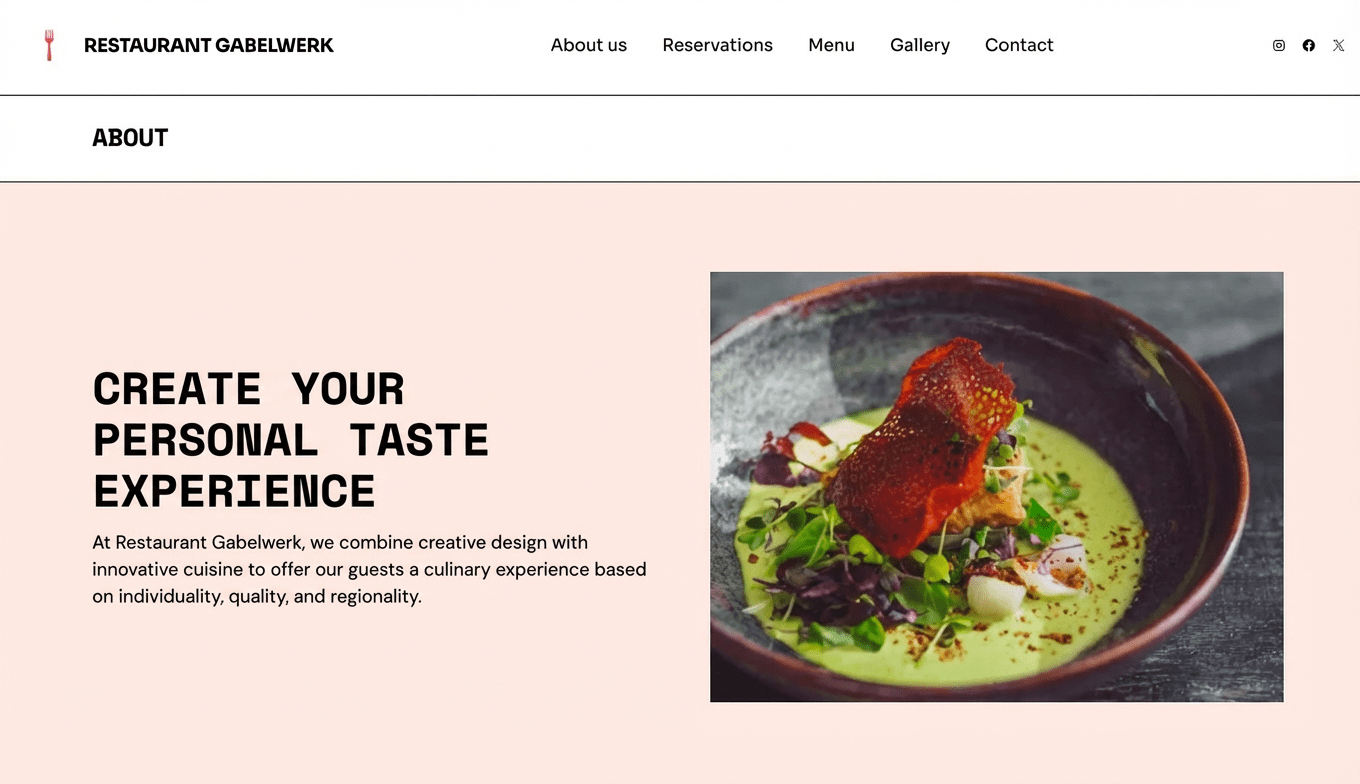
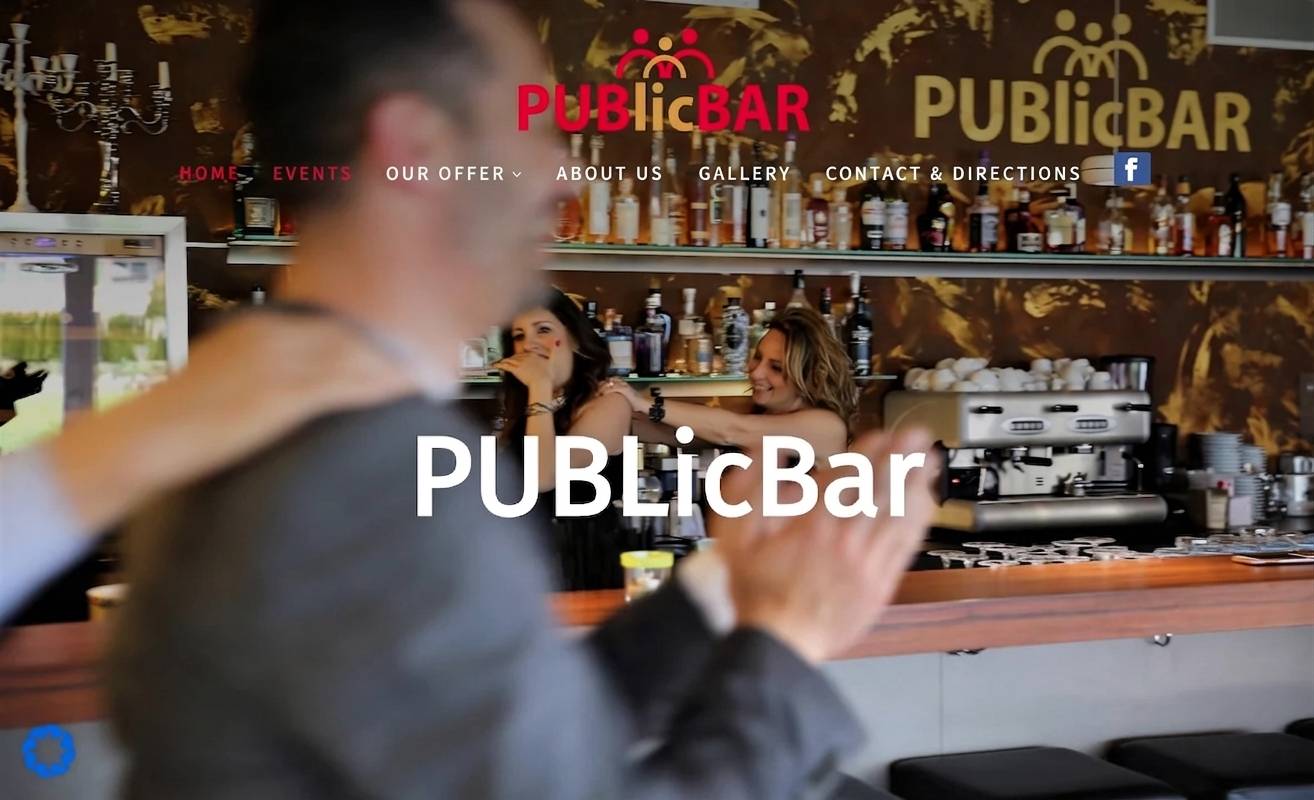
You can use these restaurant websites as inspiration for your own homepage. I’ve selected examples of both DIY sites and professionally designed ones.
Take a look at which content and features are important for you — and which style of design fits your venue.
Restaurant website must-haves
A good hospitality website offers more than a menu as a PDF. It informs, builds appetite, and makes it easy to get in touch or book a table.
Key features:
- A digital menu with photos and descriptions
- An online reservation system — or at least clear contact details
- An ordering option for collection or delivery
- Social media integration and review widgets
Ways to build a restaurant website
Building your own restaurant homepage is easier than ever — and usually much cheaper than hiring an agency. That said, both routes come with pros and cons.
In this guide, I’ll show you in detail how both options work, which tools are worth considering, what they cost, and what to look out for when planning and building your site.
| Method | Description | Costs |
|---|---|---|
| 1. Build it yourself with a website builder or WordPress | For beginners and simple projects Modern website builders and content management systems let even beginners create a high-quality website directly in the browser. | From around £5 per month |
| 2. Have it built by a web designer or agency | Convenient and professional, but more expensive Tools and service providers vary widely when it comes to support and pricing. A basic website built by a professional typically starts at around £2,000, with no real upper limit. | From around £2,000 |
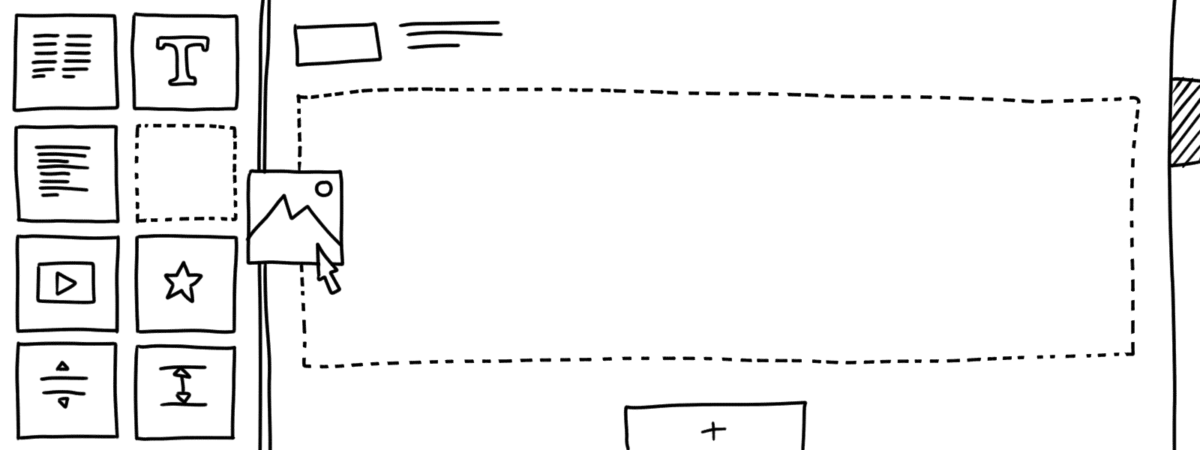
Building a restaurant website yourself isn’t rocket science these days — and it’s usually much cheaper than hiring a web designer.
You’ll need to be reasonably comfortable using a computer and be willing to invest a few hours in getting to grips with the tools. In return, you stay in full control and can maintain and update your site yourself later on.
Best website builders for restaurants:
-
1 Winner 2026

Test score
9.4
2026
Outstanding
Pros and Cons
- WordPress securely installed with 1 click
- Control over functions and data
- Huge range of extensions and designs
- Automatic updates and backups
- Using WordPress is more complicated than a website builder
Visit sitePricing
- IONOS WordPress
- Fast server hardware
- Incl. domain & email addresses
- From £1 / month
- 30 days money back
-
2 Ideal for beginners

Test score
8.5
2026
Excellent
Pros and Cons
- Very easy to set up
- Best results for simple websites
- AI assistant facilitates creation
- Image database with 17,000 photos
- Email inbox included in the tariff
- Rather not ideal for more complex websites
- Other providers offer more choice in design templates
Visit sitePricing
- IONOS MyWebsite Now
- Free from advertisements
- With your own domain & email
- from 1£ / month
-
3 Best value for money

Test score
7.9
2026
Very good
Pros and Cons
- Very simple and beginner-friendly creation
- Designs optimised for mobile devices
- Free support
- Attractive Pro tariffs
- Selection of design templates is limited
- Functionality not as extensive in comparison (no app store)
Visit sitePricing
- Webador Free
- Permanently free of charge
- No own domain
- Webador banner on the page
- Webador Pro
- Incl. domain and email inbox
- Incl. online shop
- from £8.50 / month
- Test 3 months free of charge
-
4 Very easy to set up

Test score
7.3
2026
Very good
Pros and Cons
- Website wizard that gets your page up and running in just a few minutes
- Attractive & mobile-optimised designs
- Functions rather limited to basics
- Few possibilities for extension
Visit sitePricing
- JIMDO Free
- Permanently free of charge
- Jimdo branding
- No own domain
- JIMDO Premium
- Advertising free
- With your own domain
- from 9,00£ / month
-
5 Most flexible solution

Test score
7
2026
Very good
Pros and Cons
- Website builder with the greatest design freedom
- 800+ high-quality designs, 300+ app extensions
- AI assistant for website and content
- Several image databases integrated
- Range of functions can be overwhelming at first
- Email addresses only via Google Workspace (costs extra)
Visit sitePricing
- WIX Free
- Permanently free of charge
- Wix.com branding
- No own domain
- WIX Premium
- Advertising free
- With your own domain
- from £7.50 / month
- Test 14 days free of charge
-
6 Great design templates

Test score
6.8
2026
Good
Pros and Cons
- Particularly stylish & mobile-optimised design templates
- Templates for every industry
- Integrated marketing and analysis tools
- Access to over 40 million images
- Comparatively few add-ons (or cost extra)
- Email inbox costs extra (via Google Workspace)
Visit sitePricing
- Squarespace Personal
- With your own domain
- from 11,00£ / month
- Test 14 days free of charge
A modern website builder is a good choice if you want to set up a classic restaurant website and often the most practical option for a standard restaurant website.
It lets you build your site yourself without needing technical knowledge or any coding. You also don’t need a big budget.
Most builders are based on modular templates designed by professional web designers. You put your pages together with drag-and-drop directly in your browser until the look and structure fit your restaurant.
A major advantage for hospitality businesses is the feature set: many builders offer templates made specifically for restaurants. These typically include essentials such as a digital menu, table reservations, and options for delivery or click-and-collect.
Your website should present your venue, your kitchen and your food and drinks in a clear, appealing way — which means you’ll need to provide your own copy and strong photos.
With most tools, you can extend your restaurant homepage later with extras like a blog or an online shop. And during setup, a guided assistant often helps you through the key steps.
Once your site is live, many builders also support basic search optimisation (SEO) and marketing.
Steps to build a restaurant website with a website builder:
- Choose a tool that suits your needs (I’ll share a shortlist of the best options next)
- Pick a restaurant template that matches your style
- Adapt the design to your venue
- Add your photos and text
- Publish your restaurant website
Pros & cons of website builders
- Easy to get started
- No coding skills required
- Your website can be online very quickly
- User-friendly drag-and-drop editor
- Professionally designed website templates
- Affordable monthly plans. Free options available on entry-level plans
- Can be expanded with add-ons such as an online shop or members’ area
- Support is often available in your local language
- Can reach its limits with more complex websites
- Basic plans often come with a limited set of features
- Extra features usually cost more
- You’re tied to one tool/provider
Conclusion: If you want to create a simple restaurant website, a website builder is usually a good fit.
Most tools include standard features such as an online menu, reservations and (online) ordering with built-in payment options.
Top pick (9.4 of 10): WordPress
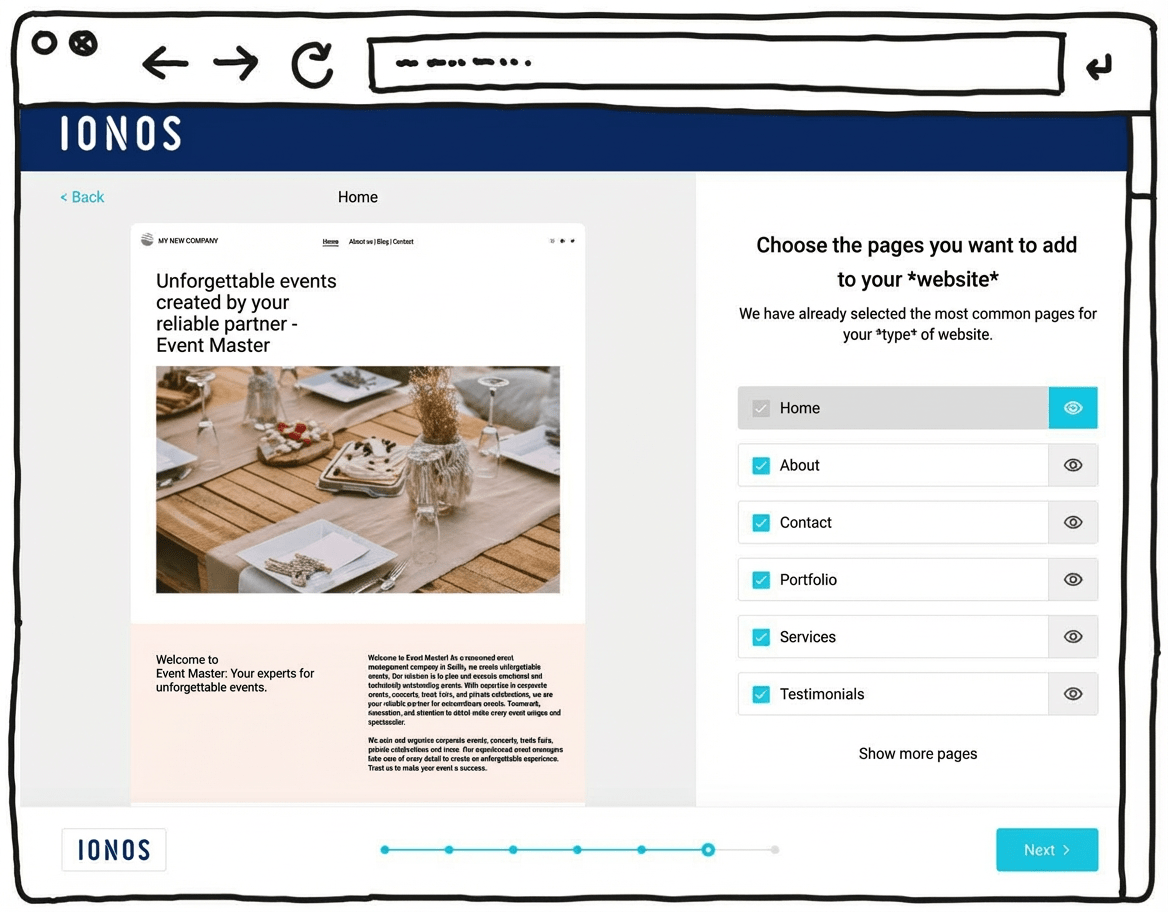
IONOS’s newer WordPress hosting aims to combine the simplicity of a website builder with the advantages of WordPress, the world’s most widely used website system. With its built-in AI setup, it can feel almost as easy as a website builder.
That can make it suitable for beginners who don’t have much experience building websites. The setup assistant guides you step by step through installing WordPress and suggests a practical selection of themes and plugins.
One key difference here is the built-in AI assistant, which can generate an initial WordPress website for you. It helps you take care of the most important settings quickly and find a suitable template. Automatic updates and daily backups can also provide extra peace of mind.
Another plus is customer support, available 24/7, including phone support rather than relying only on chat or email.
Pricing for IONOS WordPress hosting starts at around £1 per month for the first six months, then around £5 per month afterwards. A domain and an email mailbox are included in this price.
Pros of IONOS WordPress hosting
- WordPress installed securely in one click
- AI assistant for building your website
- A professional-looking design within minutes
- Designs well optimised for mobile phones
- All the benefits of WordPress as the world’s most widely used website CMS
- Flexible to extend with plugins
- Blogs or online shops possible
- Switching hosting provider later is possible
Cons of IONOS WordPress hosting
- Less design freedom than drag-and-drop website builders
- The wide range of features can still feel overwhelming for beginners, despite the guided setup
Pricing
- “Start” plan: from £3/month for the first 6 months, then £5/month
- “Grow” plan: from £1/month for the first 6 months, then £10/month
- All plans include your own domain and an email address
Here you can find our detailed IONOS WordPress hosting review.
Whether it’s a tech-savvy relative, an online freelancer, or an agency in your city — there are plenty of ways to have a restaurant website built professionally. But how can you tell who will actually deliver good work? And what will it really cost in the end?
I’ve tried different tools and web design services — from low-cost website platforms with done-for-you design options to agencies specialising in hospitality. I focused on design quality, technical implementation and value for money. In this guide, you’ll find my recommendations, tailored to the needs of restaurants, bars, cafés and more.
Best web designers for restaurants
-
1 Winner 2026

Test score
9.1
2026
Outstanding
Pros and Cons
- Custom premium design
- Very good and transparent value for money
- Numerous positive references
- Built with WordPress
- Privacy-compliant implementation
- On-page optimization for Google
- Suitable for complex requirements
- Additional costs may apply for services such as logo design or professional photography.
Get a quotePricing
-
Package pricing
- Landing page (1 page): from 2,990
- Mini (5 pages): from 3,990
- Basic (10 pages): from 4,990
- Premium (15 pages): from 5,990
- VIP (25 pages): from 7,990
- Included services
- Content writing and up to 10 stock photos
- Blog functionality included from the “Mini” package onwards
- Get a 300£ discount
- Mention the discount code “WEBSITEADVISOR300” when making your inquiry.
-
2 Best value for money

Test result
8.5
2026
Excellent
Pros and Cons
- Strong expertise in branding and web design
- Individual consulting and hands-on support
- Very good value for money
- Established provider with more than 300 clients
- A solid selection of well-executed reference projects
- Extensive experience in SEO and Google optimization
- Implementation of online marketing measures such as Google Ads
- Privacy-compliant development
- Additional costs may apply for services related to online marketing.
Get a quotePricing
- Package pricing
- Landing page (1 page): from 1,590
- Mini (5 pages): from 2,990
- Basic (10 pages): from 3,990
- Prices may vary depending on scope and requirements.
- Get a 300£ discount
- Mention the discount code “WEBSITEADVISOR300” when making your inquiry.
-
3 Best subscription model
Test score
8.2
2026
Excellent
Pros and Cons
- Subscription model: no high one-time costs
- Transparent monthly pricing
- Monthly updates included
- Web hosting, domain, and an email inbox included
- Built on WordPress
- May be more expensive in the long term than a one-time build
- Complex requirements are not included
Get a quotePricing
- Service package S
- 3 pages, 1 change per quarter
- £45 per month
- £199 setup fee
- Service package M
- 5 pages, 1 change per month
- £45 per month
- Service package L
- 7 pages, unlimited changes
- £85 per month
- No setup fee
-
4 Top freelancer platform

Test score
7.6
2026
Very good
Pros and Cons
- Best platform for finding freelancers
- International and local freelancers
- Especially cost-effective implementation possible
- Transparent fixed prices
- Security through references, client reviews, and a satisfaction guarantee (for Pro users)
- The large number of freelancers can make selection more difficult.
- Price and quality levels may vary.
Get a quotePricing
- A simple website can be created for just a few hundred Pound.
Before you hire someone, think about this
Good preparation is key. The clearer your ideas are, the smoother the collaboration with an agency or freelancer will be — and that often saves both stress and money.
What to consider:
- What absolutely needs to be on your website (e.g. menu, reservations, photos of the venue)?
- Who do you want to attract — fine dining guests or families with children?
- Which features do you need (e.g. online bookings, ordering for collection/delivery, an events calendar)?
- Are there other restaurant websites you like and could use as inspiration?
- Which content can you provide yourself (text, photos, logo) — and what should be created for you?
- How important is it for you to update the site later — do you want to do it yourself or hand it over completely?
- How quickly does the site need to be ready?
Practical tips:
- Write a clear brief: note the essentials — goals, preferred look and feel, and features like a contact form, photo gallery or map.
- Plan regular check-ins: ask to see work-in-progress versions and give feedback early.
- Have materials ready: collect text, photos, logo and other content in good time.
- Set realistic deadlines: just like in hospitality, things don’t always go perfectly to plan — build in some buffer.
- Discuss budget openly: clear agreements on costs and payment terms help avoid surprises.
- Put the offer in writing: that way, both sides know exactly what’s been agreed.
Top pick (9.1 of 10): Netfame
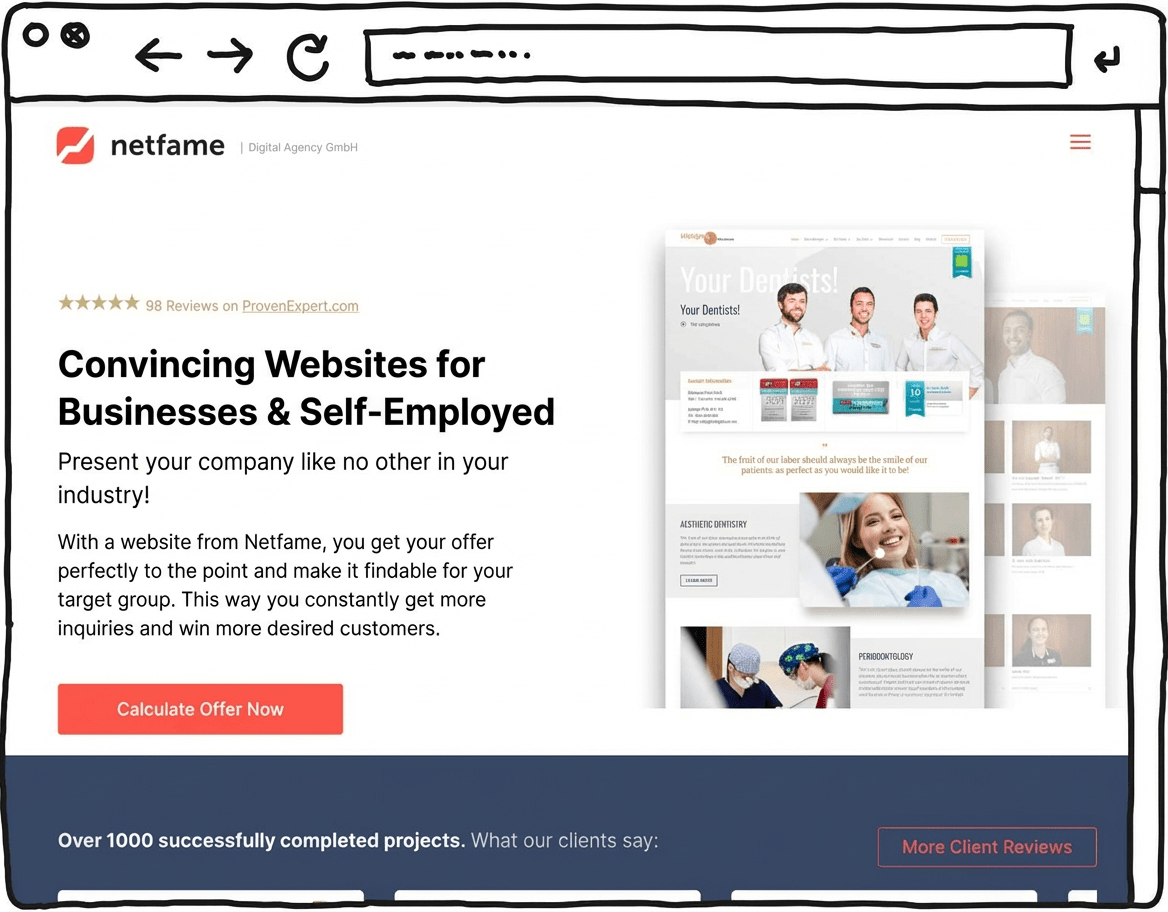
In our comparison, Netfame stood out as a particularly capable option, combining bespoke premium design and WordPress expertise. The agency says it has delivered more than 1,000 websites across a wide range of industries. Transparent pricing was a key factor in its top position.
Many of its projects are showcased in Netfame’s portfolio and come across as modern and cleanly built. Each client receives a bespoke website design.
Another important point is its focus on WordPress as the technical foundation. Using the world’s most widely used website CMS helps keep your website easy to extend over time, and it usually means you can make content changes yourself without much trouble.
Netfame also states that its work meets GDPR / UK GDPR requirements, helping to reduce legal risk for a business website.
On-page SEO optimisation is included in the base package to support search visibility on Google.
Optional add-ons such as logo and brand design, copywriting and professional photography round out the package. Overall, Netfame combines design, build and advice in a full-service WordPress setup.
Strengths of Netfame
- Bespoke premium design
- Many positive references and completed projects
- Transparent pricing
- Professional WordPress implementation
- GDPR / UK GDPR-aligned setup
- On-page optimisation for Google
Weaknesses of Netfame
- Additional costs for services such as logo design or professional photography
Pricing
- Landing page (1 landing page + legal pages and contact) — £2,990
- Mini website (5 pages) — £3,990
- Basic website (10 pages) — £4,990
- Premium website (15 pages) — £5,990
- VIP website (25 pages) — £7,990
Save £300 with Netfame
Mention the discount code “WEBSITEADVISOR300” in your project enquiry and receive a £300 credit.
The cost of a restaurant website depends largely on how complex you want it to be and which route you choose — building it yourself or hiring a professional. In general, the simpler the website, the lower the cost.
For many restaurants, a straightforward site with a homepage, menu, photos, opening hours and contact details is enough. With a website builder, you can often build a site like this yourself for just a few pounds a month — with no coding required.
Costs increase if you need extra features, such as an integrated booking system, online ordering for collection and delivery, an application form for new staff, or a newsletter tool for regular guests. A custom design or multilingual content can also make professional web design significantly more expensive.
Can I build it for free?
Some tools let you create a website for free, but you’ll usually have to accept limitations: your site will run on a subdomain (e.g. yourrestaurant.toolname.com), ads may be displayed, and you won’t get a professional email address.
For a credible, trustworthy presence, it’s often worth paying a small monthly fee for an ad-free website with your own domain.
In the overview below, you’ll see the website costs you can realistically expect — depending on whether you do it yourself or work with professionals.
Website costs at a glance
Overview: This table gives you a first idea of the minimum costs you’re likely to face:
| Simple website | Medium website | Complex website | Blog | Online shop | |
|---|---|---|---|---|---|
| Suitable for | basic information that doesn’t change often | more extensive or multilingual information | large site with many interactive features | regularly updated, current content | selling goods and services |
| Website builder | from £10/month | from £20/month | not recommended | from £10/month | from £25/month |
| WordPress | from £5/month | from £10/month | from £35/month | from £5/month | from £5/month |
| Web designer | from around £2,000 | from around £3,500 | from around £5,000 | from around £1,500 | from around £3,000 |
Once you’ve chosen the right tool and found a suitable domain for your restaurant website, the next step is planning.
It can be tempting to open your website builder or CMS and start building straight away. But with so many options, it’s easy to get distracted and lose track.
You’ll get there faster if you plan the basic structure of your website first.
Follow these steps:
- Clarify what your visitors expect (content/features)
- Place that content and those features on the right pages in a sensible way
- Sketch out a logical structure — your sitemap
Now I’ll show you a few key building blocks for hospitality websites and how to set them up well:
Example 1: homepage
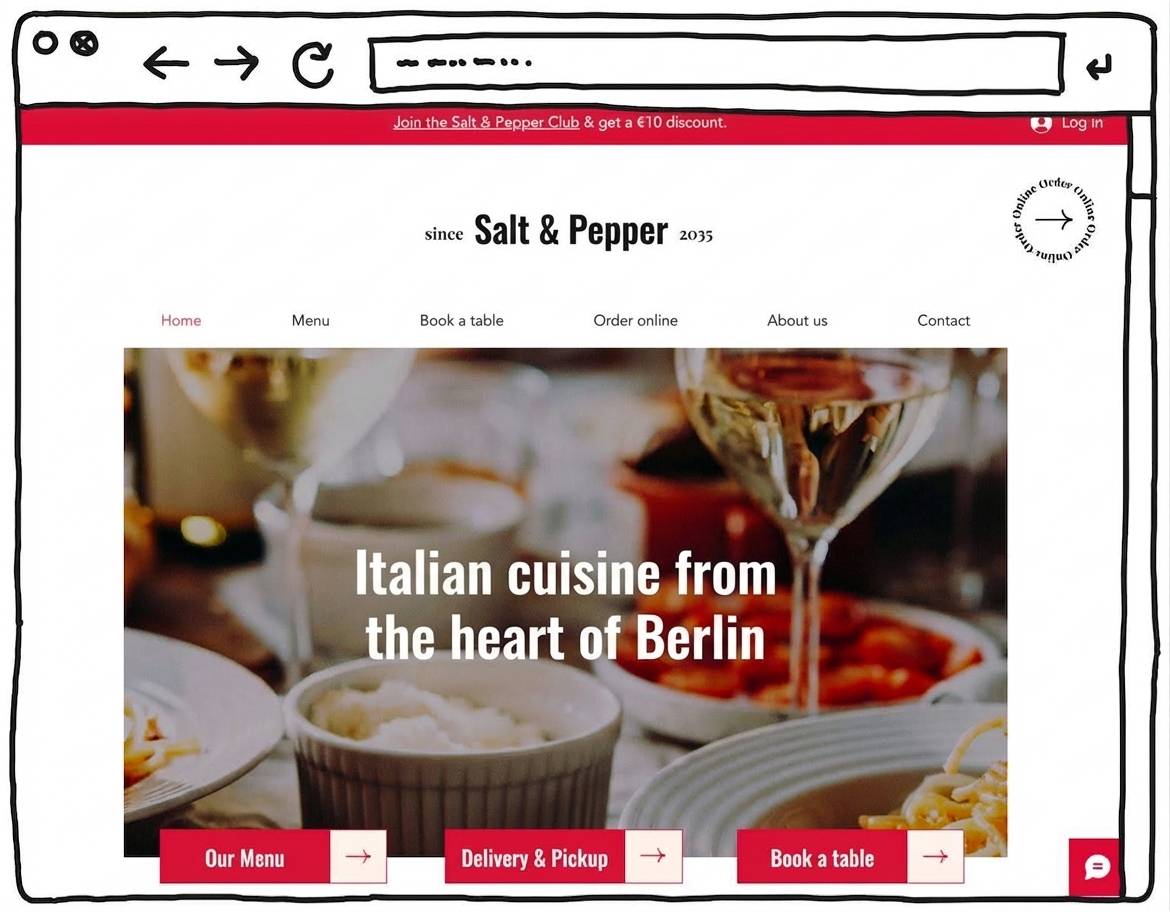
The most important page on your restaurant website is the homepage. It’s where people get their first feel for your restaurant or café, so it should work both visually and in terms of content.
As a restaurant owner, use this page to make clear what guests can expect. Describe the atmosphere and make your venue feel real and inviting.
Use photos that genuinely show your food at its best.
Make navigation obvious and straightforward. Someone landing on your homepage should be able to find the essentials quickly — the menu, contact details, booking options and so on.
People’s attention spans online are short. If they can’t find what they’re looking for quickly, they’ll leave just as fast.
That’s why your homepage should explain your offer clearly and briefly — and what makes your place different— so visitors know they’re in the right spot.
For example, the Wix restaurant template “Salt & Pepper” sums this up well with a simple line like “Italian cooking in the heart of the city”.
Your restaurant homepage should include:
- Eyecatcher: Your homepage needs a strong opener. A large image paired with a clear headline works well.
- The headline can be your restaurant name or a short slogan.
- Who, what, where? Put the most important information — what you offer and why people should choose you — near the top.
- Links: Clearly visible links to the key areas or sections help visitors explore what you offer.
Don’ts:
- Skip generic phrases like “Welcome to our website.”
- Use real photos from your venue rather than stock images. That’s how people get to know you and your food.
Your restaurant site can also work as a one-page layout. This is a compact option that presents you and your offer clearly and to the point.
Legal pages such as privacy information and site details can then be linked in the footer.
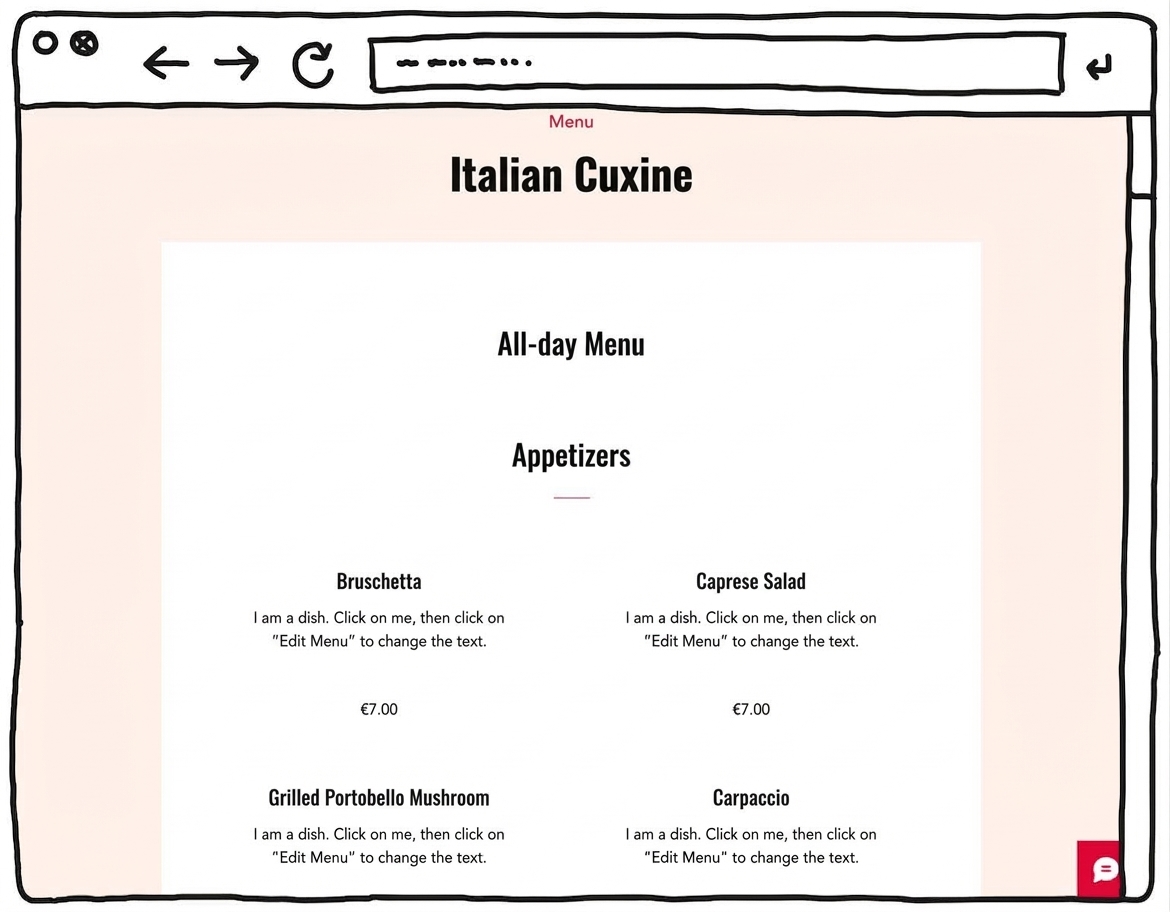
For hospitality websites, a section with a digital menu is essential. As a restaurant owner, you should present a selection of your food and drinks as an online menu.
The menu is a key reason why people look up a restaurant website — and an important factor in deciding whether to visit. You can promote your digital menu not only on your website, but also via social media (Instagram, Facebook, etc.).
In your venue, you can point guests to it with a QR code on the table. That’s also more practical than printed menus — and you don’t have to keep replacing them.
I’d recommend not just scanning your physical menu and uploading it. Instead, create a dedicated menu page on your restaurant website. That’s easy to do with website builders and WordPress, and it usually looks much better.
Your menu should include dish names, short descriptions and prices. You can update dishes and prices quickly. Depending on your style, appealing photos can complement the descriptions. You can also publish weekly specials or seasonal menus here.
Another option is a menu overview page that matches your website design. There you can list categories such as starters, mains and drinks.
Visitors then click through to the relevant subpage with the full list of items and prices. This keeps even a large menu clear and easy to browse.
Make sure the mobile version works flawlessly — people often access an online menu on their phone.
- Choose a clear title (e.g. “Menu”).
- Keep descriptions short and easy to understand.
- Use photos that make your dishes look genuinely tempting.
- If appropriate, add reviews to help build trust in your quality.
Don’ts:
- Avoid clutter. If your menu is extensive, organise it into categories (starters, mains, drinks, etc.) so it stays easy to navigate.
Example 3: about
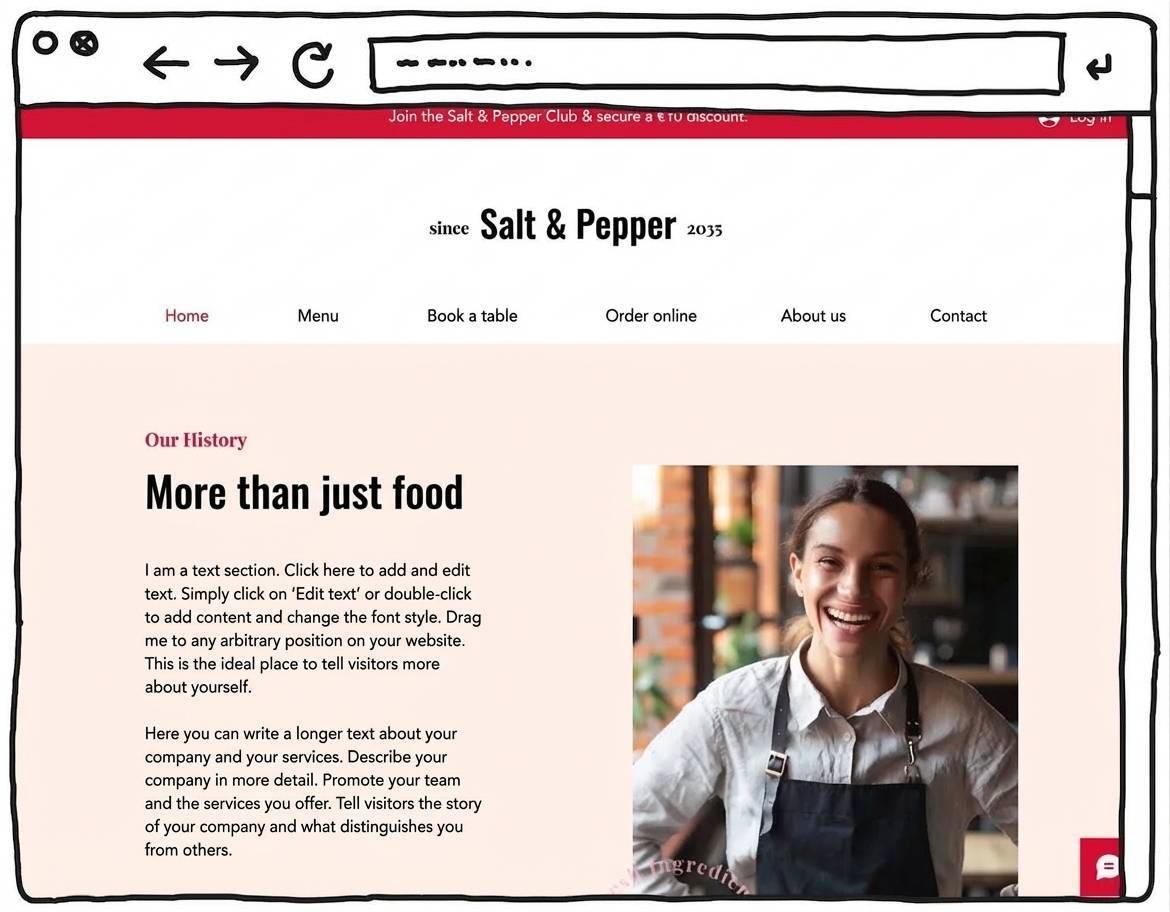
People who land on your restaurant website often want to learn more about you and your venue — and a strong “About us” page gives them exactly that.
Tell guests about your background, the idea behind your concept, and how your restaurant came to be.
Make sure you explain what’s special about you, your restaurant and your offer. What sets you apart from other places — and what do guests gain by coming to you?
On restaurant websites, images are especially powerful for bringing your venue and your food to life.
Include this on your “About” page:
- Use a clear, simple title (“About us”, “Our restaurant”).
- Add one or more friendly, authentic photos. A short video message can also work well.
- Explain briefly what guests can expect when they visit.
- Introduce your restaurant, including its story and why you chose this type of concept.
- Share the values and philosophy behind your restaurant.
- Link to your contact page and social media channels. You can also link to menu items that reflect your concept and values.
Don’ts:
- Only use stock photos if there’s no other option. This page is about you, your venue and your food.
- Don’t write too much. Keep it readable and to the point — long blocks of text put visitors off.
Create a sitemap
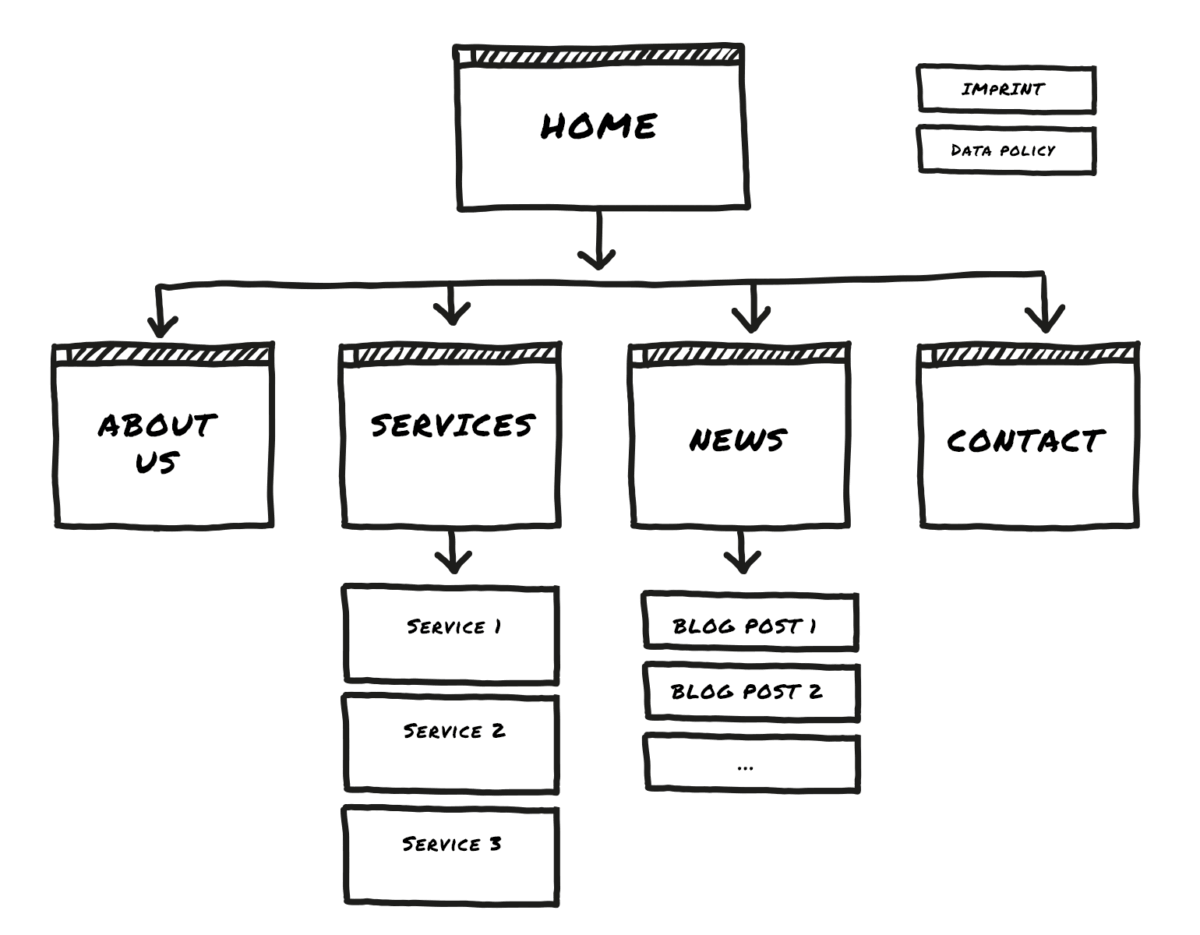
Visualising your site structure in a sitemap makes planning a restaurant website much easier.
You can note your sitemap on paper or create it on your computer.
- Level 1: Homepage
- Level 2: 3 to a maximum of 7 main sections (such as “Menu”, “About the restaurant”, etc.)
- Level 3: Detail pages — for example, if you want to split your menu into several pages
- Level 4 or deeper: Additional levels aren’t usually recommended for simple restaurant websites, but they can appear on more complex sites
If you plan to create a multilingual restaurant website, draft several parallel sitemaps. Add a language switcher in the header (for example, “English ↔ German”).
All the website tools mentioned here let you set up the navigation for your restaurant site. You simply transfer the structure you’ve planned into the website menu.
Plan done? Register your domain name!
If you create a restaurant website with a free website builder, you’ll usually only get a subdomain — an address like
myrestaurant.toolname.com
That works technically, but it doesn’t look very professional. In hospitality, where trust and first impressions matter, it’s usually better to use your own domain, for example
myrestaurant.co.uk.
With that, your website feels more credible — whether you run a traditional restaurant, a modern café or a food truck. With your own domain, you can also use a matching email address, for example
contact@myrestaurant.co.uk.
That tends to make a much better impression when communicating with guests.
By the way: I’ve put together a step-by-step guide to registering a domain, including more detailed advice on choosing a good domain name.
Always include legal details and privacy policy
If you run a restaurant website in the UK, you need to follow data protection rules (UK GDPR). In practice, that means providing clear website owner/contact details, a complete privacy notice, and in most cases a cookie notice (often shown as a cookie banner) if you use tracking technologies.
Missing or incorrect information can cause legal trouble — and in some cases lead to fines or enforcement action.
Tip: To get your legal pages right, start with the ICO’s free privacy notice generator (UK GDPR) and make sure your “Company information” is complete.
More legal requirements to know
The same applies to restaurants as to any other website: as soon as you collect personal data (for example via booking forms or a newsletter sign-up), you need to explain clearly what happens to that data. Also make sure embedded content such as maps or videos is integrated in a privacy-compliant way.
Here are the most important general points to keep websites legally compliant at a basic level:
| Topic | Applies to | What do you need to do? |
|---|---|---|
| Website owner details (legal notice) | Most non-personal websites | Provide contact details, owner/company information and other required legal details. |
| Privacy notice | Any website | Explain what data you collect and why (e.g. contact form, table booking, embedded maps). |
| Cookies | Websites using cookies/tracking | Use a cookie consent banner to ask for permission if you use non-essential cookies (e.g. analytics or marketing tools). |
| Copyright | Any website | Don’t use other people’s images or text without permission; add credits where required. |
| Data protection officer (DPO) | Certain organisations processing personal data¹ | Check whether you need to appoint a DPO — this can be required for specific types of processing. |
| Cancellation/returns information | Online shops | Inform customers about cancellation and return rights and how to exercise them. |
| Terms & Conditions | Online shops | Set out rules for ordering, payment and delivery (not always mandatory, but usually sensible). |
| Newsletter | If you send marketing emails | Get consent before sending promotional emails (a confirmed opt-in process is a good practice). |
| Online shop requirements | Online shops | Show prices clearly, label the purchase button clearly, and state delivery times. |
¹ Under UK GDPR, whether you need a DPO depends on what you do with personal data (e.g. large-scale processing or sensitive data), not simply the number of employees.
The most exciting moment: your restaurant website goes live!
The most exciting moment: your restaurant website goes live.
You’ve finished building your restaurant website and you’re ready to publish it.
How does that feel? Pretty good, right?
Before you hit “Publish”, take a moment to go through the following points. You want everything to work properly — and you want visitors to find what they’re looking for.
Launch checklist:
- Functionality: Click through all pages and features to make sure everything works as intended. Don’t forget to test links and interactive elements.
- Browser checks: view your website in different browsers and on mobile devices (smartphone, tablet).
- Feedback: friends or family can be a useful source of honest feedback. Ask them to try the site — can they find what they need, and is anything confusing or annoying?
- Search engines: in your website builder or WordPress CMS, you can edit SEO settings. Check that page titles and preview text for search results (e.g. on Google) look good and make sense.
Congratulations — your restaurant website is live! Well done on launching your restaurant or café website.
I hope you get plenty of interested visitors who turn into happy guests.
Did you build your site using this guide? Then share in the comments what you think of your result — your new hospitality website.
How to create a restaurant website (step-by-step):
You can build your restaurant website yourself with a website builder or WordPress — or hire professionals. The key is to define your goals, plan your content, choose a design, and follow the legal basics. That’s how you build a convincing online presence for your venue, step by step.
Building and running a restaurant website with a website builder or a WordPress CMS can cost just a few pounds per month. How much you spend depends on what you need: the more complex the site, the higher the cost. A strong restaurant website doesn’t have to be expensive.
One-off costs can arise if you hire someone — for example for professional photos, copywriting or setup. Ongoing costs usually relate to hosting. With website builders, hosting is typically included in the monthly price. Free plans from tools such as Wix, Jimdo or WordPress.com can cost nothing, but they come with limited features.
Some website builders offer free plans that let you create a restaurant website at no cost. The trade-off is that you usually won’t get your own domain, and ads may be displayed. Tools like Wix, Jimdo and WordPress.com provide free options (with limitations).
A self-hosted WordPress website can also be set up without paying for the software itself. You still need web hosting, which is usually available for a few pounds a month.
Creating a restaurant website is manageable for beginners. Website builders guide you through the process and let you set up simple pages with just a few clicks. A detailed step-by-step guide can help you avoid common mistakes.
You don’t need coding skills for a standard restaurant website. For more complex setups, there are many plugins and add-ons. Still, it helps if you’re reasonably comfortable using a computer and the internet.
A simple website built with a website builder can often be done within a day. If you use a CMS like WordPress, plan for around two to three days. Preparation matters: ideally you already have your photos and text ready. It also helps to start with a template that roughly matches your preferred site structure. You can find inspiration for restaurant websites here.
To create a good restaurant website, follow these seven tips:
-
Decide on the type of website and your requirements upfront
-
Choose tools that fit those needs
-
Use a sitemap to plan the structure
-
Pick a design style that suits your restaurant or café
-
Fast loading times and a mobile-friendly (responsive) layout are essential
-
Keep text short, clear and well structured
-
Use authentic, high-quality photos
You might also like
- Create a website in 2026: 5 simple steps Read article
- Build a budget website: cheapest tools & step-by-step guide (2026) Read article
- Create a coaching website: top tools, costs & tips (2026) Read article
- Create a hotel website: top tools, costs & tips (2026) Read article
- Create a photography website: top tools, costs & tips (2026) Read article
- Create a portfolio website: top tools, costs & tips (2026) Read article
- Create a website for doctors: top tools, costs & tips (2026) Read article
- Create a rental website: top tools, costs & tips (2026) Read article
- Create a restaurant website: top tools, costs & tips (2026) Read article
- Create a school website: top tools, costs & tips (2026) Read article
- Tradesman website: top tools, costs & tips (2026) Read article
- Create a wedding website: top tools, costs & tips (2026) Read article
Comments and ratings
Was this article helpful?
Rate article
Share article