Create a free online shop 2026: comparison & top pick

As seen in:



Top 3 free shop systems
-
Visit site
Test score
8.5
2026
Excellent
-
Visit site
Test score
7.9
2026
Very good
-
Visit site
Test score
6.8
2026
Good

This free online store comparison 2026 covers:
There are essentially two ways to set up a free online shop:
Option 1: Use a shop builder’s free plan
Only a small number of shop systems allow you to run an online shop permanently free of charge. However, some tools do offer this option. I have tested these thoroughly and present them below. Other tools at least provide free trials, allowing you to test the system without paying. That said, free shop systems come with advantages as well as limitations.
Pros of free shop systems:
- No prior knowledge or coding skills required
- Quick setup
- Legally compliant implementation
Cons of free shop systems:
- Strongly limited number of products
- No custom domain name
- Advertising and provider branding
- Limited payment options
Option 2: Use free open-source ecommerce software
For more technically confident users, open-source systems such as WooCommerce can be a good choice. These solutions are permanently free to use, but you will need your own hosting and a domain, which can involve additional costs — usually still lower than those of most shop builders. Below are the main pros and cons of a free open-source shop.
Pros of open-source shop systems:
- Free to use, as there are no licence or subscription fees
- Very scalable as your shop grows
- High level of flexibility and customisation
- Independence from a single provider — you can switch at any time
Cons of free open-source shop systems:
- Hosting costs — while the software itself is free, you need to pay for web hosting and a domain
- More complex setup compared to shop builders
- You are responsible for updates and security
- Limited support
“I’ve found that, in the long run, a WooCommerce shop performs better in terms of flexibility, scalability and profitability. Thanks to the many workflow integrations and connection options — for example with platforms like Amazon or Instagram — you can manage your shop centrally and control all sales channels from one place.”
Johannes Schwaderer
In my comparison of the best tools, you’ll find both free shop builders and open-source systems. I’ve tested all of them myself in detail to make your decision easier.
Here you’ll find all the shop systems I tested that allow you to create a website for free.
-
1 6-month free trial

Test score
8.5
2026
Excellent
Pros and Cons
-
Very easy and beginner-friendly setup
-
Mobile-optimised designs
-
Affordable Pro plans
- Limited selection of design templates
- Features not as comprehensive in comparison (no app store)
Visit sitePricing
- Webador Free
- Permanently free
- No custom domain
- Webador banner displayed on the site
- Webador Pro
- Includes domain and email inbox
- Includes online shop
- From £4.50 / month
- 6-month free trial
-
-
2 Open-source shop system

Test score
7.9
2026
Very good
Pros and Cons
-
WooCommerce securely installed in one click
-
Full control over features and data
-
Extensive range of extensions and design themes
-
Automatic updates and backups
- Using WooCommerce is more complex than website builder systems
Visit sitePricing
- IONOS WooCommerce
- Pre-installed WooCommerce plugin
- Automatic updates and backups
- High-performance server hardware
- Includes domain and email inbox
- From £1 per month
- 30-day money-back guarantee
-
-
3 Free online shop

Test score
6.8
2026
Good
Pros and Cons
-
Free, fully featured online shop
-
Easy drag-and-drop editor
-
Mobile app for building and managing on the go
-
Expandable thanks to the app centre
-
Limited selection of design templates
-
Support and documentation available only in English
Visit sitePricing
- Weebly Free
- Permanently free
- Maximum of 5 products
- No custom domain
- Weebly Professional
- Ad-free
- With your own domain
- From £14.00 per month
-
-
4 Try market leader for free

Test score
6.4
2026
Good
Pros and Cons
-
Comprehensive online shop for all industries
-
High-quality shop designs
-
Quick setup
-
Highly flexible and expandable
-
Convenient order processing
- Extensions often come at an additional cost
Visit sitePricing
- Shopify Basic
- Unlimited products
- Online shop and additional sales channels
- Secure payments
- From £27 per month
- 14-day free trial
-
Tested online store tools
Alongside our top picks, we also tested other well-known free shop systems and tools in depth. You can find a complete overview of all the free shop tools we reviewed here:
| Rank | Tool | Rating | Short description | Tool link |
|---|---|---|---|---|
| 1 | Webador Shop | 8.5 of 10 | 6-month free trial | Go to tool |
| 2 | WooCommerce by IONOS | 7.9 of 10 | Open-source shop system | Go to tool |
| 3 | Weebly | 6.8 of 10 | Free online shop | Go to tool |
| 4 | Shopify | 6.4 of 10 | Market leader for shop systems | Go to tool |
| 5 | IONOS Shop | 6 of 10 | Simplest shop setup | Go to tool |
| 6 | WIX eCommerce | 5.6 of 10 | Flexible shop builder | Go to tool |
| 7 | Squarespace Shop | 5.6 of 10 | High-quality shop designs | Go to tool |
| 8 | Jimdo Shop | 5.4 of 10 | Easy setup | Go to tool |
| 9 | Shopware | 5.2 of 10 | Enterprise-level shop system | Go to tool |
Many free online shop systems share basic features, but they also differ in important ways that can be decisive when choosing the right tool.
To give you an objective basis for comparison, we assess each tool using a consistent and detailed set of criteria. This makes it easier to compare free shop systems side by side and find the option that best matches your needs.
Our ratings are not influenced by commission payments from the tool providers. Instead, they are based on transparent, independent test results. The tool we rate as the best free online shop stands out for overall quality, ease of use and breadth of features.
Our aim is to provide a fair and understandable assessment of free online shop systems. To do that, we analyse each tool across several categories and weight the results to arrive at a well-founded overall rating.
Evaluation criteria
| Evaluation criteria | Category winner | |
|---|---|---|
| Beginner-friendly setup Weighting: 10% |
| Webador |
| Shop design Weighting: 10% |
| WooCommerce by IONOS |
| Features & scalability Weighting: 15% |
| WooCommerce by IONOS |
| Marketing & SEO Weighting: 5% |
| Shopify |
| Support & reviews Weighting: 10% |
| WooCommerce by IONOS |
| Costs & value for money Weighting: 50% |
| Webador |
Rank 1: Webador — Simple and affordable shop builder (8.5 of 10)
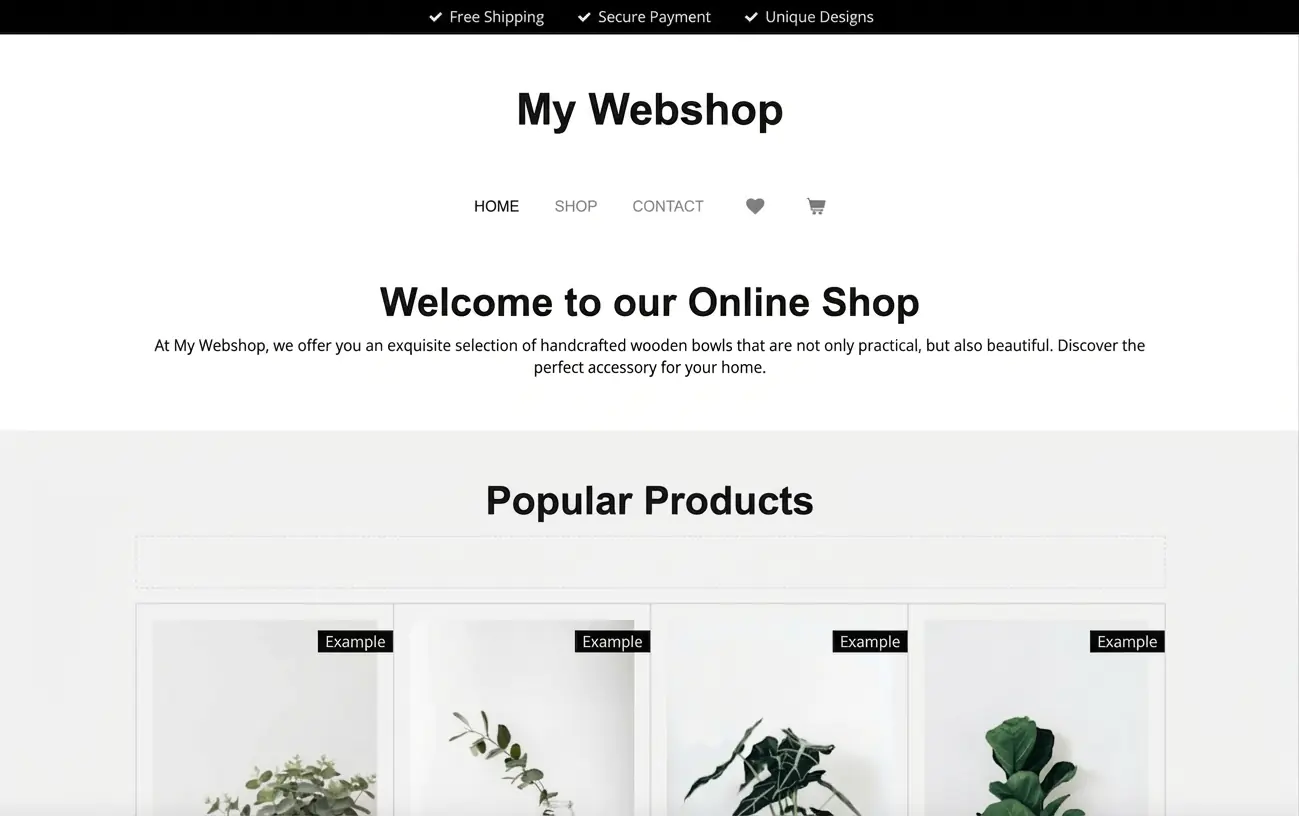
Webador takes first place in my test with a very good overall result. The tool stands out for its ease of use, transparent pricing and an unusually long free trial of the Pro version, which allows you to test your online shop without financial risk.
Pros of Webador for e-commerce
Webador is clearly aimed at beginners and offers a minimalist but practical shop builder that focuses on core features. It is well suited to small shops and hobby sellers, as it can be used without technical knowledge. The Pro version can be tested free of charge for up to six months, which is comparatively generous.
- Sustainability & data protection: Webador states that its servers run on renewable energy and are operated within Europe, supporting compliance with modern data protection standards.
- Ease of use & design: The shop editor is intuitive, and the templates are simple but modern. Customisation options are limited, but generally sufficient for smaller projects.e.
Cons of Webador for e-commerce
The main drawback is limited flexibility. The feature set focuses on basic shop functions, making the tool less suitable for larger or more complex e-commerce projects. In addition, the free version does not include a custom domain and displays Webador branding on the website.
Pricing
Webador offers two shop plans:
- Webador Pro: Up to 10 products, custom domain, email inbox and online shop features. Free trial for up to six months, then a monthly fee applies.
- Webador Business: Unlimited products, increased storage, free trial for up to six months, followed by a higher monthly fee.
Conclusion: Well suited for beginners on a small budget
Webador performs well thanks to its straightforward setup, clear pricing and the extended free trial period. It is a practical option for small shops and creative projects that need to be launched without technical expertise. For those looking for a low-cost entry into e-commerce, it offers a solid starting point.
Try Webador free for 6 months
Test Webador’s website builder free for 6 months, or sign up for the permanently free Free plan.
Rank 2: IONOS WooCommerce (7.9 of 10)
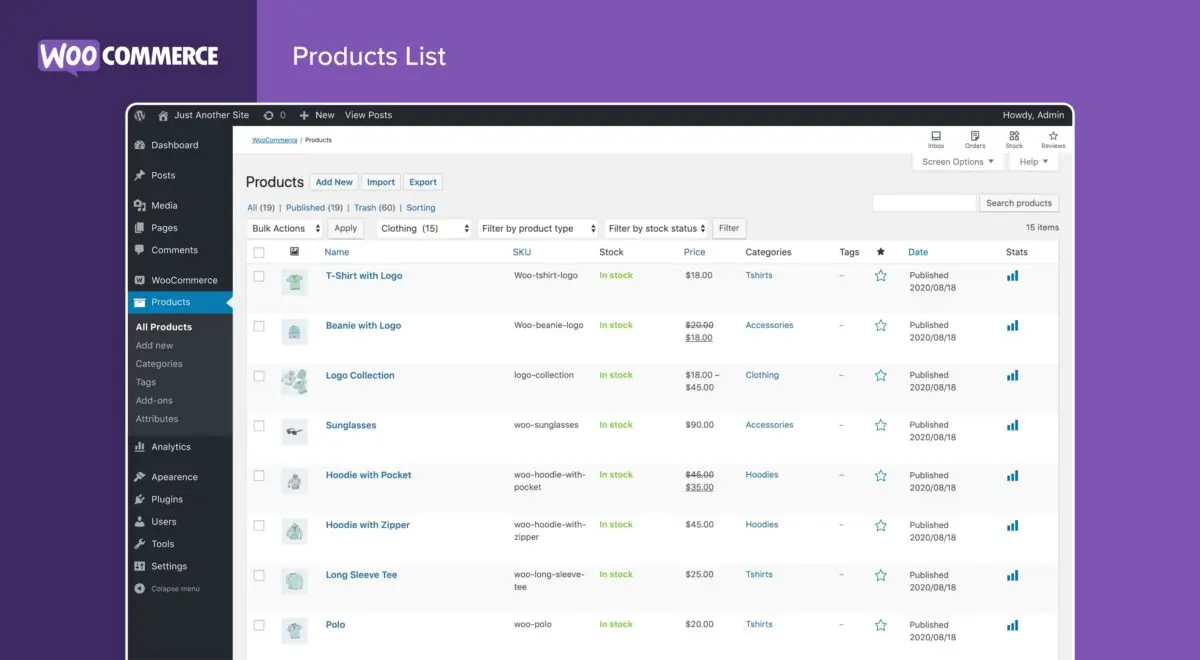
IONOS WooCommerce comes second in my test with a very good overall result. The key advantage is the mix of WooCommerce’s flexibility as open-source software and IONOS’s beginner-friendly hosting, which makes getting started much easier. WooCommerce itself is free to use because it’s open source, while IONOS offers a comparatively affordable hosting package that is optimised for WooCommerce. This combination is a strong option for anyone who wants to enter e-commerce on a budget.
Pros of IONOS WooCommerce
The biggest benefit is flexibility and independence. WooCommerce is fully integrated into WordPress and offers extensive customisation options — from design to advanced features. Because it is free open-source software, you don’t pay anything to use WooCommerce itself. You’re also not locked into a single provider. Unlike closed platforms, you can move your shop to another hosting provider if your needs change.
What makes IONOS stand out?
IONOS complements WooCommerce with hosting designed specifically for it. A setup assistant guides you through installation step by step, and features such as automated backups and security scans help keep the technical workload manageable, even for beginners.
Huge scope for extensions: With a wide range of free plugins, you can add payment options, SEO tools and marketing integrations without necessarily paying extra fees.
Cons of IONOS WooCommerce
Even with IONOS simplifying the setup, WooCommerce still requires a basic level of technical confidence. In particular, managing security updates and handling additional plugins can take time.
Pricing
While WooCommerce itself is free, IONOS offers a dedicated WooCommerce hosting package at around £20 per month. This typically includes a custom domain, email inboxes, automated backups, security scans and enhanced support. For many small businesses, this can be good value — especially if you want a more professional online shop setup.
Conclusion: A professional option that can stay affordable long term
IONOS WooCommerce stands out for flexibility, free shop software and user-friendly hosting. The combination of WooCommerce’s independence and IONOS’s support makes it a strong choice for anyone who wants to build a powerful online shop without committing to an all-in-one platform.
Rank 3: Weebly — The only permanently free online shop (6.8 of 10)

Weebly takes third place in my test with a good overall rating. What stands out is that Weebly is the only tool offering a permanently free online shop, with no time-limited trial. This makes it particularly suitable for small shops or beginners who want to gain initial e-commerce experience at no cost.
Pros of Weebly for e-commerce
The main advantage of Weebly is the permanently free plan — ideal for small shop projects or for testing e-commerce. The drag-and-drop editor is very easy to use, and setting up a shop works without technical knowledge. Even on the free plan, you can sell physical products, and the templates are mobile-optimised, so your shop looks good on smartphones.
Payment providers such as PayPal and Square can also be integrated in the free version, which makes it easier to start selling.
Cons of Weebly for e-commerce
Despite the permanently free offer, the free plan comes with several notable restrictions:
- No custom domain — your shop runs on a subdomain (for example, yourshop.weebly.com).
- Transaction fee — Weebly charges a 3% fee on each sale on the free plan.
- No digital products — the free plan only supports physical products.
- Limited features — advanced marketing tools, discount campaigns and more professional design options are only available on paid plans.
Pricing
In addition to the permanently free plan, Weebly offers paid options:
- Weebly Free: Unlimited products, permanently free, but with a subdomain, a 3% transaction fee and limited features.
- Weebly Professional: Around £14 per month, unlimited products, no advertising and expanded design options.
- Weebly Performance: Around £25 per month, unlimited products, designed for larger shops with advanced sales features and no transaction fees.
Conclusion: Low-cost entry, but with clear limits
Weebly stands out as the only tool offering a permanently free online shop. However, the 3% transaction fee, lack of custom domain and limited features mean the free plan is mainly suitable for small shops and trial projects. For more serious e-commerce use, the paid plans are the better choice.
Your own online shop — for free? In principle, yes. Free shop builders can make that possible, but free plans often come with limitations. In many cases, you can only run your shop on a provider subdomain (for example, yourshop.provider.com), and adverts or provider branding may appear on your shop pages. Product limits, storage and bandwidth are also often restricted, which can make it hard for your shop to grow.
Because of these limits, free online shops are mainly useful for small projects, trial phases or mini shops with just a few products. If you want to grow long term or present your shop more professionally, free plans are often not enough. From an SEO perspective, subdomains and restricted features can also be a disadvantage.
The good news is that most tools allow you to upgrade at any time. That typically gives you access to more features, a custom domain and higher storage limits — useful if your shop starts to grow.
With WooCommerce, a popular open-source shop solution, you don’t face the same built-in restrictions from the start. The system itself is free and highly flexible, but you will need separate web hosting, which is available for a small monthly cost.
How much will my shop really cost?
You can start for free, but sooner or later you may notice that a free shop is rarely enough for long-term success in e-commerce. To help you estimate a realistic budget for setting up a shop, we created an interactive calculator that lets you work out your website costs.
Best free online shop tools
| Rank | Rating | Tool | Free to use or try? |
|---|---|---|---|
| 1 | 8.5 of 10 | Webador | ✅ Free 6-month trial |
| 2 | 7.9 of 10 | WooCommerce by IONOS | ✅ 30-day money-back guarantee |
| 3 | 6.8 of 10 | Weebly | ✅ Permanently free to use |
| 4 | 6.4 of 10 | Shopify | ✅ Free 14-day trial |
Creating your own online shop for free is possible with various platforms — but usually with certain limitations. Many tools offer free plans to make it easier to get started in e-commerce. In practice, these free versions are often restricted and mainly designed as a way to try the system before upgrading to a paid plan.
Before choosing a platform, it’s worth getting a clear overview of your options. Earlier on this page, you’ll find a comparison of the five best free tools that allow you to set up an online shop without upfront costs.
If you plan to start a shop for free, it’s important to watch out for hidden follow-up costs. While the basic functions of many platforms may be free, charges often apply once you want to:
-
Offer more than a small number of products
-
Use advanced features such as discount codes, shipping tools or analytics
-
Use a custom domain instead of a provider subdomain (for example, yourshop.provider.com)
One advantage of paid plans is that hosting, a custom domain and security certificates (SSL) are often included. With free options, you typically have to accept subdomains and provider branding.
Comments and ratings
Was this article helpful?
Rate article
Share article