WordPress hosting with IONOS: reviews & test 2026

As seen in:



-
Rank 1 of 7

Test score
9.4
2026
Outstanding
- Ease of use
- Features
- Fast loading times
- Security
- Support & reviews
- Costs & value for money
WordPress hosting comparison Visit site Visit site - Ease of use
IONOS (formerly 1&1) offers a WordPress hosting plan designed to help beginners build WordPress websites.
IONOS WordPress hosting includes a well-designed AI assistant that can set up your WordPress site using artificial intelligence.
This makes the popular, flexible WordPress system more accessible, without requiring specialist technical knowledge. In that sense, it can also be a practical alternative to website builder tools.
Do you want to build a website with WordPress, but don’t feel confident with FTP, databases and hosting?
Then you’re in the right place.

My IONOS WordPress hosting review:
- Summary: the key results of our IONOS WordPress hosting test
- Ease of use: how easy IONOS WordPress hosting is to manage
- Features: what managed WordPress hosting from IONOS includes
- Performance: how fast websites load with IONOS WordPress hosting
- Security: which protection features IONOS WordPress hosting offers
- Customer reviews & support: what users say and how helpful support is
- Pricing: the plans and costs for IONOS WordPress hosting
- Alternatives: the best alternatives to IONOS WordPress hosting
- My IONOS WordPress hosting review:
- Rating: 9.4 of 10 – IONOS is the top-rated WordPress hosting tool in our test
- IONOS makes WordPress as easy to use as a website builder
- The feature set is more than sufficient for most users
- IONOS delivers strong performance
- Secure operation of your WordPress website
- Customer support and reviews are a strong point of IONOS
- Costs & value for money
- What alternatives are there to IONOS WordPress hosting?
- What else should you keep in mind?
IONOS WordPress at a glance
| Category | (Managed) WordPress hosting |
| Test rating | 9.4 of 10 (1st place) |
| Price | from £5 per month |
| Discount | ✅ £1 per month (for the first 6 months) |
| Beginner-friendly | ✅ Yes |
| Setup time | under 30 minutes (with AI assistant) |
| Tool website | Go to IONOS |
WordPress hosting or managed WordPress hosting is mainly a good fit if you want more flexibility and choice than a website builder tool, but don’t want the hassle of installing and maintaining your own WordPress setup.
With IONOS, you get the benefits of WordPress (features, expandability and flexibility) and the convenience of a website builder (simple setup and easy day-to-day use) in one package.
A key reason for the strong overall result in the WordPress hosting comparison is the AI assistant. If you want, it can create a WordPress website for you in minutes — including design, text and images.
This makes WordPress much more approachable for beginners and a realistic alternative to traditional website builders.
After the initial setup, you work in a standard WordPress environment. Tasks like regular updates and basic security checks are handled by IONOS.
Another plus point is the comparatively low price.
How does the 9.4 of 10 rating for IONOS WordPress hosting come about?
In my tests, I review the tools, their features and plans carefully and as objectively as possible.
The WordPress hosting tools are rated across several categories. These are weighted, and the overall score is calculated from the combined results.
That way, the ratings remain fair and comparable.
| Overall rating | Raited 9.4 of 10 |
|---|---|
| Ease of use (Weighting: 20%) | 29 out of 30 points |
| Features (Weighting: 20%) | 33 out of 35 points |
| Fast loading times (Weighting: 20%) | 24 out of 25 points |
| Security (Weighting: 10%) | 33 out of 35 points |
| Support & reviews (Weighting: 10%) | 27 out of 30 points |
| Costs & value for money (Weighting: 20%) | 22 out of 25 points |
My experience with IONOS WordPress hosting
IONOS WordPress hosting does not require any programming skills. An AI assistant supports you during the website setup and helps with design as well as text and image creation.
Once the website is created, you work in a standard WordPress environment. Tasks such as regular updates and basic security checks are handled by IONOS.
After creating an account and booking a managed WordPress hosting plan — I chose the “Start” plan — you can begin setting up your website.
From this point on, the AI assistant takes over. You simply specify the type of website you want to create and provide a few basic details, such as the site name. For testing purposes, I chose a fictional car repair shop website.
Similar to website builder tools, you are guided through a short setup process where you can select basic features and goals, such as generating enquiries or enabling e-commerce.
All of these settings can be changed later. Still, it helps if you have a rough idea in advance of what you want your website to achieve and which elements it should include.
You can also define the overall structure of the site — for example, a one-page layout or a more complex website — as well as the visual design during this process.
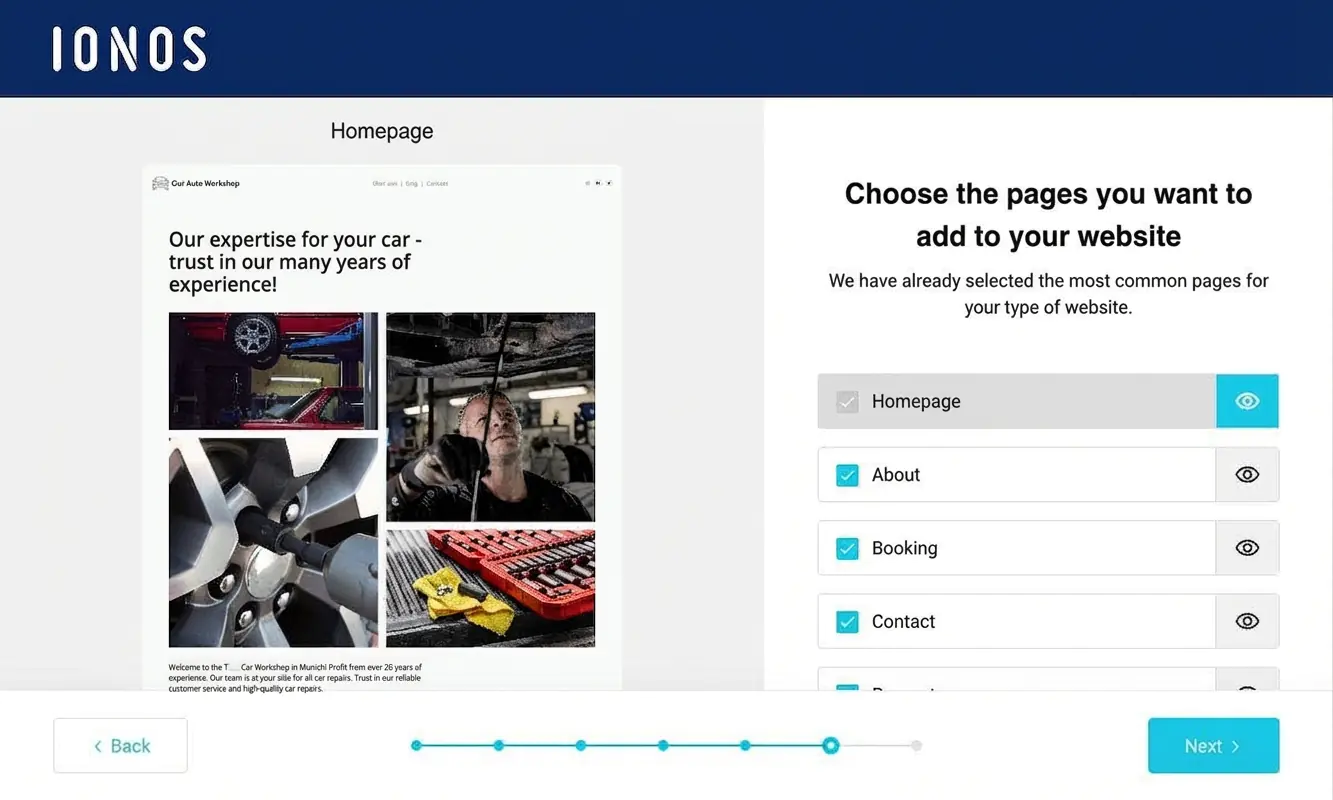
A few minutes later, the website is ready — including essential WordPress plugins, texts and images — and you are taken directly to the WordPress dashboard. IONOS provides a dedicated WordPress login.

I was genuinely positively surprised by how quickly and easily the website was created using the IONOS AI assistant. The site looks professional at first glance, and both the texts and images fit the intended purpose well.
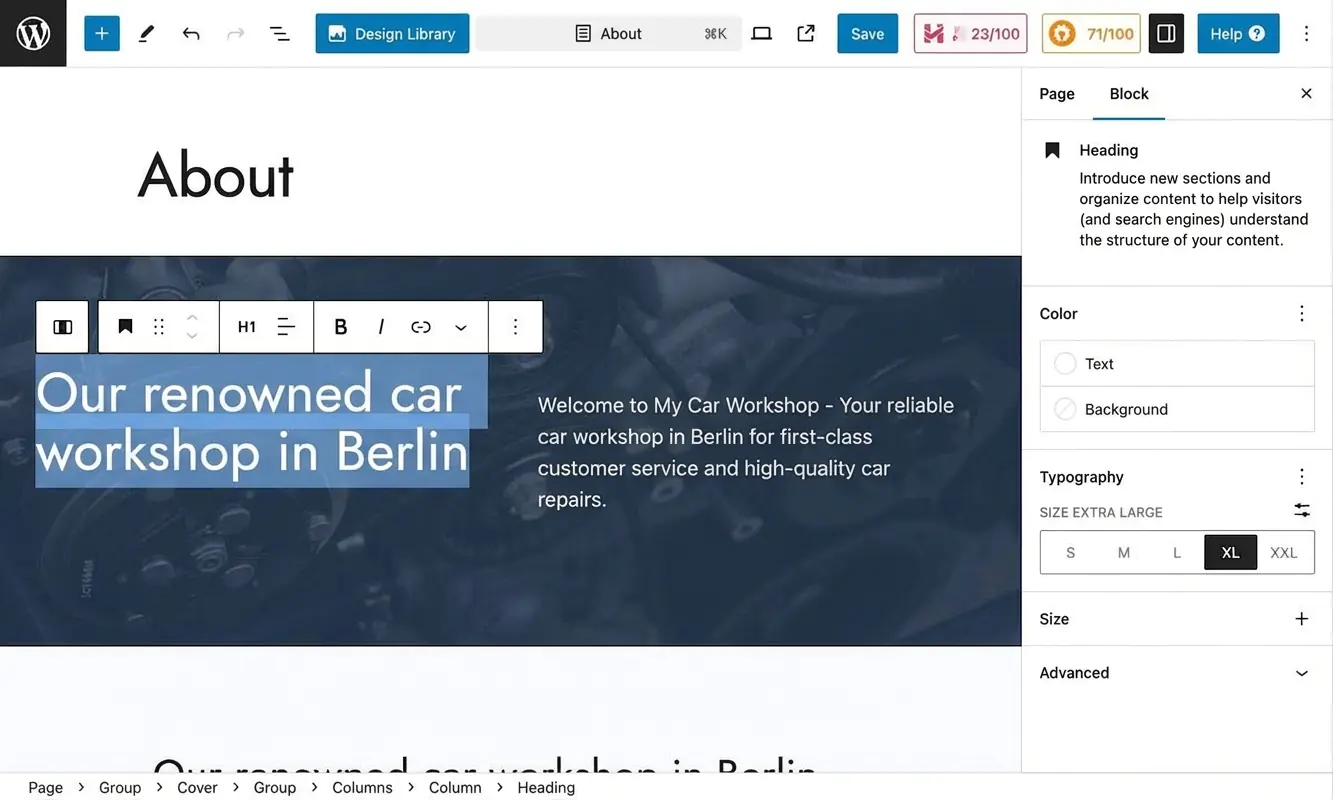
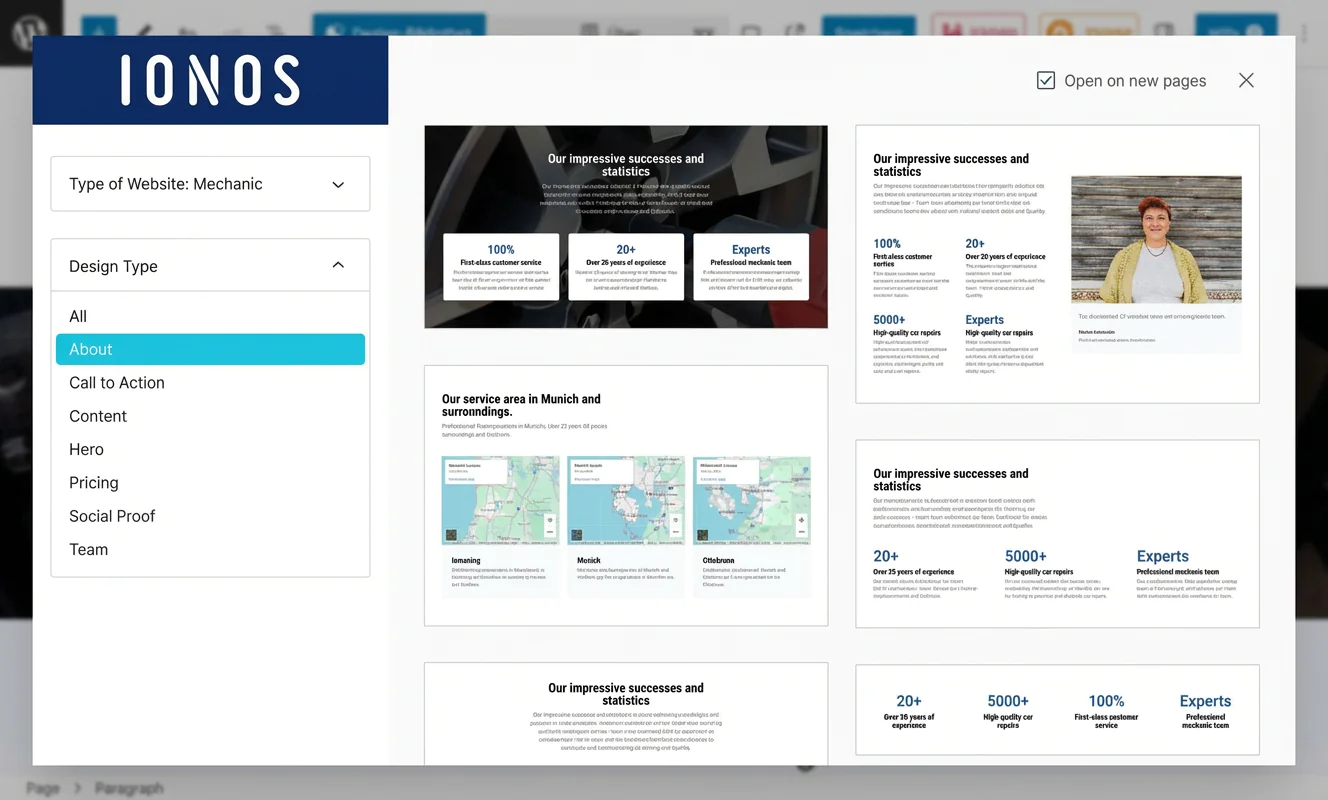
The content on the website is generated by the AI assistant, but you can edit everything via the WordPress interface. When it comes to content, I would recommend reviewing and refining the texts yourself. It is best to treat the AI-generated website as a solid starting point that you then customise further.
IONOS WordPress hosting is particularly suitable for:
- Local businesses such as tradespeople or medical practices
- Self-employed professionals such as coaches or estate agents
- Artists and musicians
- Anyone who wants to create a professional-looking WordPress website without technical knowledge
What I liked most about IONOS WordPress hosting:
- Secure WordPress installation in just a few clicks
- Simple setup and straightforward management
- The AI assistant creates the website, images and text — with convincing results
- Very fast servers optimised for WordPress, including SSD storage
- Built-in server caching and caching plugin
- Security features such as SSL certificates, automatic updates, and protection against malware and DDoS attacks
- Affordable pricing
- Domain and email address included in the plan
What could be improved:
- More variety and creative freedom in designs and templates
- More advanced configuration options for technically experienced users
Tip: In our guide on how to create a WordPress website, we explain the setup process in more detail.
Ease of use at a glance
| Rating | |
| Points achieved | 29 out of 30 points |
| Advantages |
|
| Disadvantages |
|
IONOS managed WordPress hosting is a sensible option for beginners thanks to its AI support. Combined with WordPress’s generally intuitive interface, it makes setting up and managing a website feel genuinely straightforward.
At first, the flexibility and expandability of the WordPress CMS can be a bit daunting.
But don’t worry — you can explore things step by step, and with AI assistance plus human IONOS support, you’ll quickly get comfortable working with WordPress.
One-click installation
As mentioned earlier, creating and setting up a WordPress website with IONOS is made very easy by the built-in AI assistant. It can also be done via a so-called one-click installation.
The same applies to usability. Here, too, IONOS supports beginners with AI. In practice, an AI-powered help centre, a website guide, an assistant plugin and quick links can help you with the first steps.
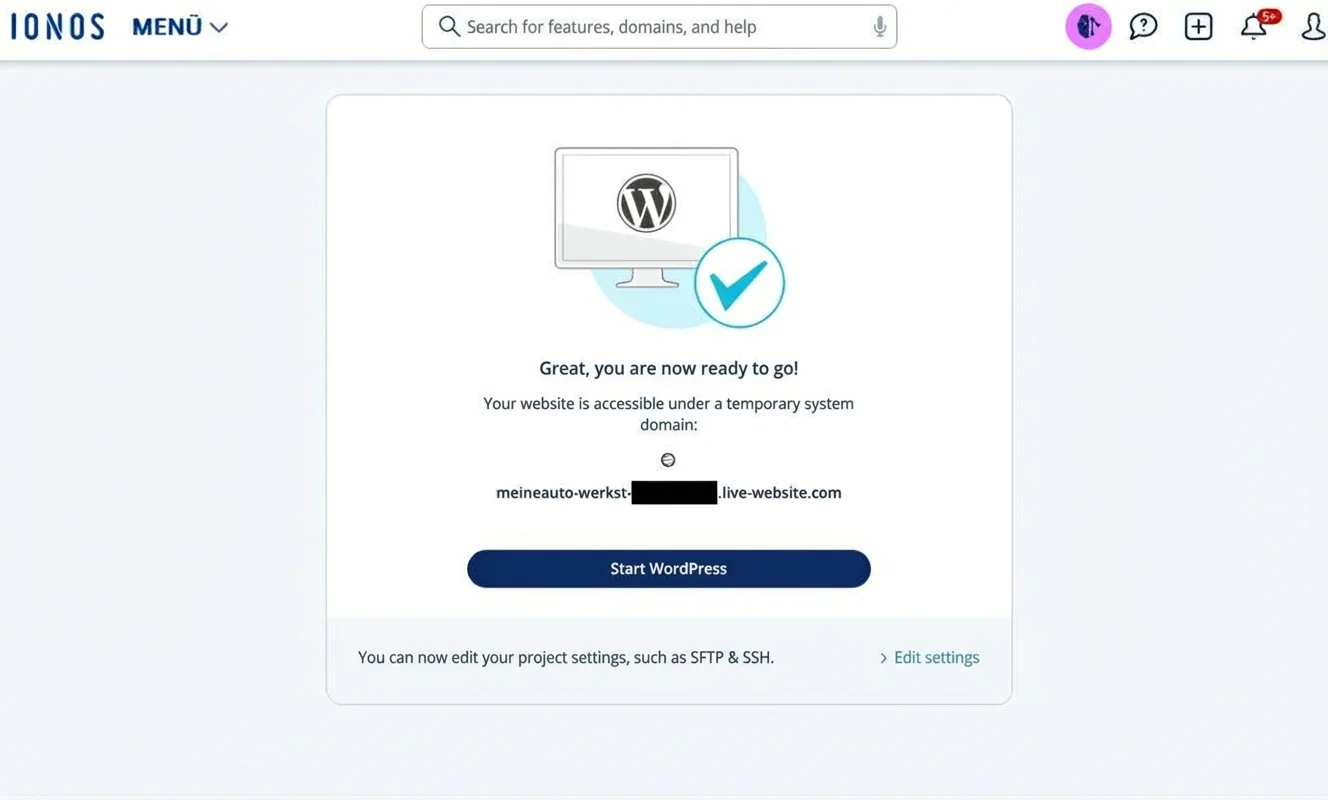
If you already know your way around WordPress, you will probably need very little support. For everyone else: you still need a bit of patience to explore the dashboard and learn the most important functions.
Clear and simple management
WordPress is the world’s most popular CMS for a reason — its intuitive handling and clear structure are a big part of that.
Tasks such as adding a new page or post, and editing content, are quick to pick up.
For basic steps such as connecting your domain to the WordPress website in IONOS or uploading your logo, it is best to work through the setup assistant mentioned above.
Free migration of existing WordPress websites
Already have a WordPress website and want to move it to IONOS WordPress hosting? That is possible — migrating an existing WordPress website to IONOS can be done free of charge.
IONOS does not provide its own dedicated migration tool. However, you can use a range of WordPress or third-party options. The simplest approach is to export the data from your existing website and then import it into your managed WordPress site at IONOS.
If you prefer a more convenient backup-based approach, you can use free plugins such as “BackWPup” or “All-in-One WP Migration and Backup”.
Good to know: this also works the other way round — you can move your website from IONOS to another hosting tool at any time if you’re no longer happy. That’s a real advantage of WordPress compared with classic website builder tools.
Overview of technology and features
| Rating | |
| Points achieved | 33 out of 35 points |
| Advantages |
|
| Disadvantages |
|
When it comes to features, IONOS includes everything most people need in its WordPress hosting setup — ideal if you’re getting started with WordPress.
More advanced developers may run into limitations, though. For example, you can only use one database. Some finer settings also depend on the specific IONOS plan you choose — or cannot be customised individually at all.
IONOS clearly focuses on beginners with this WordPress hosting tool. That’s why the service is designed to keep things as simple as possible, and it does that well.
The downside is that professional developers cannot fully fine-tune their projects when using IONOS managed WordPress hosting. If you fall into that more advanced group, you may want to look at tools such as SiteGround or WP Engine instead.
Server-side caching or CDN
Caching solutions can improve the performance of WordPress websites. They work by storing content on the server, which can noticeably speed up page loading.
IONOS WordPress hosting includes caching features. For example, it supports PHP opcode caching. From the “Grow” plan onwards, an additional free plugin is included. The caching tool is integrated directly into the WordPress dashboard and stores HTML content in between.
What you don’t get with IONOS is a built-in content delivery network (CDN). A CDN is a globally distributed network of servers that hosts and delivers copies of your website’s content. This can help your website load faster for visitors who are further away.
If you want to speed up your WordPress site via a CDN and add extra security, you can use a tool such as Cloudflare. You’ll need to create an account, but there is a free plan available.
SFTP and SSH access
With IONOS WordPress hosting, you can access your website via SSH and SFTP. To do this, you create the relevant FTP access in the IONOS admin area.
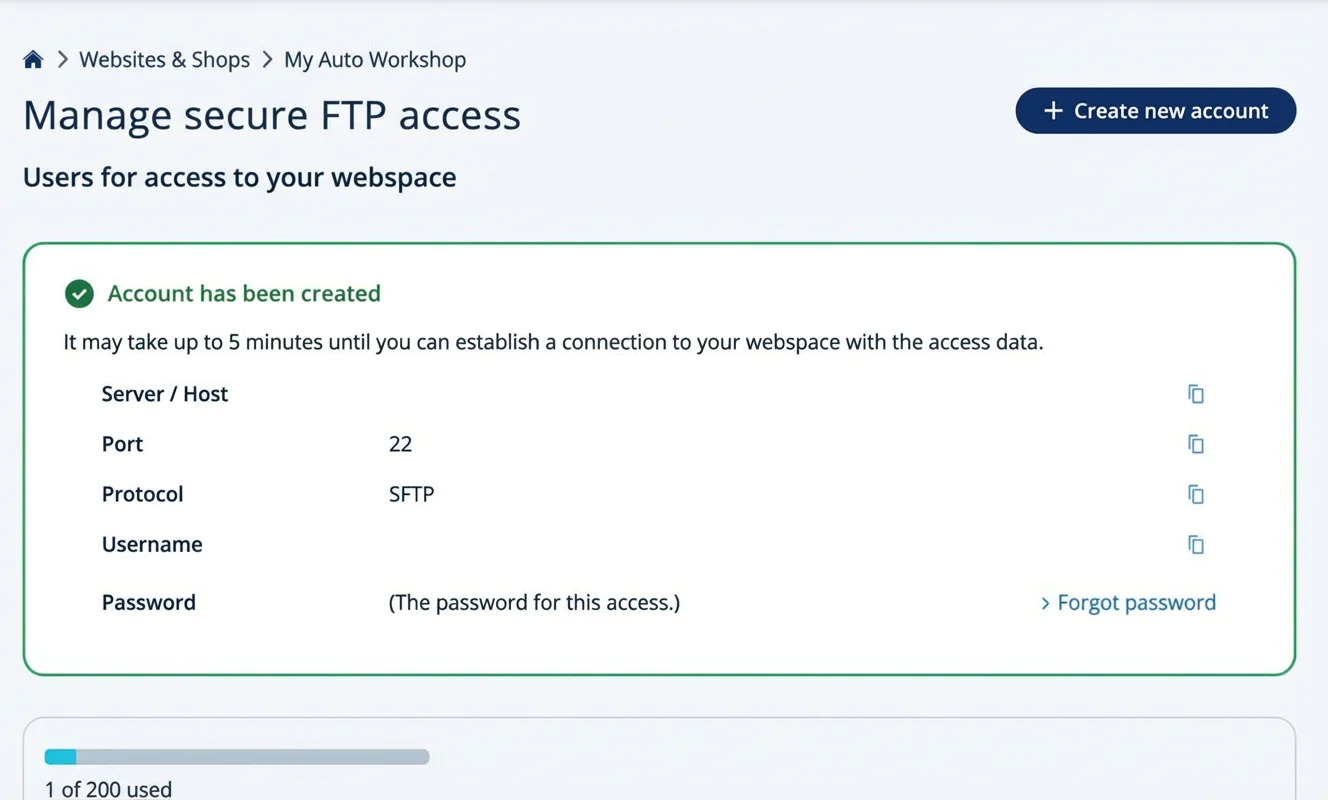
You can then access your web space using FTP tools such as the IONOS Webspace Explorer or FileZilla. Beginners can usually skip this feature.
Editing the wp-config.php file
Access to the wp-config.php file is mainly relevant for experienced developers. Still, it’s useful to know that IONOS allows it — you may need to change a setting there at some point.
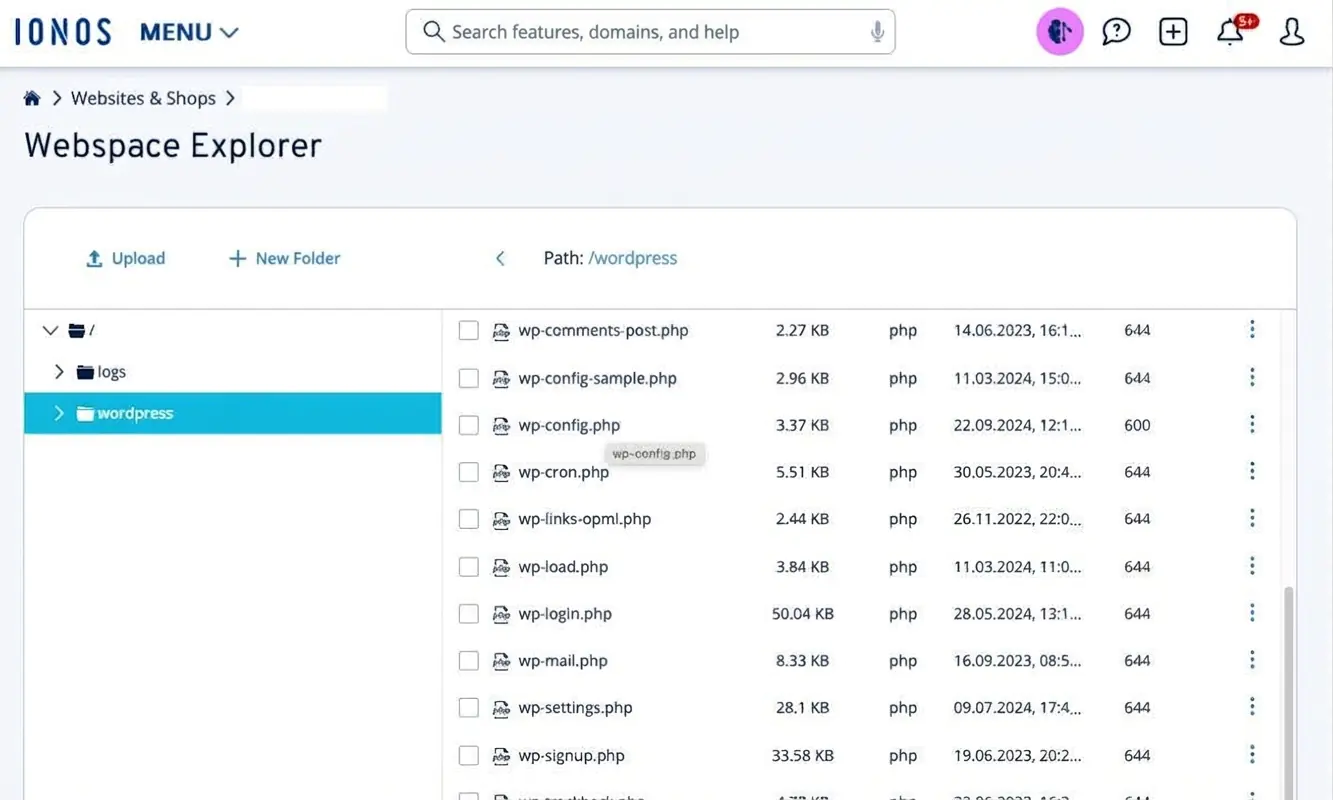
If you don’t want to use an FTP login (for example via FileZilla), you can use the IONOS Webspace Explorer directly in your browser. You’ll find this tool in the admin area under “Settings”.
Staging environment
In WordPress, a staging environment is used to test new features without risking issues on the live site. IONOS does not offer a built-in staging feature. However, you can use a WordPress plugin such as WP Staging.
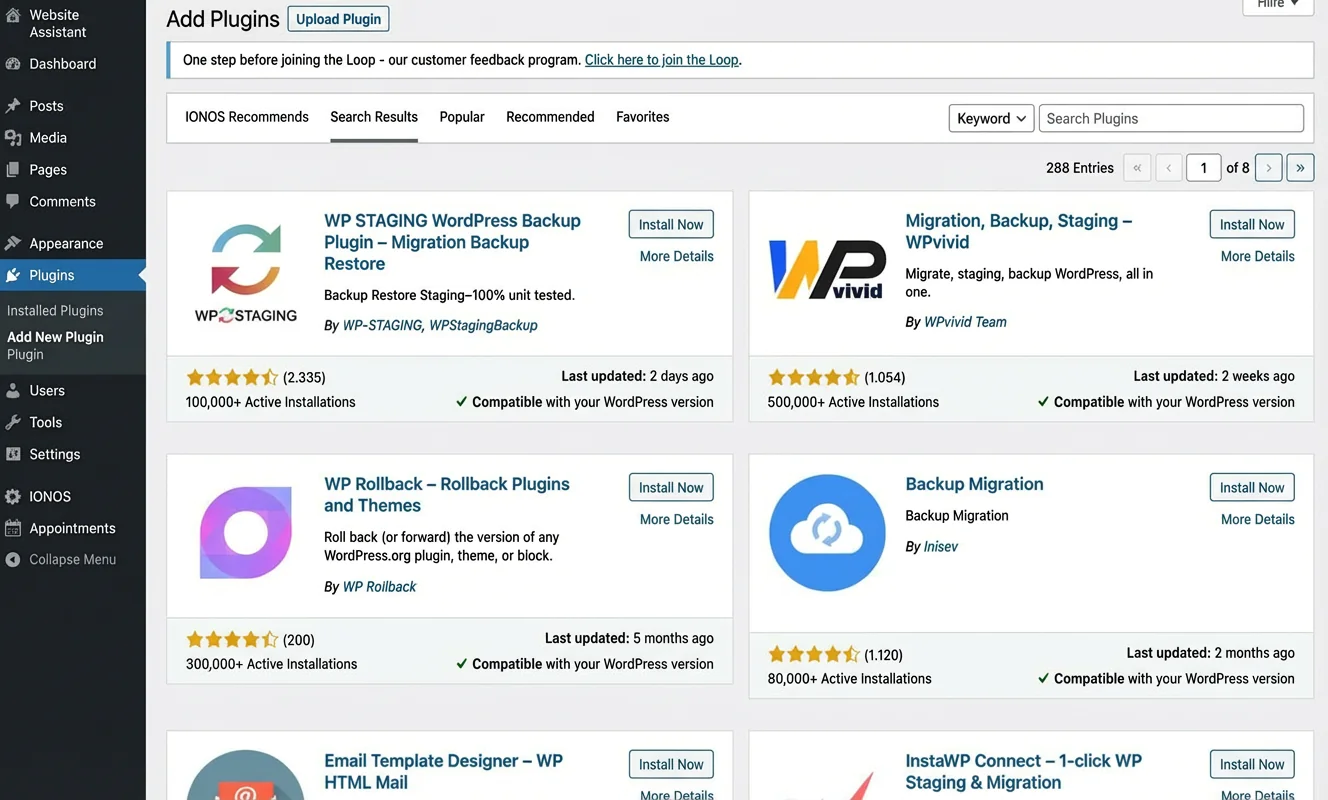
IONOS WordPress hosting also allows you to set up a staging environment manually. For that, you should create one or two backups of the site and set up a separate database for the cloned test site.
Loading times at a glance
| Rating | |
| Points achieved | 24 out of 25 points |
| Advantages |
|
| Disadvantages |
|
Because IONOS relies exclusively on fast SSD storage, uses its own caching solution and runs on an advanced platform with servers based in Germany, its performance is hard to beat.
WordPress websites built with IONOS achieve top results in common speed tests. An uptime of up to 100% ensures that your website is available around the clock. From a performance point of view, there is very little to criticise, which is good news for both visitors and search engine rankings.
Server response time (TTFB)
One key metric for measuring website speed is the so-called Time to First Byte (TTFB). It shows how long it takes for the server to deliver the first byte of data to a visitor.
With the website I created and hosted using IONOS WordPress hosting, I measured a top value of 40 ms. For context: anything below 300 ms is already considered very good.
Page speed (Largest Contentful Paint)
The Largest Contentful Paint indicates how long it takes for the largest text block or image element to be rendered. In my test, this took 0.7 seconds. This puts IONOS WordPress hosting among the faster tools when compared with other popular providers.
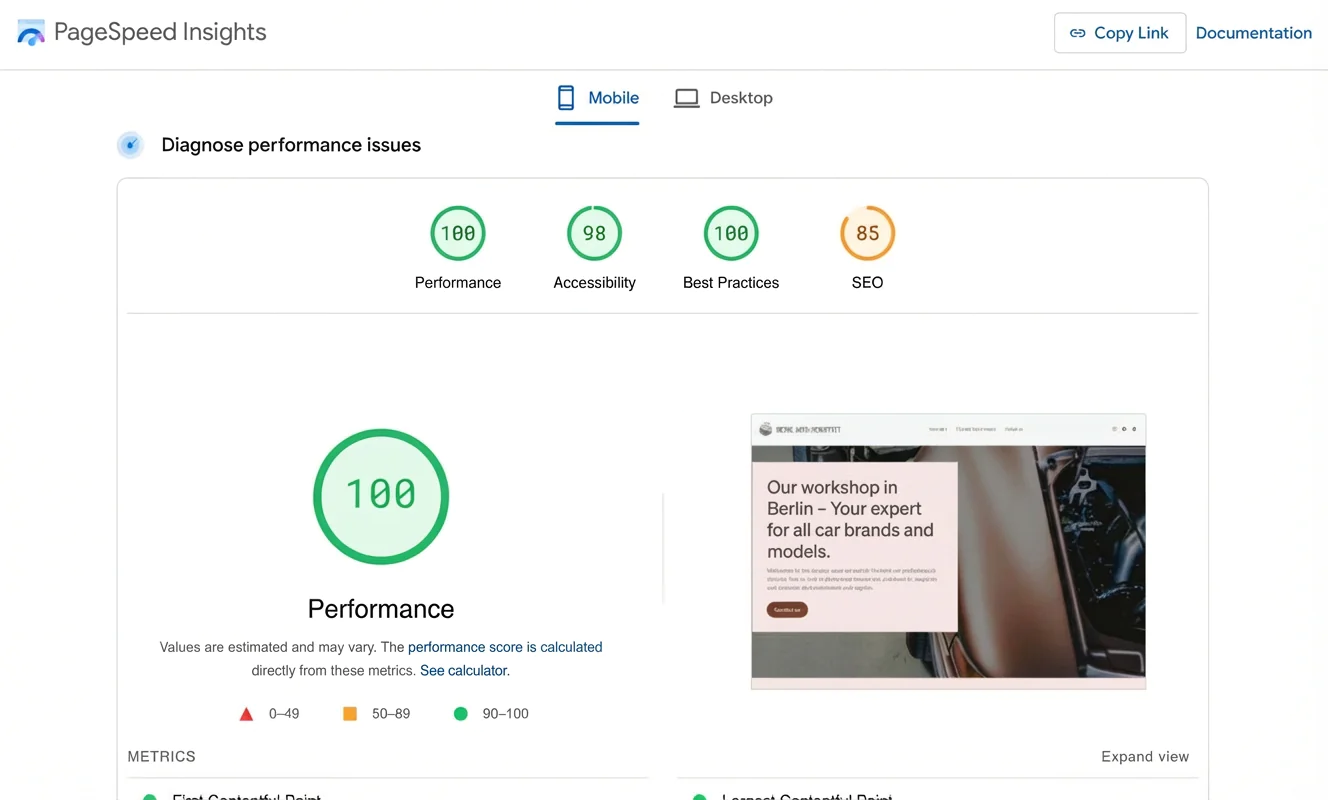
According to the Speed Index, the first content on my test website became visible after 0.6 seconds. In other words: by the time you count “one … two”, the page would already be on screen. This, of course, applies to simple WordPress websites like the one I created for testing.
Load test
A load test puts a website under particular stress by measuring how the server performs when many visitors access the site at the same time.
Thanks to the built-in cache, my test website handled this load test without any issues.
Server availability
For business websites in particular, few things matter more than being reachable around the clock. With a measured uptime of 100%, IONOS performed very well here.
IONOS itself states an availability of 99.99%. In practice, that means you should rarely — if ever — run into problems with your website being unavailable.
Server location
IONOS (formerly 1&1) is based in Montabaur and positions itself as a major web hosting and cloud company in Europe. It states that it offers its customers a high level of security and compliance with EU standards.
This is supported by server locations in Germany. Alongside the legal and data protection context, this can also mean faster loading times for visitors who access the site from within Germany.
Security at a glance
| Rating | |
| Points achieved | 33 out of 35 points |
| Advantages |
|
| Disadvantages |
|
IONOS offers a solid level of security across all WordPress hosting plans. A free SSL certificate is included, along with automated protection against DDoS attacks and malware scans. The email service also includes phishing protection and spam filtering.
There are some gaps when it comes to firewall options and backups. You cannot set up your own firewall, and the backup setup is only usable to a limited extent. For beginners running a simple website project, this is unlikely to cause problems.
SSL certificate
All IONOS WordPress hosting plans include a free (wildcard) SSL certificate. This protects not only your main domain, but also any subdomains you may use.
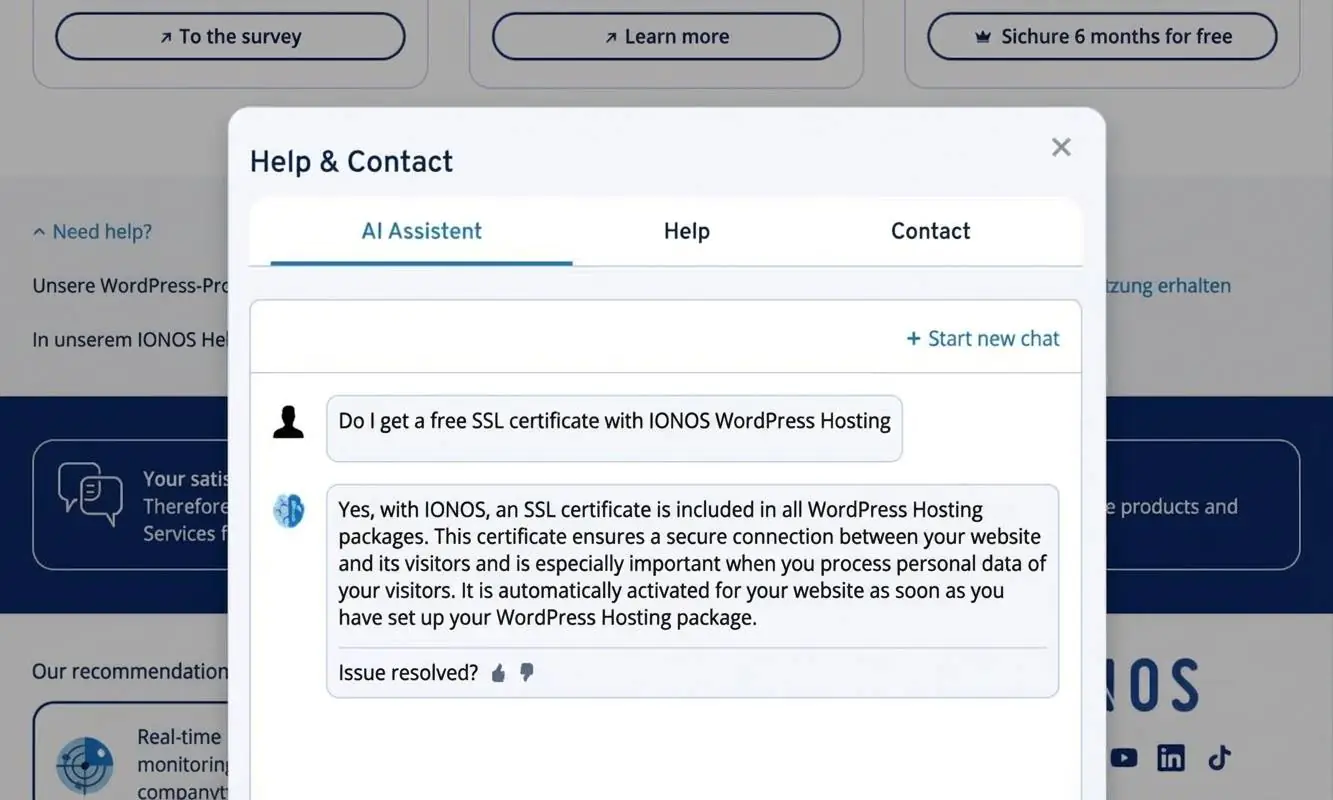
A valid SSL certificate — recognisable by the padlock icon and “HTTPS” in the address bar — means the connection between browser and server is encrypted. This improves security when entering sensitive information and can also help build trust with visitors.
It is also an important ranking factor for Google and other search engines.
Automatic malware scans
With IONOS, your WordPress website is automatically checked for malware and security vulnerabilities. IONOS works with SiteLock for this, and potential threats are shown in the admin overview.
However, automatic removal of malware is only available in the more expensive “Boost” and “E-Commerce” plans. Only these plans also include the “Scan + Repair” package, which gives you access to the SiteLock dashboard with more detailed scan results and options to trigger scans automatically.
Protection against DDoS attacks
IONOS uses reverse proxies to protect customer websites — and its own infrastructure — against DDoS attacks.
Its in-house firewalls use spoofing and egress filters. Potential attacks are also meant to be reduced through so-called bogon filtering.
Firewall
IONOS does run firewalls on its servers, as mentioned above. But with the managed WordPress hosting plans, you cannot set up your own firewall. For that, you would need access to a self-managed server.
That said, beginners typically don’t need this. Small to medium website projects are generally well protected by the automatic safeguards.
Backups
IONOS does lose points on how it handles backups. While backups are created once a day, you cannot manage them yourself.
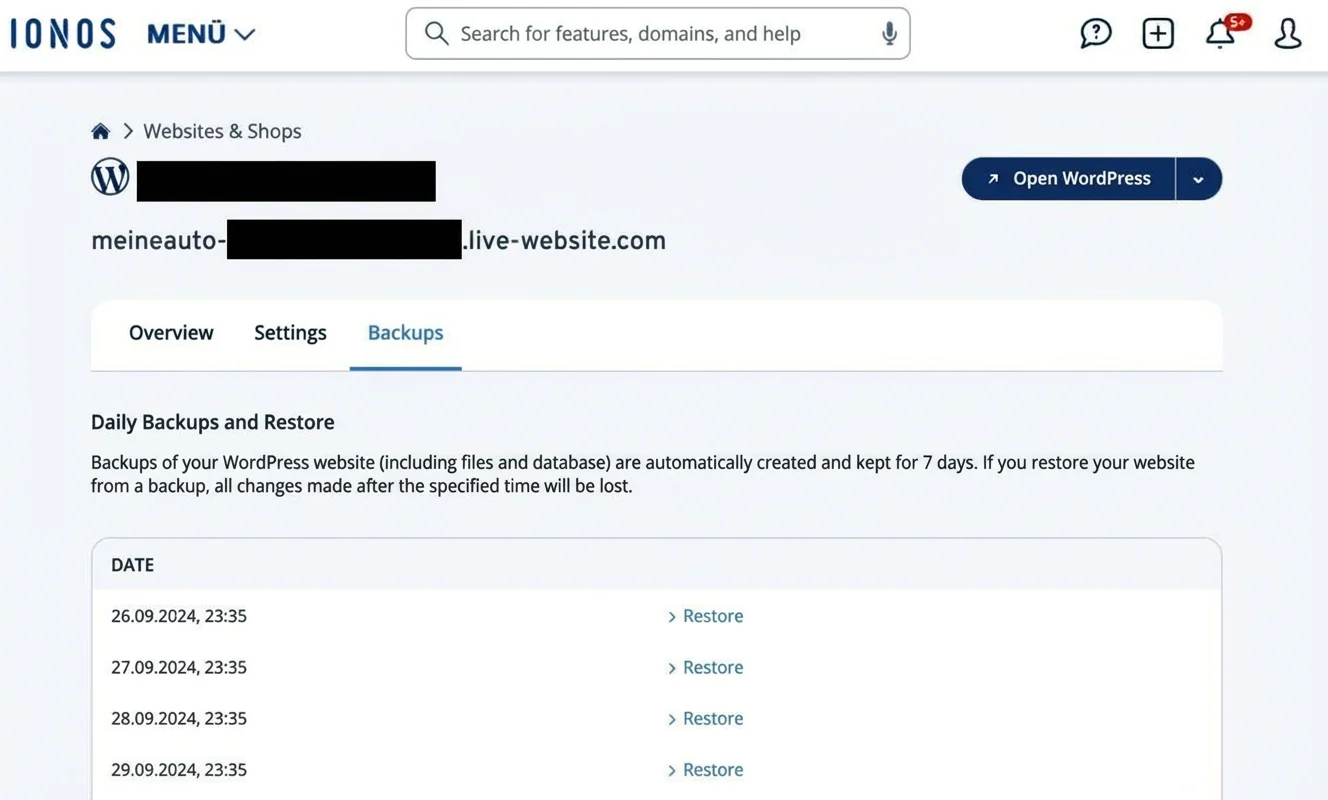
If you need to restore a website after a crash, you have to contact support. Other tools do not have these restrictions with automatic backups.
On the “Grow”, “Boost” and “E-Commerce” plans, customers get free access to the Jetpack backup plugin for one year. This allows you to manage backups and restore them when needed.
Managing access rights
IONOS managed WordPress hosting lets you manage access permissions for your website. You’ll find the relevant settings in the admin area, within the web explorer.
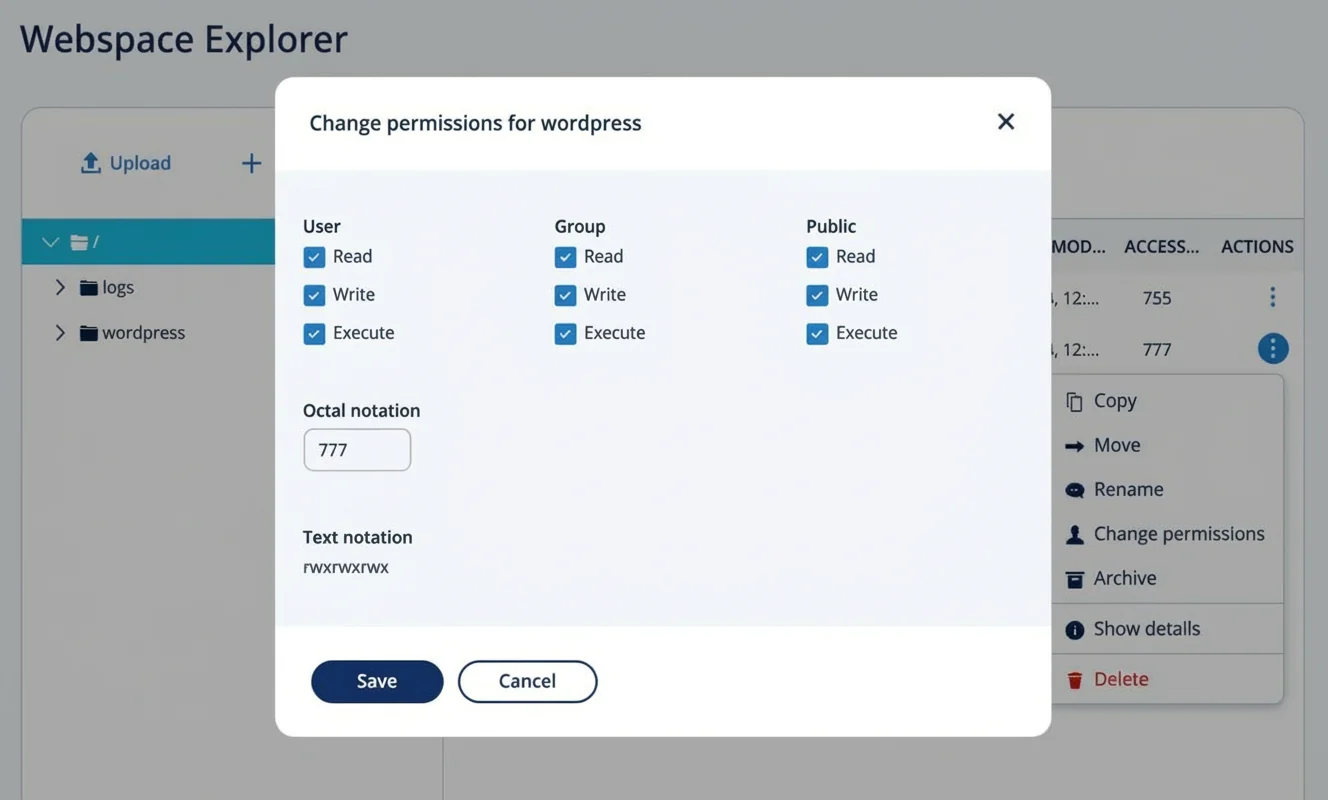
After logging into your IONOS WordPress website, you can also create different user accounts and assign roles such as team member or subscriber, along with specific permissions.
Support at a glance
| Rating | |
| Points achieved | 27 out of 30 points |
| Advantages |
|
| Disadvantages |
|
As an IONOS user, you can rely on very good WordPress support. Help is available around the clock — both via an AI chatbot and through a personal advisor.
In my test, the support earned a good result. It is also frequently mentioned in the generally strong customer reviews.
Support available 24/7 via several channels
IONOS provides a well-structured help centre with plenty of useful articles and FAQs. I found answers there to a number of basic questions about features in IONOS WordPress hosting. That said, the range of options can be a little overwhelming.
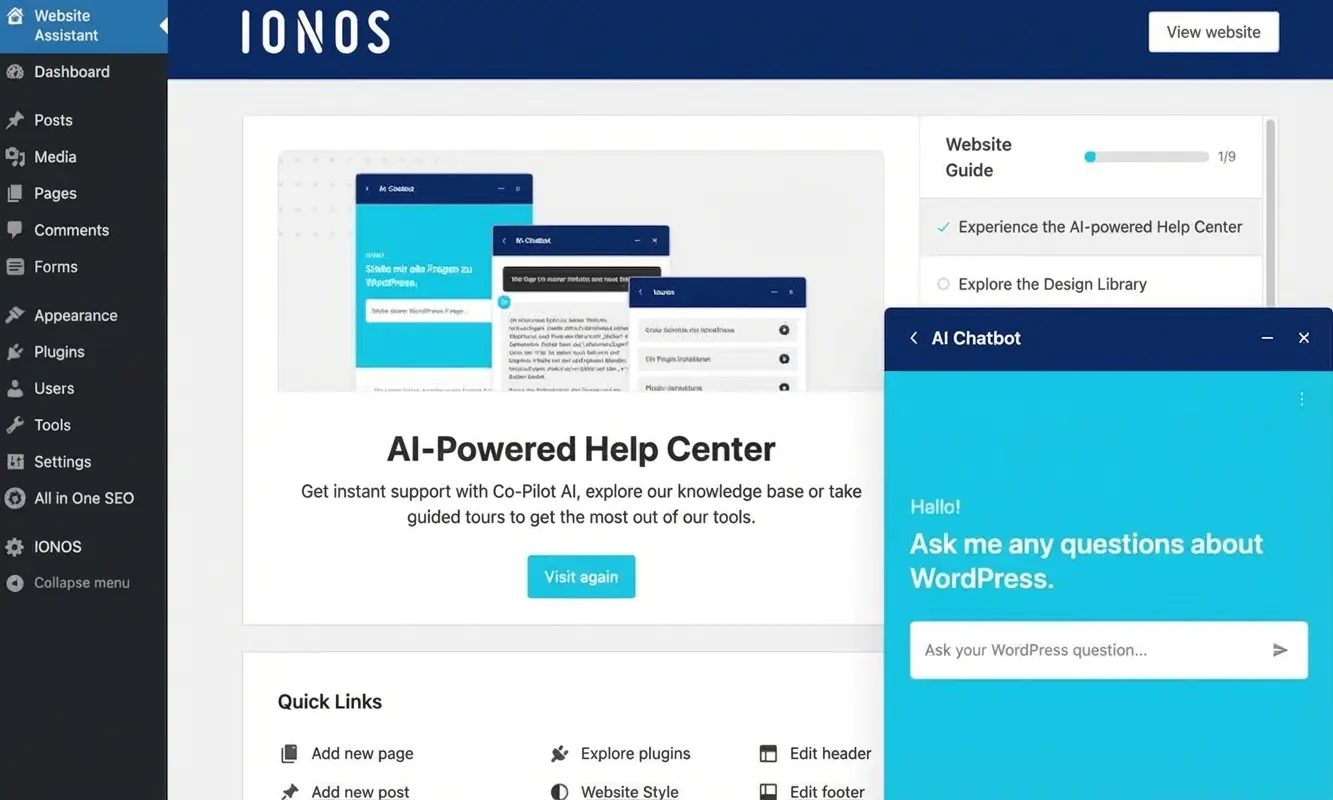
When I got stuck a few times, I first turned to the AI assistant. In one case, though, I needed the expertise of a human support agent.
IONOS offers contact with a personal advisor. This person — or someone from the support team covering for them — is available 24/7 for a call-back. In my case, the call-back took only a few minutes, and the advisor was able to answer my question.
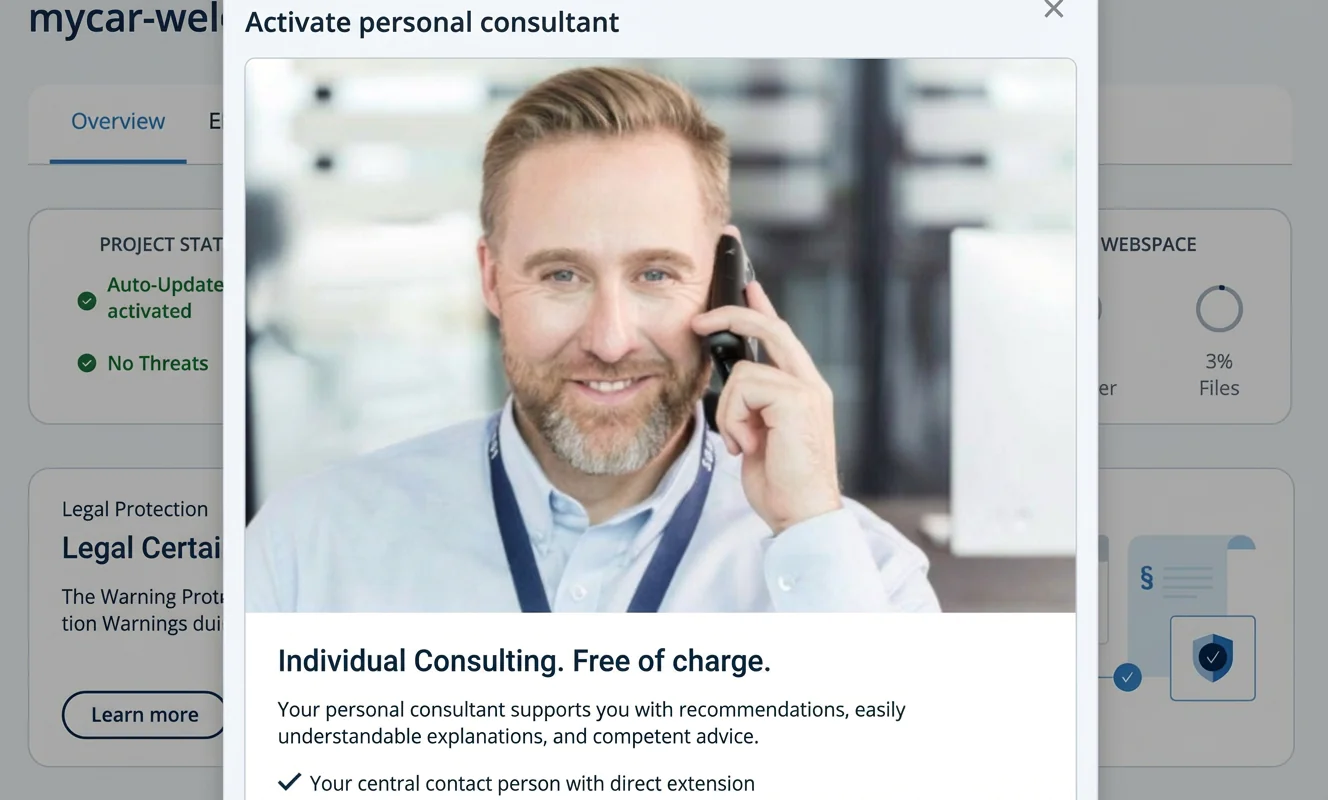
What I would like to see, however, is a live chat with real advisors. Not everyone wants to make a phone call just to clarify a simple issue. There is, of course, also the option to email customer support.
Strong customer reviews on rating platforms
On Trustpilot, IONOS has achieved 4.4 out of 5 stars from nearly 17,000 reviews. That corresponds to an “Excellent” TrustScore.
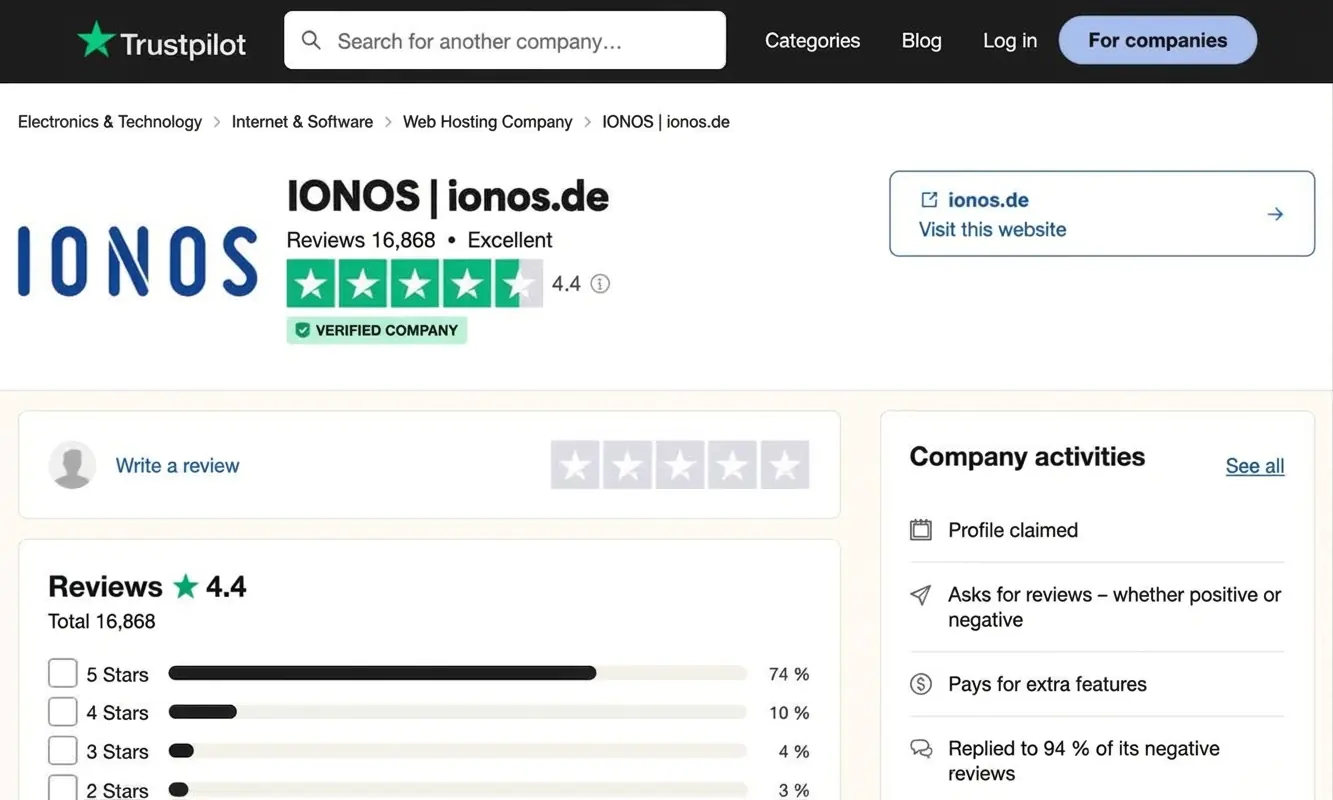
People often highlight friendly, knowledgeable and helpful support, as well as the straightforward website setup. Common criticisms include pricing and cancellation terms.
Rating: prices and plans
| Rating | |
| Points achieved | 22 out of 25 points |
| Advantages |
|
| Disadvantages |
|
IONOS offers its managed WordPress hosting at an affordable price.
There is no free trial period. However, the entry-level “Start” plan is available from £3 per month for the first six months. After that, it costs from £5 per month.
The plan includes a domain and an email mailbox. It’s difficult to find a WordPress website package much cheaper than this.
Monthly costs
IONOS offers its WordPress hosting in three plans: “Start”, “Grow” and “Business”. They mainly differ in features and the type of users they are aimed at. You’ll find more details in the plan overview below. An email address and a domain are included in all plans.
| Plans & pricing | Description | Recommended for |
|---|---|---|
| Start £3/month (first 6 months) then £5/month | ✅ All essential features ✅ Own domain ✅ Email address ✅ SSL certificate | Simple WordPress websites |
| Grow £1/month (first 6 months) then £10/month | Additionally: ✅ More web space ✅ Caching plugin ✅ Jetpack backup | Websites with higher traffic |
| Boost £7/month (first 6 months) then £15/month | Additionally: ✅ Even more web space ✅ Malware removal | Larger websites with higher requirements |
| E-Commerce £7/month (first 6 months) then £20/month | Additionally: ✅ E-commerce package ✅ Performance database ✅ 100 GB storage | Larger projects with a WooCommerce online shop |
Domain & email inbox included in the price?
A domain and an email inbox are included in all plans. You can also connect an existing domain to your IONOS WordPress website.
With the two lower-priced plans, “Start” and “Grow”, you can upgrade to a higher email package for a small monthly fee. This gives you five additional mailboxes and more storage.
Additional costs for essential features?
All core features are included in IONOS WordPress hosting plans. However, users can add extra email addresses or a more advanced scanning service if needed.
There is also an optional legal compliance add-on available for a monthly fee. This provides a legally compliant imprint and a privacy policy that meets data protection requirements.
Contract term (monthly or annual)
With IONOS, you can choose between monthly and annual WordPress hosting contracts. Longer terms come with a lower monthly price, but they also mean less flexibility if you want to cancel early. On the “Start” plan, choosing an annual contract can save you up to £24 in the first year compared with paying monthly.
What reasons might speak against using IONOS WordPress hosting?
IONOS offers managed WordPress hosting that is particularly well suited to beginners.
That said, WordPress still requires some learning time.
If you want something even simpler, it’s worth taking a closer look at classic website builder tools. They offer user-friendly drag-and-drop editors and include hosting, so you don’t need to worry about technical details.
At the other end of the spectrum, IONOS may not be the best choice if you want to fine-tune many settings yourself. Some advanced features, such as a built-in CDN or developer tools, are partly missing. These are available from more specialised — and usually more expensive — tools like WP Engine.
If you’re looking for a low-cost WordPress hosting option, shared hosting can also be a good choice. In this setup, multiple websites share one server. This is cheaper, but you have to handle the installation and maintenance of WordPress yourself.
If your main goal is running an online shop, platforms like Shopify may be worth considering. These systems, or dedicated WooCommerce hosting, are specifically designed for e-commerce.
For large websites or online shops that need a lot of performance, dedicated server hosting is another option. You get your own server without sharing resources, which can be an advantage for larger projects.
Best WordPress hosting tools
I’ve tested the most important WordPress hosting tools in detail and summarised my ratings for you here:
-
1 Winner 2026
Test score
9.4
2026
Outstanding
Pros and Cons
- WordPress securely installed with 1 click
- Control over functions and data
- Huge range of extensions and designs
- Automatic updates and backups
- Using WordPress is more complicated than a website builder
Visit sitePricing
- IONOS WordPress
- Fast server hardware
- Incl. domain & email addresses
- From £1 / month
- 30 days money back
-
2 Fast premium hosting

Test score
8,8
2026
Excellent
Pros and Cons
-
Powerful servers
-
Very fast loading times
-
Free automatic updates and backups
-
Includes staging environment, CDN and more
-
Automated setup and migration
-
24/7 expert support
-
More expensive than the test winner in comparison
-
No built-in AI setup
Visit sitePricing
- Siteground “StartUp”
- Includes domain and email inbox
- Up to approx. 10,000 visitors per month
- 30-day money-back guarantee
- From £2.99 / month for the first year, then £15.99 / month
-
-
3 Best value for money

Test score
7,9
2026
Very good
Pros and Cons
-
Unlimited bandwidth
-
Includes AI WordPress builder
-
Free pre-built templates
-
WordPress-optimised server environment
-
LiteSpeed web server and the LSCWP Cache plugin
-
Free CDN from the “Business” plan
-
Free automated website migration
-
More expensive than the test winner in comparison
-
Automatic backups available only on a weekly basis
Visit sitePricing
- Tarif “Premium”
- For approx. 25,000 visitors per month
- Includes domain and email inbox
- From £2.79 per month for the first two years
- 30-day money-back guarantee
-
-
4 Hosting with page builder

Test score
7
2026
Very good
Pros and Cons
-
All-in-one solution for WordPress
-
Includes Elementor page builder
-
Includes Elementor AI tools
-
Access to over 100 professional themes
-
Managed WordPress with staging environment, backups and updates
-
Free migration of existing WordPress websites
-
Relatively expensive in comparison
-
Mainly worthwhile if you specifically want to use the Elementor page builder
Visit sitePricing
- Plan “Host Cloud”
- Includes domain and email inbox
- Pro version of the Elementor builder
- Free website migration
- From £14.99 per month
-
WordPress hosting is a type of web hosting designed specifically for WordPress websites. It focuses on easy installation, automatic updates, security and performance.
With managed WordPress hosting, the hosting provider takes care of all the technical aspects of running and maintaining a WordPress website. This includes server optimisation, security measures and updates.
This type of WordPress hosting — as offered by IONOS for personal and business websites — is ideal if you don’t want to deal with technical maintenance but still want a secure and high-performing WordPress site.
IONOS is an internet services company that is part of the United Internet Group. It offers services such as web hosting, WordPress hosting, domains and cloud computing. The company previously operated under the name 1&1. Following several rebranding steps, including “1&1 IONOS” and “IONOS by 1&1”, the brand was simplified to IONOS in 2022.
With IONOS, managed WordPress hosting in the entry-level “Start” plan costs £3 per month for the first six months, then £5 per month. All plans include a domain and an email inbox. In my view, it’s hard to find a comparable WordPress website package at a lower price.
IONOS WordPress hosting is particularly well suited to beginners who have little or no experience building websites or working with WordPress. The solution combines the strengths of WordPress — such as flexibility, expandability and a wide range of features — with the simple setup and ease of use you’d expect from a website builder.
The AI assistant in IONOS WordPress hosting creates your website automatically after you enter a few basic details. The AI applies the key settings, selects a suitable design template and adds matching text and images. You don’t need to install your own WordPress instance — everything is handled for you.
No, IONOS WordPress hosting does not offer a free website option. However, the costs are relatively low, starting at just a few pounds per month. This includes not only website hosting, but also an email inbox and a domain, which you can connect to your site.
Comments and ratings
Was this article helpful?
Rate article
Share article